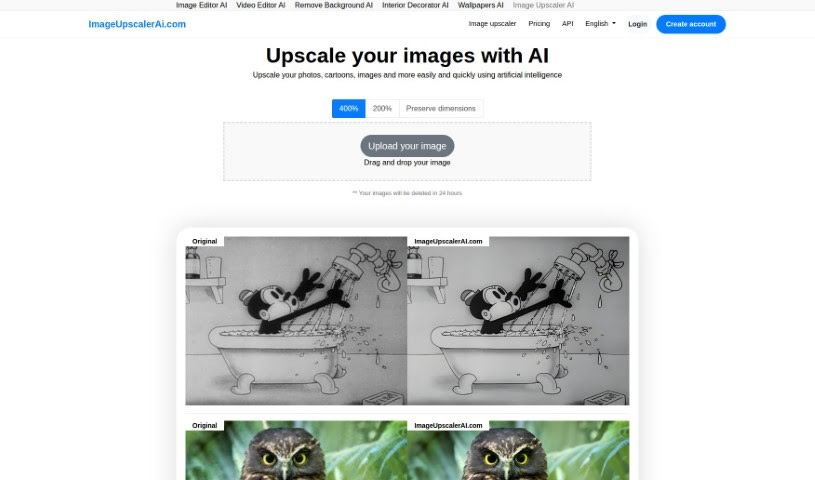
Screenshot of Imageupscalerai.com

Imageupscalerai.com

Discover what Imageupscalerai.com is all about and learn how to use it effectively in 2025. We'll explore its features and see how it stacks up against other photo editors.

Screenshot

What is Imageupscalerai.com?

ImageUpscalerAI.com is a platform that uses artificial intelligence to upscale your images. Basically, it helps you make your pictures bigger without losing any quality. It does this by intelligently adding pixels to bring out more detail. The best part? You can use this tool for free, and you don’t even need to create an account. Beyond just upscaling, the site also offers other AI-powered tools, like an Image Editor AI and a Video Editor AI, to help you get creative with your digital content. It’s designed to be really easy to use and even supports multiple languages, making it accessible to people all over the world.

Who created Imageupscalerai.com?

Lou is the person behind ImageUpscalerAI.com, as mentioned on the site itself. The company uses a version of imaginAIry for its artificial intelligence smarts and Django to build the website. This platform provides free AI-driven image upscaling, and it’s packed with helpful features. You get support for many languages, a super user-friendly interface, and you don’t need an account to start. Plus, there are those extra AI tools for your creative projects. Lou’s goal with this project is to make sure everyone can improve their images without sacrificing quality, focusing on making every pixel sharp and clear for a global community.

What is Imageupscalerai.com used for?

  • Making images bigger without losing quality
  • Using artificial intelligence for image enhancement
  • Improving photos
  • Creating high-resolution images
  • A free, easy-to-use tool
  • Applying AI algorithms to visuals

Who is Imageupscalerai.com for?

  • Photographers looking to enhance their shots
  • Graphic designers needing crisp, clear visuals
  • Artists wanting to present their work in high resolution
  • Printers requiring sharp images for output
  • Web designers needing optimized images for websites
  • Content creators aiming for professional-looking visuals
  • Marketing professionals who need high-quality assets
  • E-commerce business owners wanting to showcase products effectively

How to use Imageupscalerai.com?

Imageupscalerai.com is a really straightforward tool that uses AI to make your images bigger and better. Here’s how you can get started:

  1. First, just head over to Imageupscalerai.com in your web browser.
  2. Next, click the upload button to add the image you want to improve.
  3. The AI will then automatically work its magic, boosting your image’s resolution without any loss in quality.
  4. Once it’s done, you can download your newly upscaled image right to your device.
  5. And that’s it! Enjoy your higher-resolution image, perfect for printing, presentations, or any digital use.

Key Features:

  • Free Upscaling: Make your images bigger and better for free, all thanks to AI.
  • User-Friendly Interface: You’ll find it super easy to navigate the website and get things done.
  • No Account Required: Jump right into upscaling without the hassle of signing up.
  • Additional AI Tools: Want to do more? Check out other AI tools like Image Editor AI and Video Editor AI for extra creative options.

Frequently Asked Questions:

  1. How does Image Upscaler AI work? ImageUpscalerAI.com uses smart AI algorithms to boost your image resolution.

  2. Is the image upscaling service free? Yes, absolutely! You can upscale your images completely free of charge.

  3. Do I need to create an account for Image Upscaler AI? Nope, no account needed at all. You can use the tool directly on the website.

  4. What other AI tools are available on Imageupscalerai.com? Besides image upscaling, you can also find tools like Image Editor AI and Video Editor AI.

  5. Is the tool available in multiple languages? Yes, Imageupscalerai.com supports many different languages, so it’s accessible globally.

By following these simple steps and checking out all the features, you can easily make your images look their best with Imageupscalerai.com, ensuring great quality and sharpness every time.

Related AI Tools

Discover more tools in similar categories that might interest you

123RF AI Image Generator

Creative Image Generation
Learn More

Stay Updated with AI Tools

Get weekly updates on the latest AI tools, trends, and insights delivered to your inbox

Join 25,000+ AI enthusiasts. No spam, unsubscribe anytime.