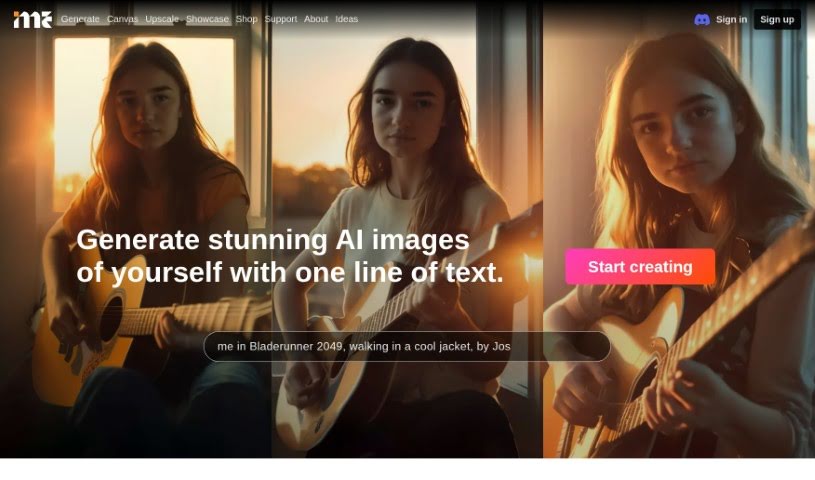
Screenshot of ImagineMe

ImagineMe

Discover ImagineMe in 2025! Learn what it is, how to use its features, and how it stacks up against other AI image generators.

Screenshot

What is ImagineMe?

ImagineMe is a really neat AI system that lets you create your own personalized art. You know, the kind where you can see yourself in all sorts of different scenarios, just from a simple text description? It works by training a private AI model just for you, using pictures you upload. You’ll need to upload about 10 to 20 varied photos of yourself, and the AI model usually takes up to 5 hours to get trained. Once that’s done, though, it can whip up images based on your text prompts super fast.

The whole idea behind this platform is to give you more ways to be creative and express yourself. It uses some pretty advanced AI tech to turn your own photos into art that’s totally unique and customizable. ImagineMe hopes to build a community where people can use AI to bring their wildest ideas to life in ways we haven’t seen before. It makes it easy to generate all sorts of images using the personal models you create from your photos, letting you play around with different styles and situations.

So, to sum it up, ImagineMe is a cool AI platform that blends your own look with your creative ideas. It lets you make amazing, one-of-a-kind artworks just by typing in what you want to see, using the personal models it trains from your pictures.

Who created ImagineMe?

Imagine Me was brought to life by a team of folks who are really passionate about new technologies. They launched the platform on June 14, 2024, with a clear goal: to boost creativity and self-expression. They do this by using advanced AI to turn personal photos into art that’s unique and can be customized. The team behind Imagine Me is made up of young professionals who are experts in areas like computer science, tech entrepreneurship, system engineering, and design.

What is ImagineMe used for?

  • Creating your own personalized art and avatars
  • Trying on clothes virtually
  • Personalized marketing materials
  • Making AI Avatars
  • Generating AI Headshots
  • Creating AI Profile Pictures
  • Turning yourself into a cartoon
  • Making AI Selfies
  • Designing D&D Portraits
  • Creating Anime Portraits
  • Producing professional pictures
  • Discovering new clothing styles
  • Generating artistic concepts
  • Creating realistic photos
  • Crafting fantasy portraits
  • Transforming characters
  • Making images for social media
  • Helping businesses advertise using customer likenesses
  • Producing professional and lifelike photos
  • Transforming artistic styles based on text prompts
  • Creating unique and imaginative images from text descriptions
  • Visualizing different scenarios with AI-generated art
  • Generating images in various styles and settings
  • Combining your personal likeness with creative expression
  • Turning AI Photos into Art

Who is ImagineMe for?

  • Artists
  • Designers
  • Marketers
  • Graphic designers
  • Creators
  • AI researchers
  • Computer Scientists
  • Entrepreneurs
  • System engineers
  • Business administrators
  • Marketing professionals
  • Fashion designers

How to use ImagineMe?

Here’s how you can get started with Imagine Me:

  1. Create Your Model: First, you’ll need to upload about 10 to 20 high-quality, varied pictures of yourself. This is what trains your personal AI model, which is the key to generating artwork based on what you describe in text.
  2. Train Your Model: The AI needs to learn what you look like. This training process can take up to 24 hours, though it’s often quicker than that.
  3. Generate Images: Once your model is ready, you can start generating images. Just type in a description of what you want, and the AI will create images based on it. The first time you generate something, it might take a few minutes, but after that, it usually only takes about 30 seconds per image.
  4. Explore the Showcase: Need some inspiration? Check out the ‘Showcase’ section. You can see what other users have created with different prompts and get ideas for your own artwork.
  5. Understand the Credits: Imagine Me uses a credit system. You can buy packages, like 10 credits for $5, 25 credits for $10, or 45 credits for $15. Each credit lets you create 4 images.
  6. Choose Your Art Type: You can generate different kinds of art depending on your text prompt. Options include Concept/Character, Photorealistic, Posters/Gifts, Cosplay, Fashion, and Artistic styles.
  7. See the Costs: The price per credit is pretty reasonable, especially if you go for the larger packages. For instance, the 45-credit package works out to about $0.33 per credit, which is a good deal if you plan on making a lot of images.

Just a friendly reminder: always be mindful of privacy and get consent if you’re using the tool to create artwork of anyone other than yourself. Have fun exploring your creativity with Imagine Me!

Related AI Tools

Discover more tools in similar categories that might interest you

123RF AI Image Generator

Creative Image Generation
Learn More

Stay Updated with AI Tools

Get weekly updates on the latest AI tools, trends, and insights delivered to your inbox

Join 25,000+ AI enthusiasts. No spam, unsubscribe anytime.