AI Tools for Creative

Discover the best Creative AI tools to enhance your productivity and creativity.

Page 48 of 114 • 1360 total tools

Creativity today is changing fast, and AI is becoming a super helpful partner. Whether it’s creating amazing visuals or writing music, AI creative tools are making the art process more accessible and exciting. But with so many options out there, finding the right one for your creative needs can feel a bit overwhelming.

Things have really changed in just a few years. AI tools aren’t just for special uses anymore; they’re smoothly fitting into our everyday creative work. These new technologies can make your projects better, save you time, and even lead you to explore artistic ideas you hadn’t considered before.

I’ve spent a good amount of time exploring the world of AI creative tools, looking into everything from graphic design apps to music software. Since I love seeing how technology and creativity come together, I wanted to share what I found about the best tools available right now.

So, whether you want to make eye-catching visuals or come up with fresh concepts, there’s a tool out there just for you. Let’s dive into the best AI creative tools that can take your artistic projects to the next level and change how you create.

The best AI Creative Tools

  1. Canva for designing social media posts
  2. Character AI for brainstorming story ideas and concepts.
  3. Janitor AI for quickly crafting unique story ideas.
  4. Remove.bg for instantly removing backgrounds from design projects
  5. Leonardo AI for generating dynamic artwork for designers
  6. Photopea for designing stunning graphics and illustrations.
  7. Photoroom for improving photos for creative projects
  8. Pixelcut for designing eye-catching product ads
  9. Pixlr for designing great graphics with ease
  10. Midjourney for visual storytelling through art prompts.
  11. AI Face Swap for creating unique memes for social media.
  12. Cutout.pro for creating dynamic backgrounds for art
  13. Remaker for AI-powered image creation for unique designs.
  14. Ideogram for logo design and customization.
  15. Openart for experimenting with unique artistic styles
How do AI creative tools work?

AI creative tools work by using advanced algorithms that learn from all sorts of data. They look at patterns in creative works—like art, music, or writing—which helps them copy styles and create new, original pieces. It’s a bit like how human artists get inspired by different things they see or hear.

At their core, these tools often use neural networks. These are specially built to understand and interpret human creativity. The networks are trained on huge amounts of data, including works from many different styles and formats, so they can learn and adapt to various approaches.

When you give a prompt—like a topic for a story, a theme for a painting, or a music genre—these AI tools use the patterns they’ve learned to generate fitting responses. They essentially guess which elements should go together to make content that feels cohesive and engaging.

What’s really interesting is that AI creative tools don’t just repeat what they’ve learned; they can actually be innovative. By blending styles or drawing from less common influences, they can produce work that surprises and inspires, offering a fresh take even on familiar subjects.

As technology keeps advancing, these creative tools are getting more capable. This means we can have richer interactions, with users and AI working together more smoothly. Often, this leads to amazing artistic creations that combine human ideas with computer power.

If you’re curious about the technical side of these tools, looking into neural networks and creative AI applications can offer more insight into how they bring artistic ideas to life.

Our best AI creative tools at a glance

RankNameBest forPlans and PricingRating
1CanvaSocial media post designN/A4.73 (11 reviews)
2Character AIGBrainstorming story ideas and concepts.N/A4.64 (11 reviews)
3JanitorAICrafting unique story ideas quickly.N/A0.00 (11 reviews)
4Remove.bgInstant background removal for design projectsPaid plans start at $0.2/image.4.82 (11 reviews)
5Leonardo AIDynamic artwork generation for designersPaid plans start at $9/month.4.73 (11 reviews)
6PhotopeaDesign stunning graphics and illustrations.N/A4.67 (12 reviews)
7PhotoroomEnhancing creative project photosPaid plans start at $7.50/month.4.74 (38 reviews)
8PixelcutDesigning eye-catching product adsN/A4.64 (11 reviews)
9PixlrDesigning stunning graphics effortlesslyPaid plans start at $0.99/month.4.73 (11 reviews)
10MidjourneyVisual storytelling through art prompts.N/A4.73 (11 reviews)
11AI Face SwapCrafting unique memes for social media.N/A4.70 (10 reviews)
12Cutout.proDynamic background creation for artistryN/A4.46 (13 reviews)
13RemakerAI-powered image creation for unique designs.N/A4.69 (13 reviews)
14IdeogramLogo design and customization.N/A4.85 (26 reviews)
15OpenartExperiment with unique artistic stylesPaid plans start at $84/year.4.25 (8 reviews)
Screenshot of Homestyler

Homestyler

Freemium

Homestyler is a really versatile design software. It's built for everyone, whether you're just starting out with interior design or you're a seasoned pro. It gives you the tools to create high-quality projects. You can get personalized design ideas, plan out floor layouts, design specific areas like kitchens and bathrooms, work with others on projects, and even use it on your phone. Plus, it has this neat AI feature that helps you create interior designs tailored to what you like and the styles you prefer.

Screenshot of Homestylerai

Homestylerai

Freemium

HomeStyler AI is a really user-friendly and innovative tool that makes it simple and fun for anyone to design their interior spaces. You can try out up to 14 different styles to see what your dream home could look like, all by just uploading a picture of your current space. HomeStyler AI uses cutting-edge artificial intelligence to create photo-realistic renders of your rooms in mere seconds. The platform offers different subscription plans to fit various needs, including options to keep your original designs and renders private, plus a commercial license if you plan to use the designs for business. So far, HomeStyler AI has helped users create over 2100 renders, showing just how popular it is for transforming living spaces into something truly personal.

Screenshot of Hotpot

Hotpot

Freemium

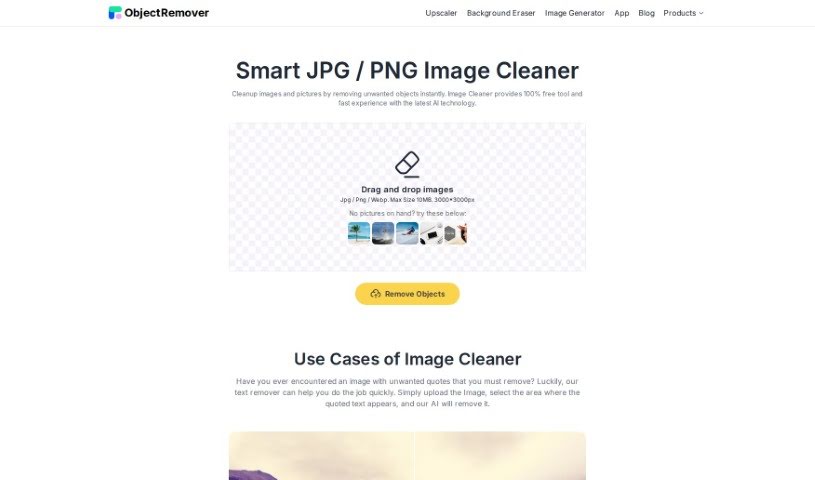
Hotpot.ai is a really handy platform that uses AI to give you a bunch of different tools and templates for making graphics, pictures, and even text. It is your go-to spot for creative tasks. It’s packed with features like an AI Art Generator, an AI Headshot Generator, an AI Photo Upscaler, an AI Object Remover, a Background Remover, an AI Color Generator, a Face Enhancer, and an AI Copywriter. Basically, it can help with everything from whipping up social media posts to automating tricky image editing tasks.

Screenshot of Hubble

Hubble

Freemium

Hubble is a sophisticated tool designed specifically for product and design teams. Its main goal is to help you really understand and improve the user experience of your products. It does this by offering a variety of research and feedback methods. You can run unmoderated tests, like prototype tests and usability tests, and also collect feedback directly within your product using surveys like NPS and CSAT. Hubble also makes it easy to find the right people for your research with advanced user targeting and efficient panel recruitment. Plus, they offer a great selection of educational materials, including blogs, customer success stories, help centers, and detailed documentation, all to help you get the most out of the platform. Essentially, Hubble is a really useful partner for managing user experiences all the way through developing your product.

Screenshot of HueHive

HueHive

Freemium

HueHive is a smart AI tool that makes creating beautiful color palettes super easy. It is your personal AI assistant for all things color. It's designed to help you generate stunning color combinations for pretty much any design project you're working on. What's really neat is that it has a Figma plugin. This means you can use HueHive's palettes directly inside Figma, which is a huge time-saver for designers. Plus, there's a palette generator that uses Chat GPT technology. You just type in a theme – like 'cosmetic,' 'Indian recipes,' 'futuristic,' 'Makoto Shinkai,' or 'dark fantasy' – and it whips up a color palette for you. You'll see the colors clearly laid out, each with its own name. HueHive also offers other resources, like apps for Android and iOS, a web version called Croma, and even a Github repository where you can check out palettes that have already been made. Connecting with HueHive on social media is a great way to keep up with updates and get fresh inspiration for your color choices. It's a really handy resource for anyone in design or creative fields who wants to make great color palettes with a little help from AI.

Screenshot of Hypeless

Hypeless

Freemium

Hypeless is a platform designed to offer quick and efficient AI solutions for all your design and development needs. It is a go-to place for fixed-price services that can really speed things up. They offer things like AI-Generated Branding & Mockups, turning your Figma designs into websites, building out Design Systems, and providing ready-to-use UI Kits. Whether you're in marketing, e-commerce, healthcare, education, or pretty much any other industry, Hypeless aims to help businesses, brands, and apps tackle their design challenges.

Screenshot of I Have Nothing To Wear

I Have Nothing To Wear

Freemium

'I Have Nothing To Wear' is a smart online platform that uses AI to help you find the perfect outfit, just for you. It's designed to feel like having your own personal shopper. You tell it what you like – maybe your favorite colors or what kind of event you're dressing for – and it generates outfit ideas. What's great is that it really respects your privacy; your personal data isn't shared. Plus, the community's feedback helps make the tool even better over time. You can easily use it by typing your needs into the search bar. The AI then processes this information to give you outfit suggestions that are just right. The more you use it and give feedback, the more it learns your taste and style, leading to even better recommendations. It's flexible enough to handle specific color choices and works for any occasion, really. It’s a community-driven platform that aims to make shopping more personal and enjoyable.

Screenshot of IACrea

IACrea

Freemium

IACrea is a really neat AI tool that makes redecorating your living spaces super quick and easy. You just upload a photo of your place, pick a style you like – maybe modern, Scandinavian, industrial, or minimalist – and BAM! You get a brand new design idea in seconds. It's fantastic for anyone who loves interior design, is trying to sell or buy a home, or just wants to play around with different looks for a room. Plus, if you're a developer, IACrea offers API access, and it even works with 360-degree photos, which is great for virtual tours.

Screenshot of Icon Wizard AI

Icon Wizard AI

Freemium

IconWizardAI.com is a platform that really shines when it comes to creating unique, professional-looking icons. It's an AI Icon Generator that makes the whole process quick and easy. You just give it a prompt, pick your colors and styles, and tell it how many icons you need, all through a super user-friendly interface. Plus, it saves all your creations in the cloud, so you can grab them anytime. It's a fantastic tool for designers, developers, marketers, or really anyone who wants to make their projects look better visually. What sets it apart is how simple it is to use, the sheer number of creative options it offers, how it saves you time with automation, its flexible pricing, and the high quality of the icons you get. IconWizardAI.com is built to work for all sorts of users and projects, making icon creation a smooth experience.

Screenshot of Iconai

Iconai

Freemium

IconAI is a really neat AI tool that helps you create custom icons. You don't need any fancy design skills to use it! Just type in what you're imagining and pick a style you like. You've got tons of options, like Pixel, Polygon, Clay, Metal, Minecraft, Illustration, Hand Drawing, Cartoonize, Neon, Line, Origami, Isometric, Sticker, and Flat. This lets you generate icons that are totally unique and look super professional. Plus, if you need really sharp icons, you can upgrade to get 1024x1024 resolution. Basically, IconAI makes making icons simple, fast, and efficient, whether you're an individual or a business.

Screenshot of Icongen

Icongen

Freemium

Icongen.io is a smart tool that uses artificial intelligence to create really good icons. You can use them for all sorts of things, like making your business branding look sharp or sprucing up presentations. It's super easy to use, with a simple interface that guides you through making, picking, and downloading icons quickly. You get icons fast, can tweak them just how you like, choose from different styles, and the pricing is clear – you pay for credits. New folks get 5 free credits to get started!

Stay Updated with AI Tools

Get weekly updates on the latest AI tools, trends, and insights delivered to your inbox

Join 25,000+ AI enthusiasts. No spam, unsubscribe anytime.