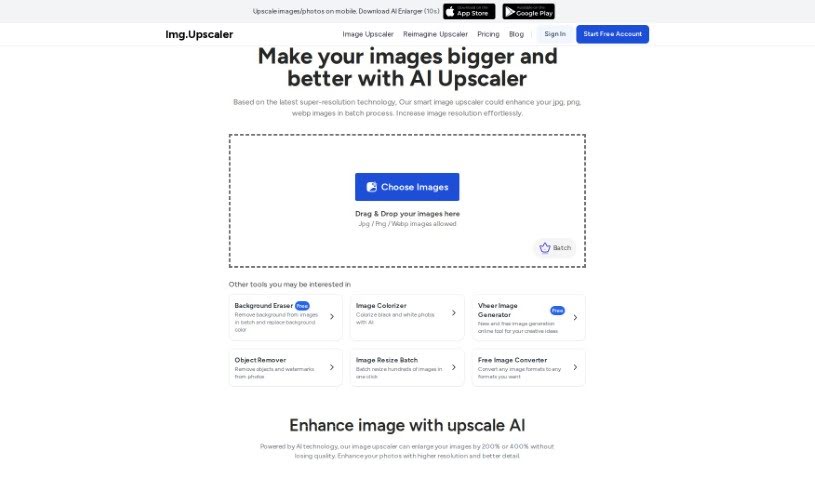
Screenshot of Image Upscaler

Image Upscaler

Discover what an Image Upscaler is and how to use it effectively in 2025. We'll explore its features and compare it to other Image Enhancer & Upscaler tools.

Screenshot

What Exactly is an Image Upscaler?

image upscaling is a digital art form, a way to make pictures bigger and better. It’s a technique that lets you enlarge an image, increasing its resolution and overall quality. The magic happens because special algorithms cleverly guess and fill in the missing pixels as the image grows. This process results in a sharper, more detailed picture that looks great. It’s super handy for making low-resolution photos look good, boosting the quality of digital art, or even making videos clearer for a better viewing experience. Basically, image upscalers are key players in making our digital images look their best.

Who’s Behind Image Upscaler?

Matic Broz, the founder, created Image Upscaler. The company he leads offers a service that uses AI to enlarge images. You can make your photos 200% or even 400% bigger without sacrificing quality. It’s all about giving your photos higher resolution and bringing out more detail.

What Can You Do with Image Upscaler?

  • It’s really easy to use.
  • You can improve image quality and resolution.
  • It enhances both image resolution and quality.
  • It lets you enlarge images by up to 400%.
  • You can create images with resolutions as high as 16000x16000 pixels.
  • It makes images clearer and sharper.
  • It reduces pixelation and blurriness.
  • Your photos stay visually consistent even when magnified.
  • It brings out finer details, textures, and colors.
  • You can print photos in large formats.
  • It provides high-resolution images perfect for graphic design.
  • The upscaling algorithm is specially tuned for Anime and Cartoon pictures.
  • It’s great for enhancing low-resolution images.
  • You can magnify photos without losing visual quality.
  • It helps you get high-resolution images for printing large formats.
  • Photographers can improve their image quality and resolution.
  • It really brings out the finer details, textures, and colors in pictures.
  • You can avoid pixelation and blurry images.
  • Image quality is preserved throughout the entire upscaling process.
  • It’s excellent for enhancing Anime and Cartoon pictures.
  • It transforms low-resolution images into high-quality ones.
  • It specifically enhances image resolution.
  • You can boost image resolution and quality by up to 400%.
  • It allows you to reach an impressive resolution of up to 16000x16000 pixels.
  • Low-resolution images can be enlarged without losing their visual integrity.
  • The tool analyzes an image’s structure and intelligently fills in missing details.
  • It maintains the original clarity and sharpness when enlarging images.
  • Pixelation and blurry images are eliminated.
  • Upscaled images look natural, without artifacts or distortions.
  • Photographers can print large-format photos, and graphic designers can get high-resolution images.
  • You can magnify photos while keeping their quality intact.
  • It’s simple to upload low-resolution images.
  • It’s ideal for printing large-format photos.
  • You can create high-resolution images for graphic design projects.
  • It enlarges images by 400%.
  • You can achieve a resolution of up to 16000x16000 pixels.
  • Image clarity and sharpness are maintained.
  • Finer details, textures, and colors are enhanced.
  • Image quality is preserved during upscaling.
  • Upscaled images come out without artifacts or distortions.
  • You can upload images in JPG, PNG, or JPEG formats.
  • It’s a great tool for photographers and graphic designers.

Who Should Use Image Upscaler?

  • Graphic Designers
  • Photographers
  • Video Editors
  • Digital Artists
  • Marketing Specialists
  • Web Designers
  • Social Media Managers
  • E-commerce Specialists
  • Fashion Designers
  • Architects
  • Game Developers
  • Advertising Professionals

How Do I Use Image Upscaler?

Using Image Upscaler is pretty straightforward. Here’s how:

  1. Upload Your Image: Just drag and drop the picture you want to make bigger right into the AI Image Upscaler tool. It works with all sorts of images, whether they’re portraits, landscapes, or product shots.
  2. Pick Your Size: You can choose to increase your image size by either ‘200%’ or ‘400%’. Then, click ‘Upload and Start’ to get the upscaling process going.
  3. See and Save: Once your image is upscaled with better resolution and more detail, you can take a look at the result. When you’re happy with it, just click ‘Download’ to save your enhanced image.

Image Upscaler uses smart artificial intelligence to add new pixels in a way that makes images smoother and clearer, while keeping all those intricate details. It refines details, smooths edges, and creates high-resolution images that are perfect for both printing and digital use. Plus, you can even do more editing on your upscaled images with the tools Image Upscaler provides.

This tool is super user-friendly, making it ideal for anyone creating digital content, photographers, and designers who want to boost their image quality easily and quickly.

Related AI Tools

Discover more tools in similar categories that might interest you

123RF AI Image Generator

Creative Image Generation
Learn More

Stay Updated with AI Tools

Get weekly updates on the latest AI tools, trends, and insights delivered to your inbox

Join 25,000+ AI enthusiasts. No spam, unsubscribe anytime.