What is Image Cleaner?
Image Cleaner is a handy tool that uses AI to instantly clean up your photos by removing anything you don’t want. Just upload your image (JPG, PNG, or WebP), highlight the area you want to edit, and the AI takes care of removing those unwanted elements, leaving no trace behind. It’s designed to be super easy to use, giving you high-quality results quickly. Plus, you can preview everything before you download, and best of all, there are no watermarks for anyone to deal with. It’s a really smooth experience.
Who created Image Cleaner?
Image Cleaner, the tool that helps you remove unwanted objects from photos using AI, was created by someone who prefers to stay anonymous. The company focuses on making image cleanup simple and efficient with user-friendly technology. Image Cleaner lets you remove text, get rid of objects, and it delivers high-quality results fast, all thanks to its AI-powered algorithms. You can preview your edits online before downloading, and all exports are watermark-free. The tool really uses advanced algorithms to analyze and improve your images efficiently.
What is Image Cleaner used for?
- Remove unwanted elements: Get rid of people, cars, products, pets, plants, clutter, text, and even backgrounds from your photos.
- Watermark removal: Easily take off watermarks from your pictures.
- General photo cleanup: Clean up shots by removing tourists, clutter, creases, skin flaws, date stamps, wires, road signs, strangers, or any other unwanted objects.
- Free object removal: Enjoy using the object removal service for free, with no sign-ups or subscriptions needed.
- Enhance and correct: Efficiently improve and fix your images using AI-powered object removal tools.
- Simple interface: Use a straightforward interface that gives you easy access to all the features you need for image optimization.
- Format support: Works with popular image formats like PNG and JPG.
- Safe and secure: Your usage is safe thanks to secure HTTPS encryption. Uploaded images are deleted within 24 hours, and we never use your images for commercial purposes.
- Single image processing: Currently, the tool processes images one at a time. We might add a bulk processing feature in the future for more convenience.
- Fast and efficient: It’s a quick solution for cleaning up pictures, all thanks to AI.
- Easy object removal: Simply remove unwanted elements like people, cars, products, pets, plants, clutter, text, and backgrounds from your photos.
- Remove any watermark: Take off text, icons, logos, or any other watermarks from your images.
- General cleanup: Remove tourists, clutter, creases, skin flaws, date stamps, wires, road signs, strangers, or any other unwanted objects from your photos.
- No sign-up needed: Enjoy free object removal without needing to sign up or subscribe to any plans.
- Data protection: Your images and data are protected with secure encryption, and uploaded images are automatically deleted within 24 hours.
- Format compatibility: Supports popular image formats like PNG and JPG.
- Future batch processing: We’re considering adding a batch processing feature down the line for added convenience.
- Achieve best results: For the best outcomes, use high-quality source images, set the brush and inpainting length correctly, and select objects accurately.
- Text removal made easy: Ever had an image with unwanted text you needed to remove? Our text remover can help you do that quickly. Just upload your image, select the area with the text, and our AI will remove it.
- User-friendly object removal: The Object Remover has a simple interface that makes it easy for anyone to remove objects from photos. You don’t need any special skills, and the process is very straightforward.
- Natural-looking results: We use advanced algorithms to analyze images and remove objects, ensuring all unwanted elements are erased without any traces. Your processed images will always look natural and appealing.
- Quick AI processing: Powered by AI and machine learning, our tool processes your images quickly. You won’t have to wait hours or days to clean up your pictures. Just upload the image, select the object, and remove it with a few clicks.
- Picture-perfect results: Let our powerful AI algorithms help you achieve perfect results. Our team constantly updates our image algorithms to ensure fast processing, accurate editing, and a smooth user experience.
- Preview before download: You can see the final result online before downloading it. This feature lets you make sure the output image quality is exactly what you expect.
- No watermarks, ever: Even for free users, we don’t add watermarks to the export file. The output image is great for sharing or further editing. Users can enjoy our object removal service smoothly without any interruptions.
Who is Image Cleaner for?
- Photographers
- Graphic designers
- Marketers
- Web designers
- Social media managers
- Content creators
- Social media influencers
- Marketing professionals
- E-commerce businesses
How to use Image Cleaner?
Using Image Cleaner is simple. Just follow these steps:
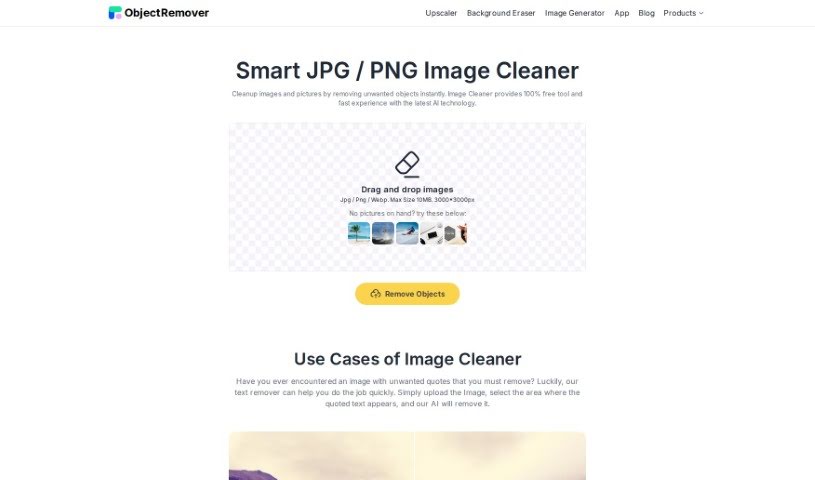
- Upload your images: Drag and drop the images you want to clean into the tool. It handles JPG, PNG, and WebP formats, up to 10MB in size and 3000x3000px resolution.
- Remove text (if needed): If you need to remove unwanted quotes or promotional text, upload the image, select the text area, and let the AI remove it effortlessly.
- Easy to use: The tool features a user-friendly interface, making it simple for anyone to remove objects from photos, no technical skills required.
- High-quality results: Advanced algorithms analyze and seamlessly erase unwanted elements, ensuring high-quality results.
- Fast processing: Powered by AI and machine learning, the tool offers fast processing speeds for quick image cleanup without long waits.
- Preview your edits: You can preview the edited images online before downloading to ensure they meet your expectations.
- Watermark-free output: All output images are watermark-free, even for free users, providing a hassle-free object removal experience.
- Learn more: Check out the frequently asked questions on the website to understand the tool’s capabilities, like AI-powered object removal for people, text, backgrounds, and more.
These steps will help you edit and enhance your images effectively and efficiently using Image Cleaner.