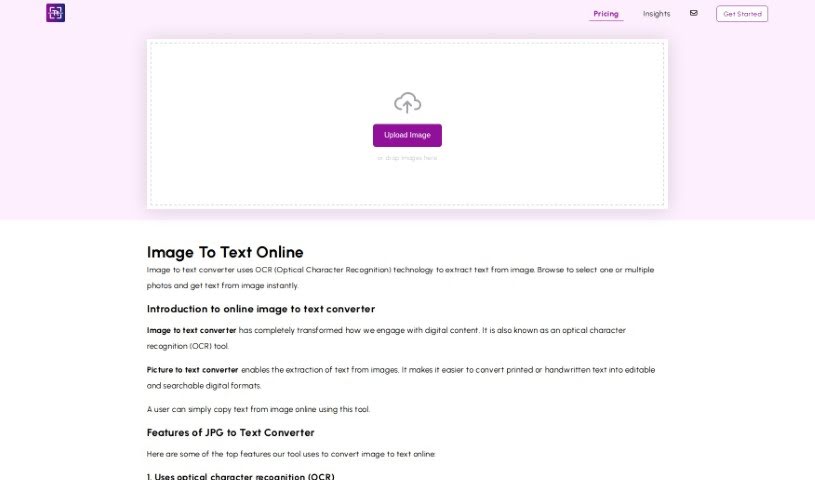
Screenshot of Image To Text Online

Image To Text Online

Discover what Image to Text Online is and how to use it effectively in 2025. We'll cover its features and how it stacks up against other photo editors.

Screenshot

What is Image To Text Online?

The “Image to Text Online Image to Text Converter” is a handy online tool that uses Optical Character Recognition (OCR) to pull text right out of your images. You can use it with all sorts of image files like JPG, JPEG, WEBP, GIF, PNG, TIFF, and BMP. Basically, if you have text in an image, whether it’s printed or even handwritten, this tool can turn it into digital text that you can edit and search through. It’s pretty versatile, supporting many languages and using smart technology to make sure the conversion is accurate. It works with all kinds of images, too – think scanned documents, everyday photos, screenshots, or even your own handwritten notes.

This tool really digs into advanced tech, using OCR engines, clever preprocessing, deep learning, machine learning, and Natural Language Processing (NLP) to get the text out of your images. Finding it is easy; just search for “image to text converter” or “photo to text converter” online, or go straight to https://imagetotext.online/. What’s great about it is that it’s fast, accurate, lets you extract text from multiple images at once, and can even handle images that aren’t perfectly clear or are a bit distorted.

Who created Image To Text Online?

Image To Text Online first went live on February 28, 2024. The folks behind it are a team of engineers and designers who are really passionate about making text extraction as smooth as possible. They’re always working on their OCR technology, using the latest machine learning to ensure they’re getting the most accurate and efficient results from images. Their goal is to make this platform the absolute best it can be, constantly looking for new ways to improve the tech and make it even easier for you to use.

What is Image To Text Online used for?

  • It’s completely free to use.
  • You can extract text from images instantly.
  • It converts printed or handwritten text into a digital format you can edit.
  • It supports a wide range of image formats: JPG, JPEG, WEBP, GIF, PNG, TIFF, and BMP.
  • It can handle text extraction from scanned documents and even recognize handwriting.
  • You can extract text in many different languages.
  • It uses advanced algorithms to ensure accuracy and reliability.
  • It’s designed to identify all characters, symbols, and numbers within your images.
  • It supports extracting text from multiple photos and screenshots.
  • You can even convert mathematical equations and process images in bulk.
  • It’s great for creating searchable databases and pulling text from invoices.
  • It turns printed or handwritten text into editable, searchable digital text.
  • It handles text extraction from scanned documents.
  • It recognizes symbols, numbers, and characters in images.
  • It supports recognizing text in multiple languages.
  • You can extract text from invoices, receipts, or screenshots.
  • It can convert mathematical equations.
  • It helps you create searchable databases.
  • It can extract text even from low-quality or distorted images.
  • It supports extracting text from multiple images.
  • It’s useful for converting handwritten text.
  • It’s a straightforward way to extract text from images.
  • It converts handwritten text into editable formats.
  • You can use it to archive documents and build searchable databases.
  • It’s perfect for extracting text from invoices, receipts, and screenshots.
  • It supports various image formats like JPG, JPEG, WEBP, GIF, PNG, TIFF, and BMP.
  • It supports text extraction in multiple languages.
  • It uses advanced algorithms for accurate text conversion.
  • It identifies all characters, symbols, and numbers within images.
  • It can convert mathematical equations from images.
  • It converts handwritten text into editable formats.
  • It extracts text from invoices, receipts, or screenshots.
  • It creates searchable databases for archiving documents.
  • It extracts text from low-quality or distorted images.
  • It supports multilingual text conversion.
  • It can handle multiple images at once for extraction.
  • It supports various image formats like JPG, JPEG, WEBP, GIF, PNG, TIFF, and BMP.
  • It can convert mathematical equations from images.
  • It helps improve your work efficiency and productivity.
  • It can handle distorted images and those under 4MB.
  • It saves you time and effort by converting text from images online.
  • You can convert handwritten text into editable formats for easy storage and retrieval.
  • It’s beneficial for archiving documents, creating searchable databases, and organizing research materials efficiently.
  • You can extract text from multiple images for free.
  • It recognizes characters, symbols, and numbers within images.
  • You can convert photos to text online with simple steps.
  • It allows for bulk text extraction, saving time and boosting efficiency.
  • You can download extracted text in different file formats with just one click.
  • It’s great for archiving documents.
  • It helps in creating searchable databases.
  • It makes organizing research materials efficient.
  • It’s useful for extracting text from invoices, receipts, or screenshots.
  • It can extract text from low-quality or distorted images.
  • It converts photos to text in bulk.

Who is Image To Text Online for?

  • Students
  • Content creators
  • Professionals
  • Professionals who need to communicate effectively
  • Anyone looking to archive documents or create searchable databases

How to use Image To Text Online?

Using Image to Text Online is pretty straightforward. Just follow these simple steps:

  1. Head over to the website: https://imagetotext.online/.
  2. Upload your image. You can pick a JPG, PNG, JPEG, or other supported format directly from your device, or even from Dropbox.
  3. Hit the “Submit” button to kick off the conversion process.
  4. Once it’s done, you can preview the text that’s been converted. Then, just click “Download” to save your results.

To get the best results:

  • Always try to use high-quality images with clear text.
  • It’s a good idea to double-check and correct any errors in the text that’s extracted.
  • When you’re doing bulk extraction, don’t upload too many images at once; sticking to about four at a time works best.
  • Make sure the images you upload are less than 4 MB in size.

Here are some of the benefits of using this Image to Text Converter:

  • It saves you a lot of time and effort by quickly converting text from images.
  • It can convert your handwritten notes into editable text.
  • It’s a big help for archiving documents and efficiently creating searchable databases.
  • You can easily extract text from invoices, receipts, and screenshots.
  • It supports converting text in multiple languages.

The tool uses OCR technology, along with advanced algorithms, deep learning, and machine learning, to accurately extract text from images. It supports a variety of image formats, handles multiple languages, and can detect characters, symbols, and numbers within images. Essentially, this platform aims to make your life easier by providing seamless text extraction from images, packed with advanced features and useful benefits.

Related AI Tools

Discover more tools in similar categories that might interest you

123RF AI Image Generator

Creative Image Generation
Learn More

Stay Updated with AI Tools

Get weekly updates on the latest AI tools, trends, and insights delivered to your inbox

Join 25,000+ AI enthusiasts. No spam, unsubscribe anytime.