AI Tools for Web Development

Discover the best Web Development AI tools to enhance your productivity and creativity.

Page 52 of 58 • 694 total tools

Web development has really changed lately, and AI tools are a big part of that. What used to take a lot of coding and design skill can now be made much simpler with smart programs that speed things up. Today, AI-assisted development tools are changing how we build websites, making it easier for newcomers and more efficient for experienced pros.

These tools offer everything from easy design features to help with writing code, letting you create great-looking, functional sites more quickly. Developers don’t have to start from scratch or fix every single line of code manually anymore. Instead, AI can offer suggestions and even create whole parts of a website based on what you need.

Having worked in web development for years, I’ve seen firsthand how AI can make tasks simpler and more efficient. But with so many options out there, picking the right tool can feel overwhelming.

In this article, I’ll share the best AI web development tools you can find right now. Whether you want to improve your coding, automate routine jobs, or make your design process better, there’s something here for you. Let’s explore the tools that can really change your web development experience.

The best AI Web Development Tools

  1. Lovable: Great for making frontend design work smoother.
  2. Cursor: Helps with real-time code collaboration.
  3. Replit AI: Generates code snippets for web apps.
  4. Supabase: For teams to manage databases together.
  5. v0 by Vercel: Quickly creates UI kits for web projects.
  6. Replicate AI: Automates code generation for web apps.
  7. Carrd: Perfect for a single-page site to promote an event.
  8. AI Dungeon: Lets you create interactive web stories with code.
  9. Ollama: For quickly building early versions of web interfaces.
  10. Jimdo: Makes building and managing websites easy.
  11. Code Sandbox: Simplifies CSS preprocessor workflows.
  12. Tilda: Lets you create websites easily without coding.
  13. Bubble: A drag-and-drop tool for building web applications.
  14. Weights & Biases: Streamlines integrating ML models into web apps.
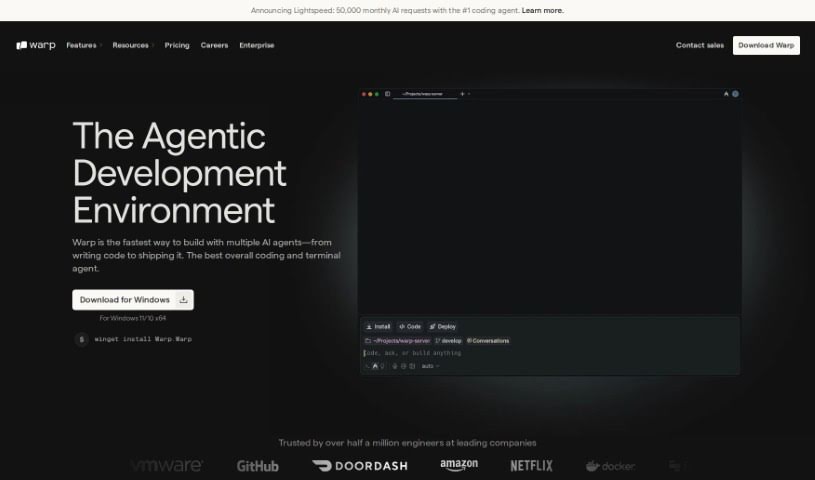
  15. Warp Terminal: Helps deploy web apps quickly.
How do AI web development tools work?

AI web development tools use smart algorithms to handle different parts of designing and building websites. These tools often use large language models, much like AI writing software, to look at coding patterns and make things more efficient. They offer suggestions, code pieces, or even build whole sections of code based on what you tell them.

Basically, these tools understand what you’re asking for, so you can describe what you want in simple terms. For example, you could say, “Create a navigation bar,” and the AI will generate the HTML, CSS, or JavaScript code needed. This makes web development more accessible, even if you don’t have a lot of programming experience.

Many AI web development platforms connect with popular coding environments and content management systems. This means they can improve tools like WordPress, Wix, or GitHub by offering smart code completions or finding errors as you type. With these connections, users can really smooth out their development process.

The data these AI systems learn from usually includes tons of source code, guides, and content created by users on sites like GitHub. This helps them learn different coding styles and the best ways to do things. Their effectiveness comes from spotting patterns and suggesting the best solutions based on what the user needs.

In short, AI web development tools make coding simpler, letting developers focus on creativity and solving problems instead of getting stuck on syntax. As technology keeps changing, these tools are expected to get even better, likely changing how web developers work.

Our best AI web development tools at a glance

RankNameBest forPlans and PricingRating
1LovableMaking frontend design work smoother.N/A4.84 (43 reviews)
2CursorReal-time collaboration on code projects.Paid plans start at $20/Month.4.83 (6 reviews)
3Replit AIGenerating code snippets for web apps.N/A4.70 (44 reviews)
4SupabaseCollaborative database management for dev teamsN/A5.00 (32 reviews)
5v0 by VercelQuickly creating UI kits for web projects.N/A4.73 (11 reviews)
6Replicate AIAutomating code generation for web apps.N/A4.82 (11 reviews)
7CarrdA single-page site for event promotion.Paid plans start at $19/year.4.72 (29 reviews)
8AI DungeonCreating interactive web story experiences.N/A4.54 (39 reviews)
9OllamaRapid prototyping of web interfaces.N/A4.63 (8 reviews)
10JimdoBuilding and maintaining websites easily.N/A4.64 (11 reviews)
11CodeSandboxSimplifying CSS preprocessor workflows.N/A4.45 (11 reviews)
12TildaEffortless website creation without coding.N/A4.75 (20 reviews)
13BubbleA drag-and-drop web applications builder.N/A4.73 (11 reviews)
14Weights & BiasesStreamlining ML model integration in web apps.N/A4.50 (12 reviews)
15Warp TerminalDeploying web apps swiftly.N/A4.79 (28 reviews)
Screenshot of Typebot

Typebot

Freemium

Typebot is your go-to tool for making and managing chatbots, but way simpler. It's designed to help you build engaging conversations without needing to write a single line of code. You get cool features like templates you can tweak, a way to see your chatbot come to life in real-time, and analytics to really understand how it's doing. Because its interface is so easy to use, Typebot makes it simple for anyone, whether you're an individual or a business, to connect with people through interactive chatbot chats. It’s a fantastic way to handle customer support, find new leads, or just share information, basically making it easier to bring AI chatbots into your digital world.

Web Development View Tool →
Screenshot of Typedream

Typedream

Freemium

Typedream is a comprehensive toolkit designed to help you launch your business online, powered by AI. It offers a range of features to make building and managing your online presence much simpler. You can use its AI to generate sitemaps and wireframes, then easily edit, customize, and publish your website. Plus, it lets you add forms and accept payments directly. Essentially, Typedream aims to make the whole web development process smoother, whether you're just starting out or you're a seasoned pro.

Web Development View Tool →
Screenshot of TypeDream Gitya

TypeDream Gitya

Freemium

Gitya is an AI-powered assistant designed to boost your productivity and efficiency on GitHub. It fits right into your current GitHub workflows, using smart AI technology to handle tasks like fixing bugs, managing tickets, and processing pull requests automatically. People really like Gitya because it cuts down the time they spend on everyday tasks, freeing them up to tackle bigger engineering challenges.

Web Development View Tool →
Screenshot of Ubos

Ubos

Freemium

Ubos is a really useful low-code/no-code platform. It's designed to help businesses and developers build and launch web applications quickly and easily, even if they don't have a lot of coding experience. It is a toolkit that lets you create custom admin panels, set up basic data management (CRUD functions), build dynamic dashboards, make chatbots, and connect with other services. It includes a Node-Red flow builder for visual programming, the Appsmith UI Builder, an extended UI editor, and a no-code tool for databases. Plus, Ubos comes with a deployment manager, pre-made templates for complex apps, a central workspace for managing all your tools, and features that help teams work together. While it offers a secure and reliable environment with plenty of UI options and an integrated API manager, it's worth noting that it has some limitations, like fewer database options and less support for custom machine learning integrations compared to some other platforms.

Web Development View Tool →
Screenshot of UI Bakery

UI Bakery

Freemium

UI Bakery is a low-code development platform designed to help people build web applications without needing to be expert programmers. It is a toolkit that lets you create and customize your app's look and feel using a simple drag-and-drop interface. This makes building apps much faster and more accessible for everyone. The platform comes with a bunch of ready-to-use templates, components, and integrations that really simplify the whole app creation process. You can easily connect to different data sources and APIs, which adds a lot of power and functionality to your applications. Whether you're working alone or as part of a team, UI Bakery is a great choice if you want to quickly create, test, and launch web applications with minimal fuss.

Web Development View Tool →
Screenshot of Uihub

Uihub

Freemium

UiHub is an AI-powered tool designed to make your UI design and development workflows much smoother. It is a smart assistant that helps you build custom libraries of UI components, all using TailwindCSS. You get instant previews of your work as you go, and the AI can even help create components for you based on simple descriptions. The whole idea behind UiHub is to simplify how you design UIs and make it easier for everyone on your team to work together. Plus, you can easily tweak branding, colors, and fonts to make those UI elements truly yours.

Web Development View Tool →
Screenshot of UiMagic

UiMagic

Freemium

UiMagic is an AI-powered tool that's really changing how we build websites. It offers smart design solutions that are both efficient and easy to customize. People love its clever AI, which makes creating websites feel quick and almost effortless. You get a user-friendly drag-and-drop builder, advanced AI for generating content, and dedicated support from a professional team. UiMagic's goal is to make web design better by using artificial intelligence to simplify the whole process and create unique, personalized designs and content.

Web Development View Tool →
Screenshot of uKit AI

uKit AI

Freemium

UKit AI is a smart system designed to make your website better. It uses artificial intelligence to look at thousands of small and medium-sized business (SMB) websites, figuring out what works well and what common mistakes to avoid. It's pretty straightforward to use: you just give it your website link. uKit AI then analyzes your site, creates an upgraded version on its own CMS platform, lets you tweak it, and finally, you can publish your improved website with your own domain name. Some of its key features include built-in HTTPS for security, layouts that look great on any device (mobile-friendly), AI-driven design for a modern, attractive look, SEO optimization to help people find you on search engines, and a Content Management System (CMS) packed with over 30 tools to really help your online business thrive.

Web Development View Tool →
Screenshot of Ultimate AI Logo Maker

Ultimate AI Logo Maker

Freemium

The Ultimate AI Logo Maker is a tool, likely a software application, designed to help people create logos using artificial intelligence. It is a smart assistant for logo design. It usually comes packed with features like templates you can tweak, suggestions for logo designs, color palettes, and various design elements that can be tailored to what you like. Because it uses AI, this logo maker can probably spot current design trends, offer advice on what might look good, and generally speed up the whole process of making a logo. You can probably expect it to be easy to use, give you results fast, and help you create professional-looking logos even if you don't have a lot of design experience. Essentially, the Ultimate AI Logo Maker aims to make logo design simpler and empower anyone, whether an individual or a business, to create unique and attractive logos without a fuss.

Web Development View Tool →
Screenshot of Ultraai

Ultraai

Freemium

Ultra AI is your central hub for managing Language Learning Machine (LLM) operations. It's designed to make everything run more smoothly. What makes it special are features like semantic caching, which uses clever embedding algorithms to speed up searches and potentially cut costs. It also has automatic model fallbacks – if one LLM model hiccups, it can seamlessly switch to another, keeping things running without interruption. Plus, you can set rate limits for users to prevent overload, get real-time insights into how your LLMs are being used (like latency and costs), and even run A/B tests to find the best model combinations for what you need.

Web Development View Tool →
Screenshot of Unakin

Unakin

Freemium

Unakin is a company that's really focused on AI, specifically creating AI agents designed to help game studios make their development process smoother. They are smart assistants that can automate parts of game building, use advanced AI for efficient creation, and even offer special help for particular jobs. They're also giving early access to new game development solutions and boosting creativity in the gaming world.

Web Development View Tool →
Screenshot of Unblocked

Unblocked

Freemium

"Unblocked" is your go-to assistant for finding the answers you need to code more efficiently. It works by enriching your source code with knowledge pulled from places like GitHub, Slack, Confluence, and Jira. This means you get quick, accurate answers without having to sit through long meetings or constantly ping your teammates. Plus, for any file you're working on, Unblocked will show you related documents and past conversations, so you always have the right information right there. Security is a big deal too; they maintain top-notch standards and use encryption to keep your data safe across all network layers.

Web Development View Tool →

Stay Updated with AI Tools

Get weekly updates on the latest AI tools, trends, and insights delivered to your inbox

Join 25,000+ AI enthusiasts. No spam, unsubscribe anytime.