What is Tilda?
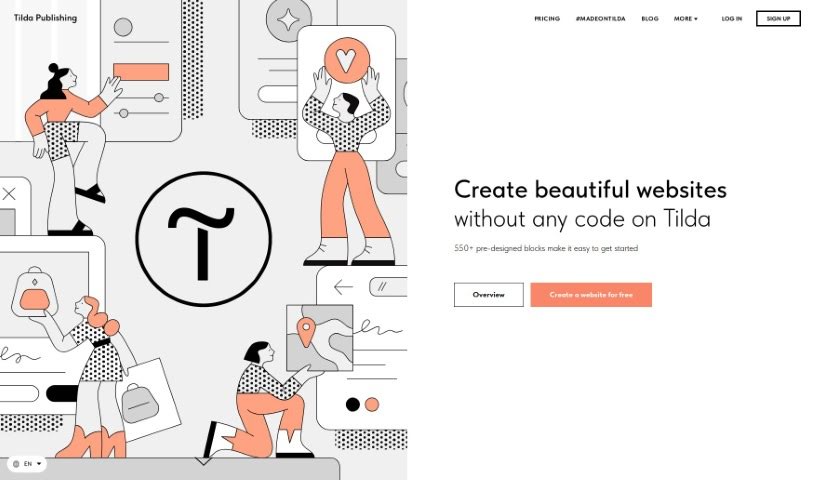
Tilda is a website builder that makes it super easy for anyone to create beautiful, responsive websites without needing to know any code. It is having a massive library of over 550 pre-designed blocks for all sorts of content – it really speeds things up. Tilda puts a big emphasis on typography and visual content, so the websites you build are not only stylish and easy to read but also fantastic at showcasing media. Whether you want to build an online store, a simple landing page, or a blog, Tilda’s intuitive design tools have you covered. Plus, it includes smart features like adaptive design, which makes sure your site looks great on any device, and built-in SEO tools to help people find you on search engines.
Here are some of the standout features Tilda offers:
- Pre-designed Templates: You get a huge variety of customizable blocks that are ready to go, saving you tons of time.
- Intuitive Website Builder: Creating and publishing a website is straightforward, no coding required.
- Adaptive Design: This ensures your website looks fantastic and functions perfectly on desktops, tablets, and phones.
- Custom Block Creation: If you have a specific idea, you can design your own unique website sections.
- SEO-friendly Tools: Tilda helps boost your website’s visibility, making it easier for search engines to rank.
Tilda also plays nicely with other services, offering integrations with popular tools like email marketing platforms and CRM systems. You also get website hosting, super-fast page load speeds, protection against DDoS attacks, and the flexibility to export your website files or connect with existing sites via its API.
Who created Tilda?
Tilda wasn’t created by just one person; it’s the product of a dedicated team of founders. Their main goal? To give everyone a user-friendly way to build websites without needing to be a coding expert. Tilda provides over 550 pre-designed blocks for all sorts of content, with a real focus on great typography and visuals. The platform makes building, customizing, and integrating services like email marketing and CRM systems a breeze. Tilda stays on top of design trends, optimizes for SEO, and ensures fast page loading, so websites built on it are both attractive and perform well.
What is Tilda used for?
Tilda is incredibly versatile! Here’s a rundown of what people use it for:
- Integrations: Connect with other tools you use.
- Tracking Design Trends: Stay current with the latest visual styles.
- DIY Website Creation: Build your own site easily, no coding needed.
- Search Engine Friendly: Get your website noticed by Google and other search engines.
- Custom Fonts: Upload or use fonts from Adobe Fonts, Google Fonts, or your own.
- Google Analytics: Monitor your website traffic and visitor behavior.
- Fast Websites: Enjoy quick page load speeds thanks to cloud hosting and CDN.
- Payment Systems: Easily accept payments for products or services, supporting options like card payments, PayPal, and Stripe.
- The Best SEO: Optimize your site for search engines to improve rankings.
- Website Publishing: Get your site live quickly and easily.
- Create beautiful websites without any code: Tilda makes design accessible to everyone.
- Design online stores or internet boutiques: Sell your products or services effectively.
- Create engaging landing pages: Capture leads and measure their impact.
- Tracking trends in design: Ensure your website always looks fresh and modern.
- Do It Yourself website creation: No need to learn how to code, just build.
- Search engine-friendly website creation and optimization: Help your site rank higher.
- Customize fonts and use Google Analytics: Personalize your site and track its performance.
- Fast-loading websites with strong protection: Your site will be quick and secure, stored in the cloud.
- Integration with various services: Connect seamlessly with email marketing and CRM systems.
- Payment systems for services and goods: Support for card, PayPal, Stripe, and more.
- Create online stores or internet boutiques to easily sell products or services: A straightforward way to set up your e-commerce presence.
- Tracking trends in design with Tilda: Keep your website looking current.
- Do It Yourself - No need to learn how to code: Empowering you to build without technical barriers.
- Search engine friendly websites: Built with SEO best practices in mind.
- Customize fonts using Adobe Fonts, Google Fonts, or upload custom fonts: Give your site a unique look.
- Monitor website traffic with Google Analytics: Understand your audience better.
- Fast page load speed and strong protection with websites stored in the cloud: Reliable and quick performance.
- Easily export websites to servers or integrate existing websites using the API: Offers flexibility for advanced users.
Who is Tilda for?
Tilda is a great choice for a wide range of users, including:
- Entrepreneurs: Perfect for launching new businesses and online stores.
- Educators: Ideal for creating course pages and educational resources.
- Journalists: Useful for building portfolios and online publications.
- Creative professionals: A fantastic tool for designers, artists, and photographers to showcase their work.
Essentially, if you’re an entrepreneur, educator, journalist, or creative professional looking to build a professional-looking website without coding, Tilda is designed for you.
How to use Tilda?
Here’s a simple guide to get you started with Tilda:
- Getting Started: First, head over to the Tilda website. You can choose to create a landing page, an online store, or a blog. Then, pick from over 550 pre-designed blocks to start customizing your site.
- Content Creation: Use the visual blocks to present your content in the best way possible. Features like full-screen covers, image galleries, and video sequences really help make your website visually appealing.
- Special Features: Take advantage of Tilda’s integrations with email marketing and CRM systems, its SEO tools, custom fonts, and Google Analytics to boost your site’s functionality and visibility.
- Website Design: Tilda’s platform is really intuitive, giving you full control with simple tools. You don’t need any coding knowledge to create a stylish, readable website that looks great on all devices thanks to its adaptive design.
- Domain Assignment: You can easily connect your own domain name to your Tilda website, giving it a professional and personalized touch.
- Export Source Code: If you’re on the Business Plan, you can export your website as static HTML. This lets you host it on your own server, independent of Tilda.
- Renewal: If you decide not to renew your subscription, your website will be unpublished. However, your data will be kept safe for 6 months before it’s deleted.
- Support: Tilda also offers extra features like white label options and special programs for nonprofits, helping you tailor the platform to your specific needs.