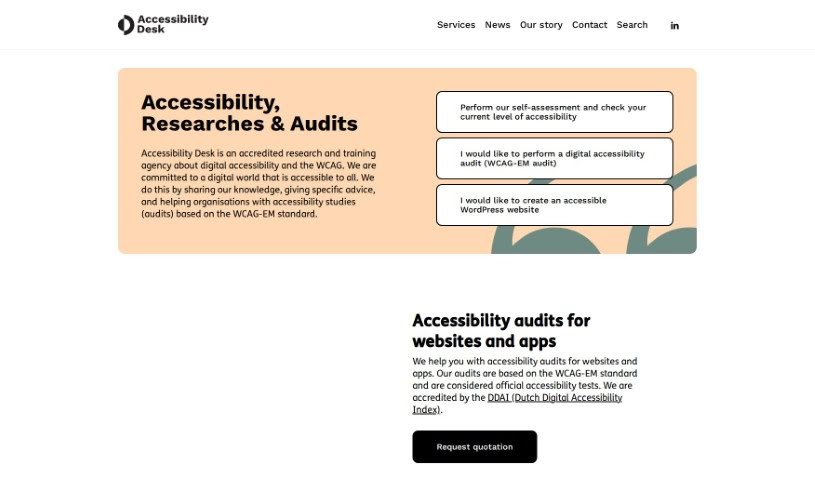
Screenshot of Accessibility Desk

Accessibility Desk

Discover what Accessibility Desk is and how to use its powerful features effectively in 2025. We'll explore its tools, compare it to other testing solutions, and show you how it can boost your digital accessibility.

Screenshot

What is Accessibility Desk?

Accessibility Desk offers a robust suite of tools designed to make digital content more accessible for everyone. At its core is the AI Accessibility Toolkit, which is packed with features to simplify text, create descriptive alternative text (alt text), improve readability, and help you assess and report on your digital accessibility efforts. It is your go-to resource for crafting clear alt text for images, videos, and more, checking your text against accessibility standards, building comprehensive accessibility statements, making sure your website code is up to par, and guiding you through self-assessments and reporting. You can dive deeper and access all these handy tools on their website: https://accessibilitydesk.com/ai-toolkit/.

Who created Accessibility Desk?

Accessibility Desk was founded by Brthrs Agency BV, a company based in Utrecht, The Netherlands. They launched it on July 29, 2023, with a clear mission: to build a digital world where everyone can participate. They achieve this through various services, including accessibility audits, creating accessible websites and apps, and organizing accessibility user test groups.

What is Accessibility Desk used for?

Here’s a look at what Accessibility Desk helps you do:

  • Automatically check your code against WCAG 2.1 AA standards.
  • Get a quick evaluation with the Accessibility QuickScan.
  • Simplify web content using the Read Easy plugin.
  • Improve text with optimization tools for Microsoft Word and Outlook.
  • Understand WCAG 2.1 AA guidelines with clear testing instructions.
  • Work towards certification through self-assessment.
  • Showcase your commitment to inclusivity.
  • Receive real-time feedback and helpful suggestions.
  • Enhance your online communication with a wider range of audiences.

Who is Accessibility Desk for?

Accessibility Desk is a valuable resource for:

  • Content creators
  • Developers
  • Website Owners
  • Web Developers
  • Digital Content Managers

How to use Accessibility Desk?

To get the most out of Accessibility Desk, here’s a simple guide:

  1. Access the Tools: Start by heading over to the Accessibility Desk website at https://accessibilitydesk.com/ai-toolkit/. That’s where you’ll find all the tools they offer.
  2. Dive into the AI Accessibility Toolkit: This toolkit is your key to simplifying text, generating descriptive alt text for images and videos, summarizing content, and performing self-assessments to report on your digital accessibility.
  3. Craft Great Alternative Text: Use the dedicated Accessibility Alternative Text Creator to write clear, descriptive alt text for all your images, videos, graphs, tables, and infographics.
  4. Check Your Text Elements: Make sure your text is accessible by using the Accessibility Text Checker. It helps ensure your online content is inclusive.
  5. Generate Accessibility Statements: Need to create a detailed accessibility statement? The Accessibility Statement Generator makes it easy, clearly showing your commitment to inclusivity.
  6. Validate Your Code: Ensure your website code meets accessibility standards with the WCAG 2.1 AA Code Validator. It automates this important check for you.
  7. Self-Assess and Report: Use the AI WCAG 2.1 AA Self-Assessment and Reporting tool to understand how accessible your digital content is. This process helps you create a more inclusive online experience.
  8. Get Certified: Once you’ve successfully completed your self-assessment, you’ll receive a certificate. It’s a great way to show your dedication to accessibility and inclusivity.
  9. Use the Read Easy Tools: These plugins are fantastic for making text easier to read and understand, whether it’s on your website, in Microsoft Word, or Outlook. They help reach a broader audience.
  10. Explore More Services: Accessibility Desk also offers services like Accessibility Audits, help with Creating Accessible Websites, and Accessibility User Test Groups if you need more in-depth support.

By following these steps, you can really make the most of what Accessibility Desk offers, helping you build a more accessible and inclusive online space for everyone.

Related AI Tools

Discover more tools in similar categories that might interest you

Stay Updated with AI Tools

Get weekly updates on the latest AI tools, trends, and insights delivered to your inbox

Join 25,000+ AI enthusiasts. No spam, unsubscribe anytime.