Web on Demand AI Generator (Web Development)
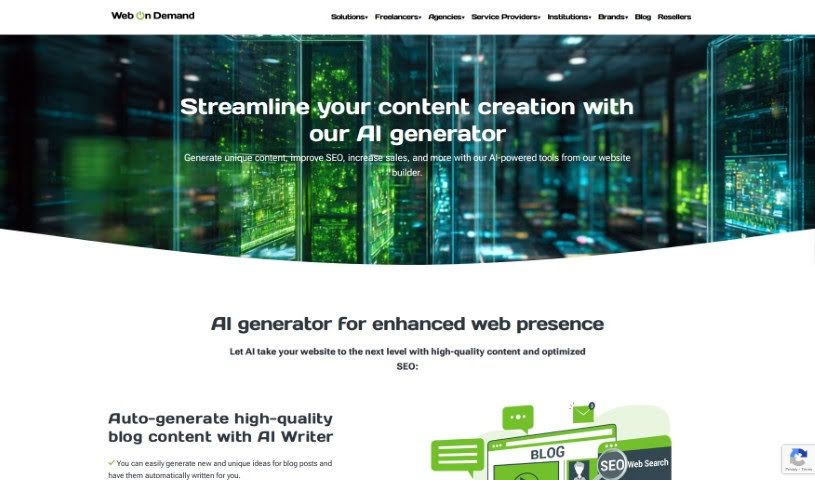
Screenshot of Web on Demand AI Generator

Web on Demand AI Generator

Discover what the Web on Demand AI Generator is, its AI content and SEO features, and who it's built for.

Screenshot

What is Web on Demand AI Generator?

Web on Demand AI Generator is a website builder that uses artificial intelligence to help you create content and optimize your site for search engines. Its core features include:

  • AI Content Generator for blog posts and product descriptions
  • AI-powered SEO optimization tools
  • No-code database interaction, so you can manage databases without writing code

You can try the service with a free trial, and there are different subscription plans for ongoing support. The platform also offers expert Q&A sessions for personalized advice.

Who created Web on Demand AI Generator?

Web On Demand was founded by an individual whose name isn’t specified in the available information. The company uses AI to simplify website creation and content development for a wide range of users, from freelancers and developers to schools and larger businesses.

What is Web on Demand AI Generator used for?

  • Create content automatically: Generate blog posts and product descriptions.
  • Boost website visibility: Improve search visibility with AI-powered SEO suggestions for keywords and meta descriptions.
  • Simplify database tasks: Handle database operations through a no-code interface.
  • Try before you buy: Start with a free trial, then choose a subscription plan for ongoing support.
  • Get expert help: Join live sessions for personalized answers from Web on Demand experts.

Who is Web on Demand AI Generator for?

  • Freelancers
  • Developers
  • Educational institutions
  • Enterprises

How to use Web on Demand AI Generator?

  1. Sign up on the Web on Demand website.
  2. Explore the main features: the AI Content Generator, SEO optimization tools, and the no-code database interaction system.
  3. Start a project with the “Start New Website” button.
  4. Choose a template that matches the look and feel you want.
  5. Customize colors, fonts, and layout.
  6. Generate content with the AI Content Generator.
  7. Apply SEO suggestions for keywords and meta descriptions.
  8. Manage databases using the no-code feature.
  9. Evaluate the free trial, then pick a subscription plan if it fits your needs.
  10. Join live Q&A sessions for personalized advice, or check the FAQs for common questions.

Related

Related AI Tools

Discover more tools in similar categories

New tools, in your inbox.

Weekly picks of the best AI tools we've researched and added — no spam, unsubscribe anytime.

Join 25,000+ AI enthusiasts. No spam, unsubscribe anytime.