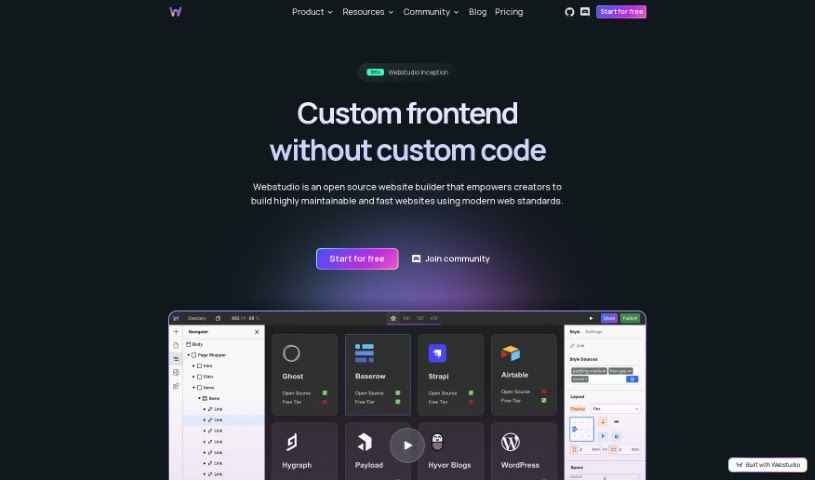
Screenshot of Webstudio

Webstudio

Discover what Webstudio is and how to use it effectively in 2025. We'll explore its features, compare it to other website builders, and show you how it can speed up your development process.

Screenshot

What is Webstudio?

Webstudio is your AI-powered sidekick for building websites. It’s designed to speed things up considerably, giving you, the designer, a lot of say and control throughout the entire process. It comes packed with helpful features, such as:

  1. Copywriter: Need content for a webpage or a specific section? This feature helps you write it quickly and even refines it for you.
  2. Section Layouts: Webstudio can generate layouts that match your goals and content needs. These layouts integrate smoothly with your visual tools, so you can easily tweak them manually or just describe what you want next.
  3. Images: It automatically finds and inserts relevant images from Unsplash, and you can easily ask it to update or swap them out.
  4. Edits: Stuck on a development roadblock? Webstudio can make updates to text, CSS, HTML, or images, whether it’s on a new project or one you’ve already started.
  5. Voice Prompts: You can even talk to the AI using voice commands, which really helps manage your workflow efficiently.

Basically, Webstudio’s goal is to make web development smoother. It helps designers build websites about three times faster, all while keeping you in the driver’s seat creatively.

Who created Webstudio?

Webstudio was founded by Chase Raz, who also heads up RCR Business Ventures. The platform first launched on October 20, 2023. It’s an open-source website builder that offers some great perks: one-click publishing, high performance, solid security, and a really generous free tier. Webstudio aims to be a clear, customizable way to build websites, giving users fast load times and full control over their hosting and privacy. Plus, Webstudio AI steps in to make the design process even better by helping with content writing, creating layouts, managing images, and making quick edits. All of this means website development can be roughly three times faster.

What is Webstudio used for?

Webstudio is a versatile tool that can help with a variety of tasks:

  • Marketing: It’s great for creating marketing materials and web content.
  • Copywriting: Webstudio AI helps you write copy for your webpages.
  • Layout Generation: You can create section layouts that fit your specific goals and content requirements.
  • Image Integration: Relevant images from Unsplash are automatically added to match your website’s content.
  • Content and Design Updates: Webstudio AI can update text, CSS, HTML, or images as needed.
  • Voice Commands: Use voice prompts to communicate with the AI and manage your workflow.
  • Streamlined Development: It speeds up the entire web development process by generating content, designing layouts, managing images, and making quick edits.
  • Faster Building: Designers can build websites approximately three times faster.
  • Future Features: Keep an eye out for real-time collaboration and interactions & animations, which are coming soon.
  • Advanced Performance: Enjoy dynamic server-side rendering for better SEO and dynamic data fetching.
  • Full CSS Control: Use the complete power of CSS with an advanced visual builder.
  • Backend Flexibility: Connect your frontend to any backend you prefer.
  • No Hosting Lock-in: Avoid being tied to a specific hosting provider.
  • SEO Optimization: Achieve perfect Lighthouse scores for search engine optimization.
  • Rapid Iteration: Make changes quickly without needing to write code.
  • External Content Integration: Seamlessly integrate content from your favorite tools.
  • API Connectivity: Fetch data from any API.
  • Visual Sitemap Building: Use resources to build a dynamic sitemap visually.
  • Dynamic Data Fetching: Support dynamic data fetching with searches and filters for programmatic SEO.
  • Easy Publishing: Make your changes live with a simple one-click publish.
  • Versatile Frontend: Create any web experience with a flexible frontend.
  • Visual CSS Control: Get visual CSS control with access to all properties and breakpoints.
  • Data Binding: Blend external data directly into your design using data bindings.
  • Collection Lists: Display all your records easily with the Collection List feature.
  • Dynamic Sitemaps: Fully integrate external data using Dynamic Sitemaps.
  • Content Growth: Benefit from dynamic server-side rendering for SEO and content growth.
  • One-Click Publish: Publish your work with a single click.

Who is Webstudio for?

Webstudio is a great tool for a variety of professionals involved in website creation:

  • Software Engineers
  • Engineers
  • Designers
  • Content Creators
  • Developers

Essentially, anyone working on building or designing websites can find value in Webstudio.

How to use Webstudio?

To get the most out of Webstudio, here’s a straightforward guide:

  1. Get Help with Copywriting: Use the AI’s copywriting feature to generate polished content for your webpages. No more placeholder text needed!
  2. Generate Section Layouts: Create layouts that perfectly match your objectives. They integrate smoothly, and you can always make manual adjustments if you like.
  3. Manage Images Easily: Webstudio automatically inserts relevant images from Unsplash. You can easily prompt it to update or replace them whenever you need.
  4. Quick Text and Design Edits: Just tell the AI to make quick updates to text, CSS, HTML, or images. This keeps your development process running smoothly.
  5. Talk to the AI: Communicate with the AI using voice prompts for a more efficient workflow.
  6. Publish with One Click: Make your changes and publish them to cloud hosting with just a single click.
  7. Boost Performance: Achieve great Lighthouse scores by using the built-in tools for performance, accessibility, and SEO.
  8. Secure and Fast Hosting: Benefit from Webstudio’s hosting, backed by Cloudflare, for fast performance, strong security, and high uptime.
  9. Join the Community: Engage with the community for support, help shape decisions, and stay updated through the public roadmap.
  10. Consider Self-Hosting: If you want more control over hosting, pricing, security, compliance, and GDPR, you can look into self-hosting options.

By following these steps, you can really make the most of Webstudio’s AI features. It helps streamline website development, keeps you in creative control, and ensures you achieve top-notch performance and security.

Related AI Tools

Discover more tools in similar categories that might interest you

Stay Updated with AI Tools

Get weekly updates on the latest AI tools, trends, and insights delivered to your inbox

Join 25,000+ AI enthusiasts. No spam, unsubscribe anytime.