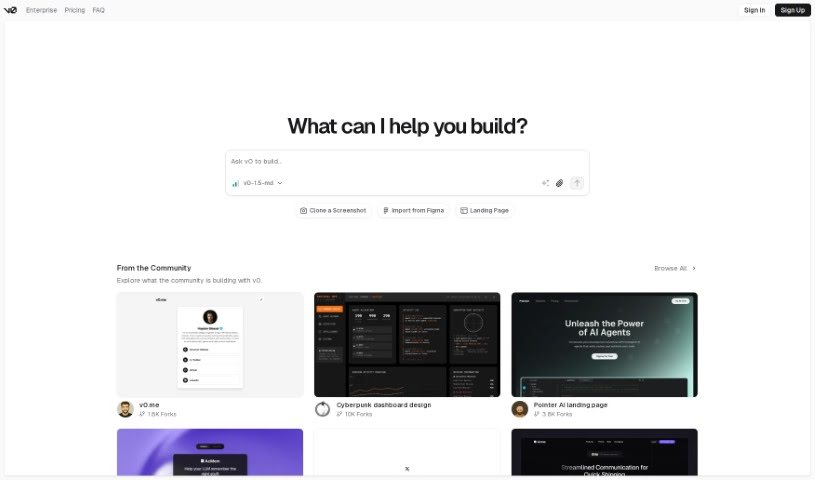
Screenshot of v0 by Vercel

v0 by Vercel

Discover what v0 by Vercel is and how to use it effectively in 2025. We'll explore its features and see how it stacks up against other web design tools.

Screenshot

What is v0 by Vercel?

Vercel’s v0 is a really neat tool for building websites. It helps you create dynamic User Interfaces (UI) just by typing in simple text prompts. The big idea here is speed and making things easy, so developers can quickly create and put UI components into their projects without getting bogged down in complicated design or coding. You can type in what you want – like product categories, hero sections, contact forms, or even detailed e-commerce dashboards – and v0 will generate them for you. It’s currently in beta, but it’s already pretty user-friendly. For instance, there’s a handy toggle menu that makes navigating the development environment a breeze, making it a super efficient way to add UI elements to both public and private projects.

Who created v0 by Vercel?

This innovative web development tool, v0, comes from Vercel. The person behind Vercel is Guillermo Rauch, a well-known figure in the tech world, especially for his work on serverless computing and web development tools. Vercel started back in 2015, and their main goal is to make building user interfaces (UI) simpler and faster. They achieve this by letting developers create rich UI components simply by describing them with text. Right now, v0 is in beta, but it’s designed for quick prototyping, offers customizable UI elements, and aims for a smooth user experience, whether you’re working on public or private projects.

What is v0 by Vercel used for?

  • It helps create a really smooth user experience.
  • It’s great for rapid prototyping, letting you quickly test ideas.
  • You can generate UIs just by using text prompts.
  • It’s useful for building e-commerce dashboards.
  • It allows for highly customizable UI elements.
  • It’s perfect for designing e-commerce dashboards.
  • You can generate custom UI elements with ease.
  • It’s ideal for implementing UIs in both public and private projects.
  • It can generate all sorts of UI components, like sections for product categories, hero sections, contact forms, and more complex e-commerce dashboards.

Who is v0 by Vercel for?

  • Web Developers
  • UI/UX Designers
  • E-commerce Developers
  • Developers in general
  • Web designers
  • Product Managers
  • E-commerce professionals
  • E-commerce designers
  • Software developers

How to use v0 by Vercel?

If you want to use V0 by Vercel for quick UI development, here’s a simple breakdown of how to get started:

  1. First, head over to the Vercel platform and access V0.
  2. Start by typing simple text prompts to generate different UI elements. Think about things like product categories, hero sections, contact forms, or even full e-commerce dashboards.
  3. Take advantage of how fast and simple the tool is. It really lets you create and launch UI components much quicker than traditional design and coding methods.
  4. You’ll find the beta version of V0 really easy to use. There’s a toggle menu that makes navigating through the development environment super smooth.
  5. Make sure to customize the UI elements to fit exactly what your project needs, so you get tailored solutions.
  6. You can use V0 efficiently for both your public and private projects.
  7. Don’t forget to share your thoughts! You can provide feedback on V0 by Vercel either through the feedback option on the website or directly within the development environment.

By following these steps, you can really speed up your UI development process with V0 by Vercel and bring your digital ideas to life without all the usual hassle.

Related AI Tools

Discover more tools in similar categories that might interest you

Stay Updated with AI Tools

Get weekly updates on the latest AI tools, trends, and insights delivered to your inbox

Join 25,000+ AI enthusiasts. No spam, unsubscribe anytime.