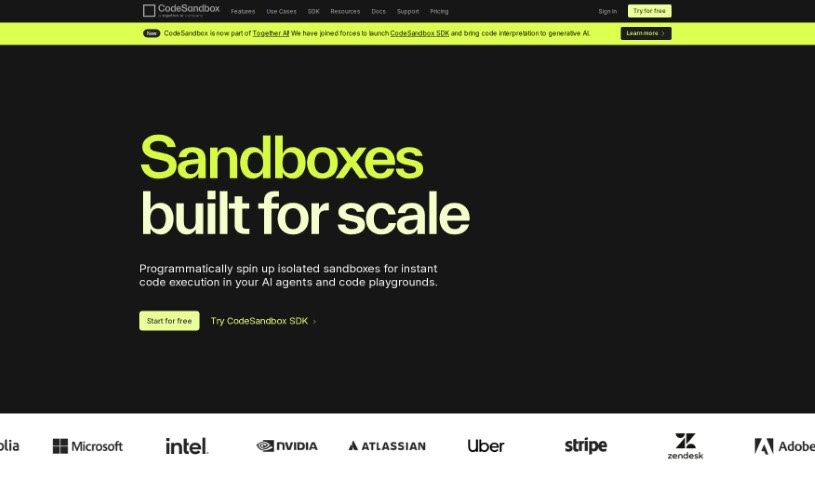
Screenshot of CodeSandbox

CodeSandbox

Discover what CodeSandbox is and how to use its AI coding assistant effectively in 2025. We'll explore its features, benefits, and how it stacks up against other code generators.

Screenshot

What is CodeSandbox?

CodeSandbox, developed by the team at CodeSandbox, is an AI coding assistant designed specifically to boost your coding efficiency right within the CodeSandbox environment. It is your smart coding partner. It offers a range of helpful features, including explaining code in context, generating new code snippets, helping you refactor existing code, spotting bugs, and even improving your code’s security. CodeSandbox can whip up custom code for you, suggest automatic commit messages, and generally help you learn and grow as a developer.

Using CodeSandbox is entirely up to you; it’s an optional feature that Pro subscribers can choose to enable. It really shines when it comes to refactoring code. It can dive into your codebase, understand what you’re trying to achieve, and then generate optimized code for you. The contextual code generation is a real time-saver too, as it creates code that’s perfectly suited to your specific project within CodeSandbox, making everything much more efficient. Plus, it helps optimize your code by suggesting better ways to write it and crafting meaningful commit messages. For security, it’s like having an extra pair of eyes, helping with code reviews and flagging potential risks.

Beyond that, CodeSandbox is a fantastic learning tool. It can break down complex code, offer insights, and provide educational support. Through their AI Research Program, they even offer free access to these AI features in exchange for your feedback. This helps them refine and improve CodeSandbox based on what developers like you actually need. Ultimately, CodeSandbox helps manage your code more effectively by optimizing it, finding bugs, boosting security, and automating many of those repetitive code-related tasks. This all adds up to a significant improvement in your coding productivity and overall efficiency.

Who created CodeSandbox?

Boxy, the AI coding assistant tool you’re hearing about, was actually created by CodeSandbox itself. The company was founded back in 2017 by Ives van Hoorne and Bas Buursma, and it’s based in Amsterdam. Their main goal? To make coding simpler and more efficient for developers and their teams. Boxy was launched as a way to really boost coding efficiency specifically within the CodeSandbox environment. It brings features like contextual explanations, code generation, refactoring, bug detection, and security enhancements right to your fingertips. It works seamlessly within CodeSandbox, offering tailored code suggestions, auto commit messages, and helpful educational insights to support your growth and keep your productivity high.

Who is CodeSandbox for?

  • Developers
  • Software engineers
  • Coders
  • Designers

How to use CodeSandbox?

To get the most out of Boxy within CodeSandbox, here’s a simple guide:

  1. Check Availability & Turn it On: First off, Boxy is available for Personal Pro and Team Pro subscribers of CodeSandbox. To start using Boxy, you’ll need to manually opt-in to activate its AI capabilities. It’s not on by default, giving you control.
  2. Get Help Learning: Boxy is great for learning. It can explain code snippets or entire files, giving you insights into how things work. Just ask it about a specific piece of code, and it’ll provide detailed explanations.
  3. Refactor Your Code: Want to improve your code? You can select an element directly in the app preview and ask Boxy to refactor the associated code. It understands your whole project context to generate better, optimized code.
  4. Generate Code Contextually: Boxy creates code that’s specifically tailored to your project’s context within CodeSandbox. This means you don’t have to manually copy and paste code from elsewhere, saving you a ton of time.
  5. Optimize Your Code: Beyond just refactoring, Boxy helps optimize your code by really understanding its context. This allows it to suggest better code structures and relevant commit messages.
  6. Boost Security: Boxy also helps with security. It can assist in identifying potential security risks in your code and suggest ways to fix them, making your projects safer.
  7. Automatic Commit Messages: Tired of writing commit messages? Boxy can analyze the changes you’ve made to your branches and suggest appropriate commit messages. This really simplifies your workflow.

Just remember, Boxy’s features are optional, and you need to opt-in to use them. By following these steps, you can really use Boxy to make your coding more efficient and boost your learning experience within CodeSandbox.

Related AI Tools

Discover more tools in similar categories that might interest you

Stay Updated with AI Tools

Get weekly updates on the latest AI tools, trends, and insights delivered to your inbox

Join 25,000+ AI enthusiasts. No spam, unsubscribe anytime.