10Web
Web Development Website Builders
Learn more
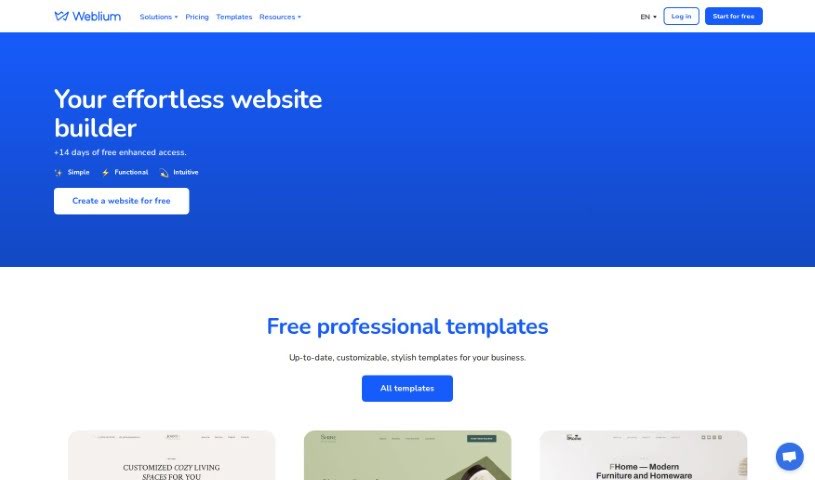
Discover what Weblium is, a website builder with free hosting, SEO-ready sites, and 24/7 support for individuals and businesses.
Weblium is a website builder that lets you create and host websites for free. It includes SEO-ready sites, 24/7 customer support, and extensive customization options for design and functionality. Building starts in a few clicks, and sites run smoothly across devices. A custom domain name is available as an upgrade to the Pro plan.
Weblium was built by a team of developers and designers aiming to make website building simpler. Detailed founder information isn’t readily available, but the platform focuses on user-friendliness and built-in tools that make website creation accessible to individuals and businesses.
Weblium supports a range of use cases:
Ready-made templates cover musicians/bands, CVs, small businesses, restaurants, education, artists, weddings, sports, and real estate. Sites can use custom domains, are hosted for free, and content is stored globally for fast loading. Support is available 24/7, backed by an extensive knowledge base.
Weblium suits musicians and bands, individuals needing a professional CV or portfolio, small businesses, restaurants, educational institutions and tutors, artists and creatives, couples planning weddings, sports teams or clubs, and real estate agents and agencies.
Once your site is ready, publish it with free hosting, add a custom domain via the Pro plan, and use the built-in marketing tools and 24/7 support to keep it running smoothly.
Related
Discover more tools in similar categories
Weekly picks of the best AI tools we've researched and added — no spam, unsubscribe anytime.
Join 25,000+ AI enthusiasts. No spam, unsubscribe anytime.