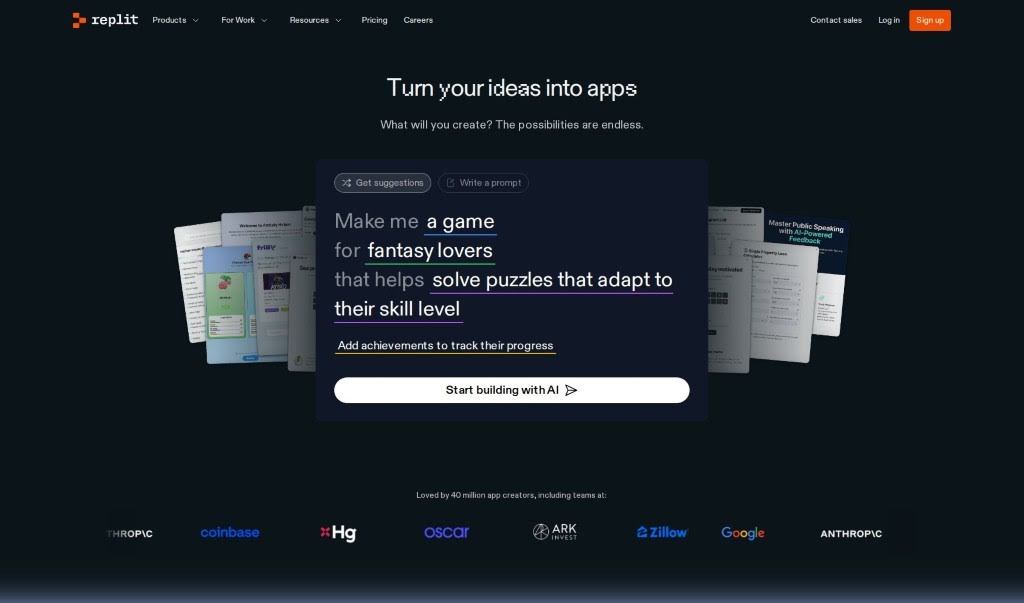
Screenshot of Replit AI

Replit AI

Discover what Replit AI is and learn how to use its powerful coding assistance features in 2025. We'll cover its key capabilities and compare it to other website builders.

Screenshot

What is Replit AI?

Replit AI is your intelligent coding sidekick, built right into the Replit platform. It’s an AI technology that gives you access to smart coding tools and assistance, all within your usual coding environment. This means you can get helpful suggestions, have code auto-completed, and even get help with debugging, making the whole coding process feel much smoother and more productive. By using AI, Replit AI really boosts your coding experience, offering feedback and support in real-time as you write and test your code across many different programming languages.

Who created Replit AI?

Replit AI was actually created by Amjad Masad. He’s the founder of Replit, and before that, he worked as an engineer at big names like Facebook and Dropbox. Replit itself is really well-known for its online coding platform, which lets people write, store, and work together on code in all sorts of programming languages.

Who is Replit AI for?

Replit AI is a great tool for a wide range of tech professionals and enthusiasts, including:

  • Software developers
  • Web developers
  • Data scientists
  • Game developers
  • DevOps engineers
  • Machine learning engineers
  • Mobile app developers
  • System administrators
  • Technical writers
  • Cybersecurity analysts

How to use Replit AI?

Ready to dive in? Here’s a simple step-by-step guide to getting started with Replit AI:

  1. Get to Replit AI: First, head over to the Replit website. If you don’t have an account yet, it’s easy to create one. Once you’re logged in, you can find and access the Replit AI platform.
  2. Pick Your Language: Decide which programming language you want to use for your AI project. Replit AI is pretty flexible and supports popular languages like Python, JavaScript, and many others.
  3. Start a New AI Project: Look for the option to create a new project. Give it a name that clearly tells you what the project is about.
  4. Explore the AI Tools: Take some time to check out the various AI tools Replit offers. You’ll find things like machine learning models, natural language processing tools, and more, all ready for you to use.
  5. Write Your AI Code: Now, it’s time to start coding your AI project. You can use the programming language you chose and the AI tools you found in the previous step.
  6. Run Your AI Project: Once your code is written, go ahead and run your project to see how it works. Keep an eye out for any errors and make any necessary tweaks to improve it.
  7. Interact with Your AI: If your project is designed to interact with users or other systems, test how the AI responds to different inputs. You might need to make some adjustments to get the best performance.
  8. Save and Share: Don’t forget to save your AI project on Replit so you can come back to it later. You can also easily share your work with friends, colleagues, or your community for feedback or collaboration.
  9. Discover Advanced Features: Want to take your project even further? Explore the more advanced features Replit AI provides. This could include connecting with external APIs or even deploying your AI model.
  10. Get Creative!: The best part is experimenting! Try out different AI functionalities, build unique projects, and keep learning and growing your AI skills with Replit AI. It’s a fantastic way to explore the possibilities.

Related AI Tools

Discover more tools in similar categories that might interest you

Stay Updated with AI Tools

Get weekly updates on the latest AI tools, trends, and insights delivered to your inbox

Join 25,000+ AI enthusiasts. No spam, unsubscribe anytime.