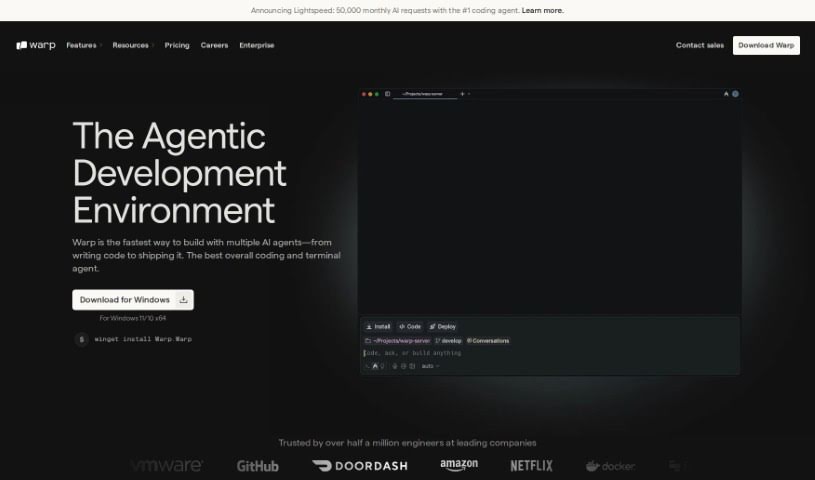
What is Warp Terminal?
Warp Terminal is a modern application designed to make the command line more user-friendly, intuitive, and powerful for everyone. It offers developers faster, more efficient ways to manage cloud systems, work with local files and programs, create quick workflows, and much more. While it’s incredibly powerful, it can be a bit tricky to learn at first, which might make it challenging for some developers to get the hang of it. But honestly, if you put in the time to really learn how to use Warp Terminal well, you’ll see a big boost in your development and DevOps skills.
Who created Warp Terminal?
Warp AI was founded by Zach Lloyd, who’s really focused on making the command line experience better. He started Warp AI with a clear goal: to modernize and improve how usable and powerful the command line interface is for everyone. The team behind Warp AI includes experienced professionals who’ve previously worked at places like Google, Dropbox, and LinkedIn, all working together to create a more efficient and user-friendly Command Line Interface (CLI).
What is Warp Terminal used for?
- Controlling cloud systems right from your terminal.
- Easily manipulating local files and programs.
- Writing and saving quick workflows for repetitive tasks.
- Significantly improving your development and DevOps skills.
- Working faster with the tools you already use.
- Boosting the power of your tools by mastering the CLI.
- Increasing your personal productivity overall.
- Saving and running commands with parameters, making them reusable.
- Creating shared workflows that your whole team can use.
- Developing beautiful themes to personalize both dark and light mode experiences.
Who is Warp Terminal for?
- Software Engineers
- Developer Experience Engineers
- Product Marketing Managers
- Product Managers
- Analytics Engineers
- Developer Advocates
- Support Engineers
- Product Designers
- Heads of Engineering
- Team Coordinators
How to use Warp Terminal?
To get the most out of Warp AI, here’s a simple guide:
- Get Started: Download the tool and sign up for Warp AI. It’s built with AI and collaboration features to really boost your productivity.
- Leverage AI: Let Warp AI help you find the right commands, fix errors, or guide you through complex setups. It’s like having a helpful assistant right in your terminal.
- Organize Workflows: Save your commands with parameters to create reusable workflows. This is a fantastic way to streamline repetitive tasks.
- Boost Productivity: Create shared Warp Drives for your team to collaborate easily. Plus, you can use the cool themes that come with the tool to make your workspace look great.
- Experience the Speed: You’ll notice how fast and intuitive Warp AI is, with helpful auto-suggestions, secure and private requests, and an easy way to recall past commands.
- Customize Your Experience: Write commands using an editor that feels like an IDE, move through your output smoothly, save commands for later, and use Warp AI’s ability to explain things and debug for you.
- Check Plans & Pricing: Take a look at the different plans and pricing options. There are discounts for teams, and your AI request limits usually reset each month.
- Enterprise Needs: If you’re part of a larger organization with specific security requirements, the Warp Enterprise plan might be a good fit, offering custom pricing.
- Got Questions?: If you have any more questions about plans, subscriptions, pricing, or special needs, don’t hesitate to reach out to Warp AI.
By following these steps, you can really tap into Warp AI’s full potential and make your development and DevOps tasks much more efficient and productive.