AI Tools for Web Development

Discover the best Web Development AI tools to enhance your productivity and creativity.

Page 49 of 58 • 694 total tools

Web development has really changed lately, and AI tools are a big part of that. What used to take a lot of coding and design skill can now be made much simpler with smart programs that speed things up. Today, AI-assisted development tools are changing how we build websites, making it easier for newcomers and more efficient for experienced pros.

These tools offer everything from easy design features to help with writing code, letting you create great-looking, functional sites more quickly. Developers don’t have to start from scratch or fix every single line of code manually anymore. Instead, AI can offer suggestions and even create whole parts of a website based on what you need.

Having worked in web development for years, I’ve seen firsthand how AI can make tasks simpler and more efficient. But with so many options out there, picking the right tool can feel overwhelming.

In this article, I’ll share the best AI web development tools you can find right now. Whether you want to improve your coding, automate routine jobs, or make your design process better, there’s something here for you. Let’s explore the tools that can really change your web development experience.

The best AI Web Development Tools

  1. Lovable: Great for making frontend design work smoother.
  2. Cursor: Helps with real-time code collaboration.
  3. Replit AI: Generates code snippets for web apps.
  4. Supabase: For teams to manage databases together.
  5. v0 by Vercel: Quickly creates UI kits for web projects.
  6. Replicate AI: Automates code generation for web apps.
  7. Carrd: Perfect for a single-page site to promote an event.
  8. AI Dungeon: Lets you create interactive web stories with code.
  9. Ollama: For quickly building early versions of web interfaces.
  10. Jimdo: Makes building and managing websites easy.
  11. Code Sandbox: Simplifies CSS preprocessor workflows.
  12. Tilda: Lets you create websites easily without coding.
  13. Bubble: A drag-and-drop tool for building web applications.
  14. Weights & Biases: Streamlines integrating ML models into web apps.
  15. Warp Terminal: Helps deploy web apps quickly.
How do AI web development tools work?

AI web development tools use smart algorithms to handle different parts of designing and building websites. These tools often use large language models, much like AI writing software, to look at coding patterns and make things more efficient. They offer suggestions, code pieces, or even build whole sections of code based on what you tell them.

Basically, these tools understand what you’re asking for, so you can describe what you want in simple terms. For example, you could say, “Create a navigation bar,” and the AI will generate the HTML, CSS, or JavaScript code needed. This makes web development more accessible, even if you don’t have a lot of programming experience.

Many AI web development platforms connect with popular coding environments and content management systems. This means they can improve tools like WordPress, Wix, or GitHub by offering smart code completions or finding errors as you type. With these connections, users can really smooth out their development process.

The data these AI systems learn from usually includes tons of source code, guides, and content created by users on sites like GitHub. This helps them learn different coding styles and the best ways to do things. Their effectiveness comes from spotting patterns and suggesting the best solutions based on what the user needs.

In short, AI web development tools make coding simpler, letting developers focus on creativity and solving problems instead of getting stuck on syntax. As technology keeps changing, these tools are expected to get even better, likely changing how web developers work.

Our best AI web development tools at a glance

RankNameBest forPlans and PricingRating
1LovableMaking frontend design work smoother.N/A4.84 (43 reviews)
2CursorReal-time collaboration on code projects.Paid plans start at $20/Month.4.83 (6 reviews)
3Replit AIGenerating code snippets for web apps.N/A4.70 (44 reviews)
4SupabaseCollaborative database management for dev teamsN/A5.00 (32 reviews)
5v0 by VercelQuickly creating UI kits for web projects.N/A4.73 (11 reviews)
6Replicate AIAutomating code generation for web apps.N/A4.82 (11 reviews)
7CarrdA single-page site for event promotion.Paid plans start at $19/year.4.72 (29 reviews)
8AI DungeonCreating interactive web story experiences.N/A4.54 (39 reviews)
9OllamaRapid prototyping of web interfaces.N/A4.63 (8 reviews)
10JimdoBuilding and maintaining websites easily.N/A4.64 (11 reviews)
11CodeSandboxSimplifying CSS preprocessor workflows.N/A4.45 (11 reviews)
12TildaEffortless website creation without coding.N/A4.75 (20 reviews)
13BubbleA drag-and-drop web applications builder.N/A4.73 (11 reviews)
14Weights & BiasesStreamlining ML model integration in web apps.N/A4.50 (12 reviews)
15Warp TerminalDeploying web apps swiftly.N/A4.79 (28 reviews)
Screenshot of Svelte Smart Doc

Svelte Smart Doc

Freemium

Svelte Smart Doc is a specialized tool built specifically for the Svelte framework. It's designed to give you the most current documentation, making it super easy to find your way around thanks to its intuitive interface. Plus, it's packed with handy features like exporting page data functions and letting you copy content without any fuss. One of its big advantages is the full type safety you get with the generated `$types` module, all thanks to a Svelte expert who developed it.

Web Development View Tool →
Screenshot of SWE-agent

SWE-agent

Freemium

SWE-agent is a really neat tool that turns language models, like GPT-4, into actual agents. It is giving these models the ability to fix problems directly in GitHub repositories, tackle coding challenges, and even handle tricky cybersecurity tasks using its special EnIGMA mode. What's great is you can tweak it a lot without needing to dive into the code itself, offering a ton of flexibility. You can explore the project's goals, the research behind it, how the code works, and even learn how to change SWE-agent's behavior. Basically, SWE-agent lets you build your own agents by providing all the development info you need, making it super versatile for coding, cybersecurity, and a whole lot more.

Web Development View Tool →
Screenshot of Sweep AI

Sweep AI

Freemium

Sweep AI is your smart coding sidekick, specifically built to help manage your GitHub tickets and make coding smoother for you and your team. It's an AI tool that can actually create code changes based on bug reports or new feature ideas. It can even generate code for your entire repository. Plus, it plays nicely with Slack, making communication a breeze, and lets you take action directly within GitHub. Big names like PyTorch-Ignite, Medplum, and even universities like Stanford, Carnegie Mellon, and Waterloo have used Sweep to keep their code in top shape, handle those tedious repetitive tasks, and get smart suggestions for their code.

Web Development View Tool →
Screenshot of Swimm

Swimm

Freemium

Swimm AI is a really useful tool designed to make code documentation much smoother, help teams work together better, and even automate the creation of code explanations. It is a smart assistant for your code. It has features that let you start documentation right from your pull requests, automatically generate explanations for code snippets, and it keeps everything secure with encryption. When you bring Swimm AI into your development process, your team can get a much clearer picture of code changes, keep track of how your codebase grows over time, and cut down on the time spent on manual documentation.

Web Development View Tool →
Screenshot of Symphony.run

Symphony.run

Freemium

Symphony.run is a handy tool built to help you create programs that you can talk to. It is a way to build applications that understand and respond to spoken language. It's all about making natural language processing and understanding easier for developers. With Symphony, you can build apps that can process and reply to your verbal commands and requests. If you're using Symphony, you'll find really thorough documentation to guide you on how to make the most of its features. Plus, Symphony plays nicely with Discord, a super popular communication platform. This means your conversational programs can connect with the Discord community without a hitch. And if you're into sharing your work or collaborating, Symphony has you covered with its GitHub repository. You can jump in to help with its development, check out existing resources, and keep up with all the new improvements. To give you an idea of what's possible, Symphony lets you create programs like `search_contacts.ts`, `get_events.ts`, `search_places.py`, and `suggest_event.ts`. These examples really show off the variety of applications you can build with Symphony's conversational programming tools.

Web Development View Tool →
Screenshot of Tabby

Tabby

Freemium

Tabby is an AI coding assistant that's open-source and you can host it yourself. Its main goal is to make coding faster, safer, and more customizable, really improving your overall experience. It's built with Rust, which is known for being super reliable and efficient. Setting up Tabby is a breeze; you just use a TOML config file to tailor the deployment exactly how you like it. Security and compliance are big priorities here. Since the codebase is open-source, you can check it out on GitHub anytime. Plus, you have the option to host your own version, giving you complete control over your coding setup. Tabby also offers plenty of helpful resources, like detailed documentation, tutorials, and a community you can connect with on Slack. You can also keep up with the latest news and updates by checking out the Tabby blog, status page, and media kit.

Web Development View Tool →
Screenshot of Tabnine

Tabnine

Freemium

Tabnine is an AI code assistant built to help developers write code faster and automate tasks. Essentially, it lets you focus more on the creative parts of your work rather than getting bogged down in repetitive coding. It's known for generating high-quality code snippets, offering personalized AI suggestions that learn from your unique coding habits, and importantly, keeping your code completely private with no data retention. Millions of developers and thousands of companies already trust Tabnine for everything from creating new code to testing, maintaining, and more, all while prioritizing privacy and security.

Web Development View Tool →
Screenshot of Tagify

Tagify

Freemium

Tagify is a handy tool built specifically for Webflow pros – think developers, designers, and marketers. Its main job is to automate the often time-consuming task of alt-tagging your website images. It uses advanced AI to create SEO-friendly alt tags, which not only saves you a ton of time but also gives you full control to tweak them as needed. Tagify works by connecting with Azure AI, known for its accurate tag generation. You can generate as many alt tags as you need, and it's designed to make managing your Webflow projects much smoother.

Web Development View Tool →
Screenshot of Taiga

Taiga

Freemium

Taiga is your personal AI coding mentor. It brings together the power of ChatGPT with the practical expertise from Coyotiv School of Software Engineering. What does that mean for you? It means getting instant feedback, helpful guidance, and advice specifically tailored to software engineering, right inside your Slack conversations. Taiga is built to make learning programming topics easier, offering step-by-step help, real-time answers with practical examples, and personalized chats that feel like talking to a seasoned mentor. It fits right into Slack, works on pretty much any device you have, and really encourages everyone to learn together.

Web Development View Tool →
Screenshot of Tailwindai

Tailwindai

Freemium

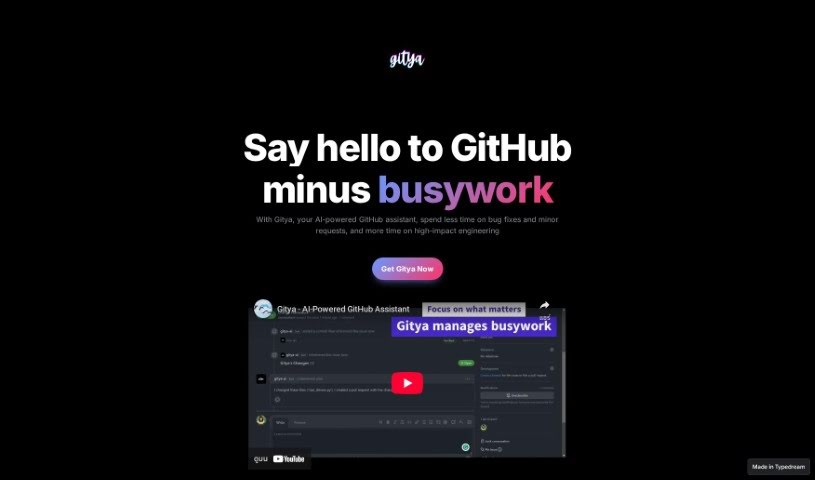
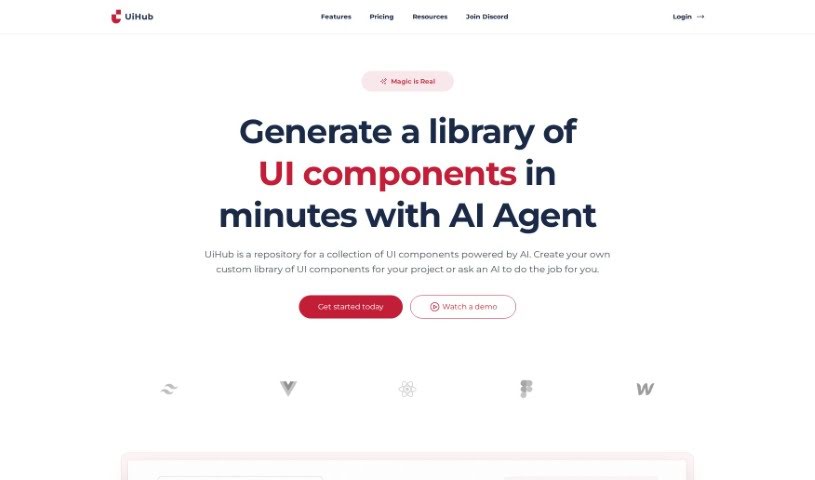
Tailwind AI is a smart tool that uses artificial intelligence to make designing web interfaces much faster and easier. It's really good at creating custom Tailwind components efficiently. What makes it stand out is how user-friendly it is, making web design a smoother experience by simplifying things like component creation and overall design simplification. It’s a great way to avoid a lot of the manual work that usually goes into web design, thanks to its AI automation.

Web Development View Tool →
Screenshot of Takomoai

Takomoai

Freemium

Takomoai is an AI platform designed to make connecting and running AI models incredibly simple and fast. Think of it like a visual workshop where you can drag and drop different AI components to build what you need. It's really flexible, too. You can start with ready-made templates, build your own workflows using models that are already trained, or even upload your own custom model weights when that feature becomes available. Takomoai offers tailored solutions for all sorts of AI tasks, like creating images, analyzing audio, summarizing and categorizing text, and making chatbots work better. The platform is built to grow with you, running on ISO-certified cloud infrastructure, and it offers affordable services backed by expert support. Plus, it makes deploying APIs straightforward, provides helpful tutorials, a free trial to get you started, and a community where you can share knowledge. While there are a few limitations right now, like a smaller selection of pre-trained models and the current inability to upload your own model weights, Takomoai is really built for experts and entrepreneurs who are looking for fresh, innovative ways to use AI.

Web Development View Tool →
Screenshot of Taskade

Taskade

Freemium

Taskade's AI Regex Generator is a really smart and easy-to-use tool. It's built to make your coding better and faster by using AI to create regular expressions for you. It is a helpful assistant that speeds up development, improves the quality of your code, and automates tasks, making your whole development process feel more flexible and productive.

Web Development View Tool →

Stay Updated with AI Tools

Get weekly updates on the latest AI tools, trends, and insights delivered to your inbox

Join 25,000+ AI enthusiasts. No spam, unsubscribe anytime.