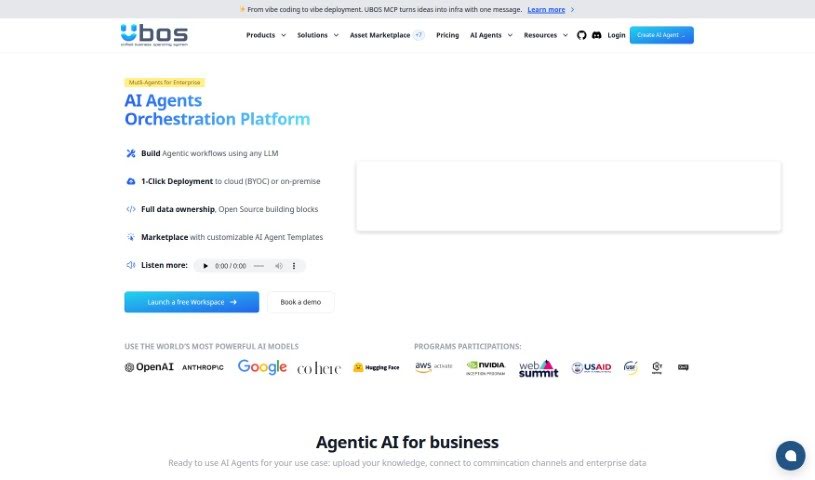
What is Ubos?
Ubos is a really useful low-code/no-code platform. It’s designed to help businesses and developers build and launch web applications quickly and easily, even if they don’t have a lot of coding experience. It is a toolkit that lets you create custom admin panels, set up basic data management (CRUD functions), build dynamic dashboards, make chatbots, and connect with other services. It includes a Node-Red flow builder for visual programming, the Appsmith UI Builder, an extended UI editor, and a no-code tool for databases. Plus, Ubos comes with a deployment manager, pre-made templates for complex apps, a central workspace for managing all your tools, and features that help teams work together. While it offers a secure and reliable environment with plenty of UI options and an integrated API manager, it’s worth noting that it has some limitations, like fewer database options and less support for custom machine learning integrations compared to some other platforms.
Ubos’s big goal is to make Artificial Intelligence more accessible to everyone. It provides tools that let businesses and individuals create their own AI-powered solutions. You can easily integrate popular APIs like ChatGPT, Dalle-2, and Codex from OpenAI, or even bring in your own custom machine learning models. The platform also makes it straightforward to deploy your web applications. Ubos is built for scalability, using edge technologies and its low-code/no-code approach to help your applications grow efficiently. It also offers tools to create UI widgets using ChatGPT and works with popular databases such as PostgreSQL, MongoDB, and MySQL.
The platform is really focused on helping businesses become more independent and AI-first. It does this by simplifying the complexities often associated with AI and technology. You can seamlessly connect APIs, build web apps fast, and use your own custom ML models. Ubos offers a variety of features, including tools to build custom admin clients, create dynamic dashboards, develop chatbots, and collaborate with others. It also makes executing business processes easier and provides a wide range of user interface options. However, it’s important to be aware of its limitations, such as a reliance on the Ubos platform itself and its more restricted database support.
Who created Ubos?
Ubos was brought to life by Andrii Bidochko, Yurii Kostiuchenko, and Robert Krishan. They launched it on September 21, 2022. Ubos is really at the forefront of AI engineering, aiming to make it simple for businesses and developers to build AI-powered solutions. The company’s core mission is to democratize AI, making its powerful capabilities available to everyone, whether you’re a seasoned developer or just a business user looking to get things done.
What is Ubos used for?
- Streamlining business operations: Ubos helps make your day-to-day business tasks run more smoothly.
- Building custom admin clients: You can create tailored interfaces for managing your business data and processes.
- Handling data management (CRUD): It provides functionalities for creating, reading, updating, and deleting data, which is essential for most applications.
- Creating dynamic dashboards: Visualize your key business metrics and data in real-time.
- Easily creating chatbots: Develop chatbots to help with customer support or other interactive tasks.
- Supporting multiple integrations: Connect Ubos with various other tools and services you already use.
- Low-code/no-code Node-Red flow builder: Visually design and manage your application’s logic and integrations.
- Appsmith UI Builder: A tool for designing user interfaces without needing to write extensive code.
- Extended UI editor: Offers more advanced options for customizing your application’s look and feel.
- No-code database tool: Manage your application’s data without writing SQL or other database code.
- Includes a deployment manager: Helps you easily package and launch your web applications.
- Fast creation of web apps: Build and deploy applications much more quickly than traditional methods.
- Seamless integration of APIs: Connect with external services and data sources effortlessly.
- Supports custom ML models: Integrate your own machine learning models for advanced capabilities.
- Building custom admin clients and CRUD functionalities: Specifically for managing your business data and workflows.
- Managing sales, inventory, and contracts: Use it to keep track of important business operations.
- Creating chatbots for customer support: Improve customer interactions with automated responses.
- Integrating custom ML models: Add specialized AI features to your applications.
- Ensuring scalability of web applications: Build applications that can grow with your business needs.
- CI/CD Deployment Management: Streamline your software development lifecycle for continuous updates.
- Enhancing collaboration through workspaces: Work more effectively with your team by sharing tools and projects.
- Creating UI widgets with ChatGPT: Build interactive elements powered by AI.
- Secure and easy management of web applications: Keep your applications running smoothly and securely.
Who is Ubos for?
Ubos is designed for a wide range of users, including:
- Professional developers: Those who want to speed up their development process.
- Business Users: Individuals who need to build applications to solve specific business problems without coding.
- Individual Developers: Freelancers or solo developers looking for efficient tools.
- Professionals in software engineering: Anyone working in the tech industry.
- AI developers: Those focused on building AI-powered solutions.
- Business analysts: Who can use it to prototype and build solutions based on their analysis.
- Startups: Needing to build applications quickly and affordably.
- Researchers: Who might need to create custom tools or interfaces for their work.
- Software engineers: Looking for more agile development methods.
- Developers: A broad category encompassing anyone who builds software.
- Teams: Working collaboratively on application development.
- Hobbyists: Interested in building personal projects.
- Students: Learning about application development and AI.
- Laboratories: Needing custom tools for research or data management.
- Everyday business users: Who want to leverage technology to improve their work.
How to use Ubos?
To get the most out of Ubos, here’s a simple guide:
- Get to Know Ubos: First, understand that Ubos is a low-code/no-code platform. Its main purpose is to help you build web applications really fast, without needing to be a coding expert. It’s great for things like connecting APIs, building apps, and creating chatbots.
- Explore the Key Features: Take some time to learn about what Ubos offers. Key tools include the Node-Red flow builder for visual integrations, the Appsmith UI Builder for designing interfaces, its deployment manager, and its support for popular databases like PostgreSQL and MongoDB. Knowing these will help you use the platform more effectively.
- Integrate APIs: Make your applications smarter by connecting them with APIs. You can easily integrate services like ChatGPT and Dalle-2 to add powerful AI capabilities.
- Build Chatbots: Ubos makes it simple to create chatbots. These can be really helpful for improving customer support or offering better customer experiences, especially when you can use multiple APIs together.
- Understand Security: Ubos puts a strong emphasis on security. It uses advanced technologies within its low-code/no-code framework to ensure your web applications are scalable and well-protected.
- Manage Your Workspace: Use the workspace feature to keep all your tools and services organized in one place. This makes managing different parts of your applications much more streamlined and efficient.
- Incorporate Custom ML Models: If you have your own machine learning models, you can integrate them into your applications through Ubos. This allows you to add sophisticated, intelligent features.
- Use the CI/CD Deployment Manager: This manager helps with Continuous Integration and Continuous Deployment. Essentially, it makes the process of packaging and releasing your software updates smooth and consistent.
- Optimize Business Operations: Ubos can help you run your business better. By using its low-code cloud solutions, you can often reduce costs, encourage growth, and boost overall efficiency.
- Collaborate Effectively: Take advantage of Ubos’s collaboration tools, like the workspace feature. This is designed to help team members work together more smoothly and share resources efficiently.
By following these steps, you’ll be well on your way to using Ubos to build, deploy, and manage your web applications in a way that’s both efficient and secure.