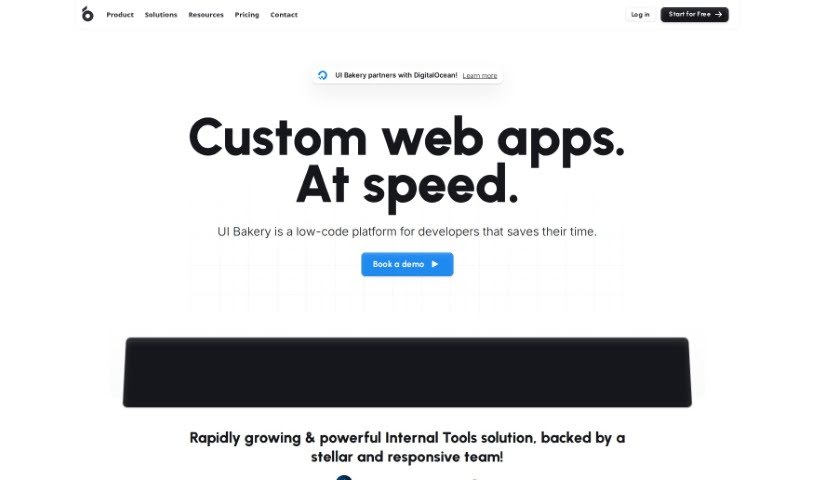
Screenshot of UI Bakery

UI Bakery

Discover UI Bakery in 2025! Learn what this low-code platform is, how to use its features effectively, and how it stacks up against other website builders.

Screenshot

What is UI Bakery?

UI Bakery is a low-code development platform designed to help people build web applications without needing to be expert programmers. It is a toolkit that lets you create and customize your app’s look and feel using a simple drag-and-drop interface. This makes building apps much faster and more accessible for everyone. The platform comes with a bunch of ready-to-use templates, components, and integrations that really simplify the whole app creation process. You can easily connect to different data sources and APIs, which adds a lot of power and functionality to your applications. Whether you’re working alone or as part of a team, UI Bakery is a great choice if you want to quickly create, test, and launch web applications with minimal fuss.

Who created UI Bakery?

UI Bakery is a user-friendly web development platform that first launched on April 8, 2024. It was started by a group of experienced developers who really wanted to make building websites simpler. While the specific details aren’t fully laid out in the provided documents, the platform is definitely known for its easy-to-use interface and that handy drag-and-drop functionality. This means it’s accessible even if you don’t have a ton of technical experience. If you’re looking for more information, checking out UI Bakery’s official website is the way to go.

What is UI Bakery used for?

UI Bakery is incredibly versatile and can be used for a wide range of tasks, including:

  • Creating custom customer portals.
  • Building specialized applications tailored to specific needs.
  • Providing features for HR and Engineering departments.
  • Equipping support and operations teams with the right tools.
  • Developing solutions for Finance and Government sectors.
  • Automating the generation of applications.
  • Seamlessly integrating with Snowflake and generic HTTP APIs.
  • Quickly creating CRUD (Create, Read, Update, Delete) applications.
  • Building robust admin panels.
  • Developing essential internal tools.
  • Offering business intelligence capabilities for data analysis.
  • Generating functional apps in mere seconds.
  • Integrating with popular services like Firebase and MySQL.
  • Setting up workflow automation systems.

Who is UI Bakery for?

UI Bakery is designed to be useful for a broad spectrum of professionals, including:

  • Product Managers
  • UI/UX Designers
  • Software Developers
  • Business Analysts
  • Entrepreneurs
  • Project Managers
  • Data Analysts
  • Quality Assurance Testers
  • Marketing Specialists
  • System Administrators

How to use UI Bakery?

Getting started with the UI Bakery AI App Generator is straightforward. Just follow these steps:

  1. Get Started: First, you’ll need to sign up for an account on the UI Bakery platform. It’s a quick process to get you set up.
  2. Create a New Project: Once you’re logged in, begin by creating a new project from your dashboard. This is where your app development journey starts.
  3. Select App Type: You’ll then choose the kind of application you want to build. Whether it’s internal tools, CRUD apps, or admin panels, there’s an option for you.
  4. Drag and Drop Interface: UI Bakery’s intuitive drag-and-drop interface is a key feature. Use it to easily design your application’s layout and structure.
  5. Database Integration: Connect your database to UI Bakery. This allows the platform to generate apps directly from your existing data, which is a huge time-saver.
  6. Customization: Tailor your app precisely to your needs using the visual editor. You can adjust almost anything to make it perfect.
  7. Prototype and Edit: Start building a prototype of your app and make any necessary adjustments using the tools provided. It’s a very iterative process.
  8. Generate Insights: Take advantage of the built-in business intelligence features to extract valuable insights from your data, helping you make better decisions.
  9. Share and Collaborate: Once your app is ready, share it with your team. This makes collaboration and feedback much easier.
  10. Iterate and Refine: App development is an ongoing process. Keep refining your app’s design and functionalities to ensure it performs at its best.

By following these steps, you can really make the most of UI Bakery’s features to design and develop all sorts of web applications, and you won’t need to be a coding expert to do it.

Related AI Tools

Discover more tools in similar categories that might interest you

Stay Updated with AI Tools

Get weekly updates on the latest AI tools, trends, and insights delivered to your inbox

Join 25,000+ AI enthusiasts. No spam, unsubscribe anytime.