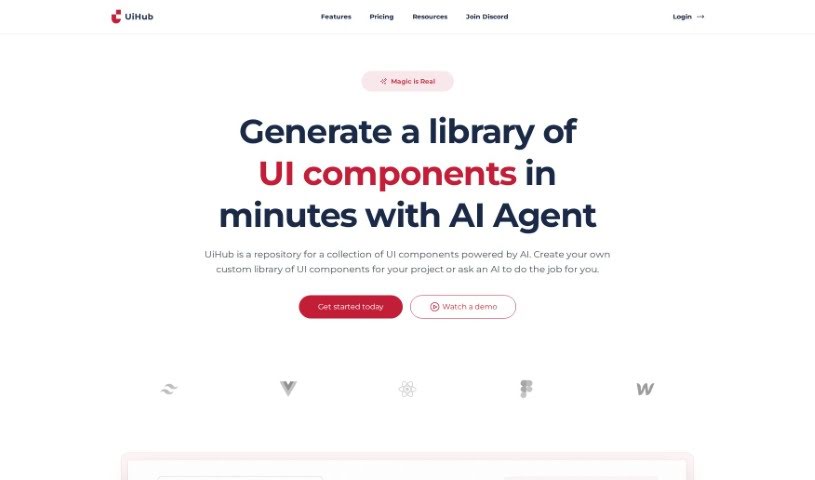
Screenshot of Uihub

Uihub

Discover what Uihub is and how to use it effectively in 2025. Explore its features and see how it stacks up against other Web Design Tools.

Screenshot

What is Uihub?

UiHub is an AI-powered tool designed to make your UI design and development workflows much smoother. It is a smart assistant that helps you build custom libraries of UI components, all using TailwindCSS. You get instant previews of your work as you go, and the AI can even help create components for you based on simple descriptions. The whole idea behind UiHub is to simplify how you design UIs and make it easier for everyone on your team to work together. Plus, you can easily tweak branding, colors, and fonts to make those UI elements truly yours.

When we talk about real-time previews in UiHub, it means you can see exactly what your changes look like the moment you make them. Whether you’re coding with TailwindCSS or HTML, or just adjusting branding colors, you get instant feedback. The platform has a built-in editor for your code, so you can see your UI component designs come to life right away.

UiHub really shines when it comes to collaboration. It lets your team members jump in and work on projects together, creating a really smooth process for both designers and developers. And because it stores all the UI components you create, you can easily reuse them in other projects. This means less repetitive work and more time for creativity, boosting your overall productivity.

Plus, UiHub offers a 14-day free trial – no strings attached, no contract needed. The tool cleverly uses AI, specifically the GPT-4 model, to automate the creation of UI components just from your project descriptions. Right now, it’s focused on TailwindCSS, but they’re planning to add support for VueJS and ReactJS down the road.

Who created Uihub?

Uihub was developed by a founder who prefers to remain undisclosed, and the company officially launched on October 22, 2023. At its core, Uihub is an AI-powered tool built to streamline UI design and development. It empowers users to create their own custom libraries of UI components, primarily using TailwindCSS. The platform includes a design system that lets you easily adjust branding, color schemes, and fonts, offering real-time previews of how your UI components will look. Uihub also leverages AI to help create new UI components and fosters a collaborative environment for teams.

What is Uihub used for?

  • It makes UI design much simpler.
  • You can create your own libraries of UI components.
  • It works seamlessly with TailwindCSS.
  • It integrates a design system for consistency.
  • You get real-time previews of UI components.
  • You can directly implement TailwindCSS or HTML code.
  • It’s great for team collaboration.
  • Components you create are reusable.
  • It’s a perfect fit for freelancers and agencies.
  • It acts as a single platform for your Figma components.
  • It provides storage for both TailwindCSS and Figma components.

Who is Uihub for?

  • Front-end developers
  • Figma designers
  • Digital creatives of all kinds
  • Design and development teams
  • Freelancers
  • Creative agencies
  • Individual digital creatives
  • Frontend developers (again, it’s a big group!)
  • Larger design and development teams

How to use Uihub?

Getting started with Uihub is pretty straightforward. Here’s a quick rundown:

  1. Sign Up: First, create your account on Uihub. You’ll get a 14-day free trial, and you don’t even need your own OpenAI API key to get started.
  2. Library Creation: You can build a library of UI components really fast. Just use TailwindCSS or paste your HTML code directly into the editor. Feel free to tweak the branding, colors, and fonts – you’ll see the changes instantly with the real-time previews.
  3. AI Integration: Need a new component? Just give the AI a brief description of what you need. The AI agent will then help streamline the process of creating that component for you.
  4. Collaboration: Make teamwork even better by adding your team members to projects. This really helps Figma designers and frontend developers work together smoothly.
  5. Storage & Reusability: Once you’ve created UI components, save them in Uihub. You can then easily reuse them in other projects just by copying and pasting.
  6. Feedback & Requests: Have ideas or suggestions? You can share your feedback, ideas, and feature requests with the team on Discord. This helps them keep improving the tool and adding new features.

Basically, Uihub makes UI design and development much simpler by using AI and TailwindCSS, along with those handy real-time previews, so you can get your projects done efficiently and effectively.

Related AI Tools

Discover more tools in similar categories that might interest you

Stay Updated with AI Tools

Get weekly updates on the latest AI tools, trends, and insights delivered to your inbox

Join 25,000+ AI enthusiasts. No spam, unsubscribe anytime.