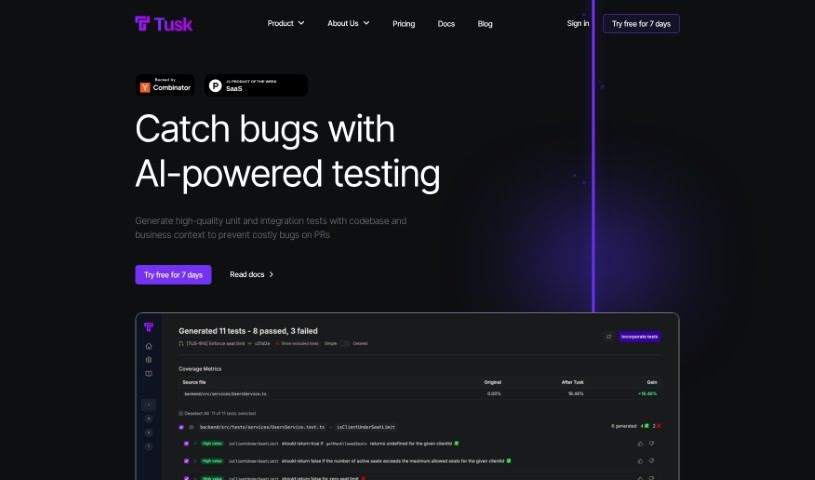
What is Tusk AI?
Tusk AI is a tool built to help software engineers get their tasks done faster. It is a smart assistant for your coding workflow. You can tag tasks in platforms like Linear, Jira, or Notion, and Tusk AI will automatically send the code changes to your GitHub repository, usually within minutes. It’s designed to handle code changes, run automated tests to make sure everything works, and even give you code context if it can’t create a pull request right away. The main goal here is to save engineers time by taking on things like fixing bugs reported by customers, making small copy updates, or improving the user experience with UI/UX tweaks. People who’ve used Tusk AI have said it’s really effective, often needing just a quick review and merge from the engineer. Tusk AI offers different pricing plans, so you can pick one that fits your team size and needs, from a free option for individuals to enterprise plans for bigger companies.
Who created Tusk AI?
Tusk was actually created by Marcel Tan and Sohil Upadhyay. They launched it on July 18, 2024. Their company is all about making software engineers’ lives easier by automating code changes and testing. Engineers at fast-growing companies trust Tusk, and they offer plans that are tailored for different team sizes, with varying limits on usage and different levels of support.
What is Tusk AI used for?
Here’s a look at what Tusk AI can do for you:
- Save time and effort: You can assign smaller tickets to an AI agent.
- Code generation: It creates code directly from a ticket to a pull request.
- Iterative improvements: It automatically refines code changes to handle any feedback from code reviews.
- Automated testing: It runs checks and tests automatically to ensure pull requests function correctly.
- Code context: It provides a starting point with code context if it can’t create a pull request initially.
- Bug fixes: It can fix bugs that customers have reported.
- Copy changes: It handles updates to text and copy.
- UI/UX enhancements: It improves user experience by implementing changes to the user interface and user experience.
- Legal and marketing copy: It can also manage changes to legal and marketing text.
- Boost productivity: It automates tasks to help developers be more productive.
- Streamlined workflow: It helps product managers by surfacing relevant tasks.
- Efficient collaboration: It improves teamwork with software engineers through a ‘Request for Review’ feature.
- Automated triaging: It automatically sorts tasks, writes code for them, and tracks progress.
- Production codebases: You can achieve real results with the AI agent working on your live code.
Who is Tusk AI for?
Tusk AI is a great tool for a variety of roles in the tech world:
- Software engineers
- Product Managers
- Chief Technology Officers (CTOs)
- General engineers
- Principal engineers
- Directors of Strategic Operations
- Heads of Product
- Technology Officers
- Directors of Operations
How to use Tusk AI?
To get the most out of Tusk, just follow these simple steps:
- Getting Started:
- First, connect your GitHub account. Syncing your repositories usually takes about 5 minutes, and then you’re ready to start generating pull requests.
- For even better productivity, consider linking up Jira, Linear, or Notion to really maximize what Tusk can do for you.
- Integration with Your Tools:
- Tusk is built to work smoothly with many frontend frameworks, including Next.js, React, Angular, and Vue.js. It also plays well with popular design libraries like Material UI, Ant Design, and Chakra UI.
- Best Performance:
- Tusk really shines with smaller tasks. Think copy changes, UI/UX improvements, and simple bug fixes. We’re always working to make it even better and expand its capabilities.
- Code Storage and Security:
- Your code’s privacy is important. Tusk gets code directly from GitHub when it needs it but doesn’t store it permanently on its servers. You can find more details in their Privacy Policy.
- Your AI Assistant:
- Tusk is designed to be an AI assistant that helps boost developer productivity by handling routine tasks. It’s not meant to replace you! The goal is to make your day-to-day operations smoother and more enjoyable.
- Verifying Code Generation:
- Tusk can regenerate code to fix PR reviews or errors. It also autonomously tests changes on your preview environment and records a video of the testing process, making quality assurance a breeze.
- More Helpful Features:
- Simply label an issue in Linear, Jira, Notion, or GitHub with ‘Tusk,’ and the tool will quickly generate the code and send it to your GitHub repository.
- Tusk makes sure your automated checks and tests are run, confirming that the pull requests work as expected.
By following these steps, you can really make the most of Tusk’s AI features to streamline your development process and boost your team’s productivity.