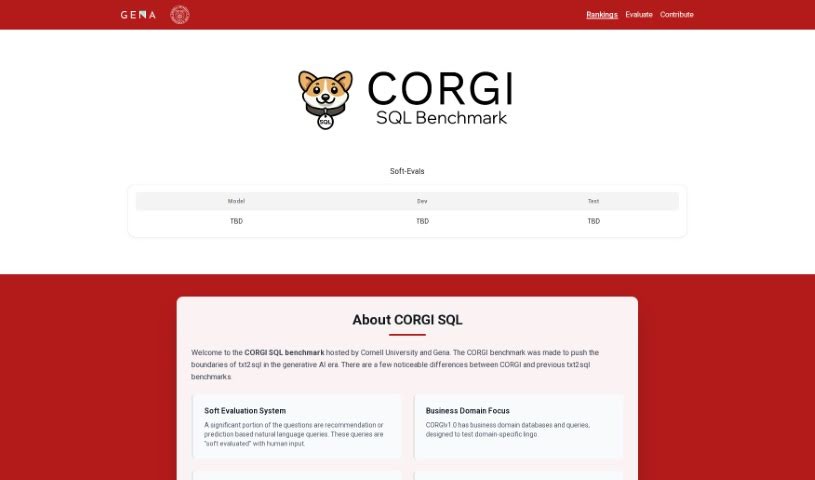
Screenshot of Txt2Sql.com

Txt2Sql.com

Discover Txt2Sql.com in 2025! Learn what this AI tool does, how to use its features effectively, and how it stacks up against other code generators.

Screenshot

What is Txt2Sql.com?

Txt2SQL is a really handy AI tool that lets you create SQL queries just by typing in plain text. It is a way to speed up your work by having the tool automatically build the queries you need, based on your database’s structure. It works with a bunch of popular databases, including MySQL, Postgres, SQLite, and MS SQL, so it should fit right into your existing setup. They also seem to take user data security seriously, following good data protection practices, though they don’t go into a lot of detail about it on their site. If you run into any issues or have questions, they offer email support to help you out. You can even try Txt2SQL for free to get a feel for how it works and what it can do before you decide on a subscription. Basically, Txt2SQL is all about making your data tasks smoother by automating SQL query generation from text, which should save you a good chunk of time and make your work more efficient.

Who created Txt2Sql.com?

An unnamed founder developed Txt2SQL.com, launching it on March 14, 2024. The company behind it focuses on this AI-powered tool that turns text into SQL queries. Their main goal is to boost work efficiency and simplify data analysis for everyone using it.

What is Txt2Sql.com used for?

  • Save Time: It automatically generates SQL queries based on your database schema, so you don’t have to.
  • Boost Efficiency: You can auto-generate SQL queries simply by typing what you need.
  • Database Integration: It helps connect with different databases like MySQL, Postgres, SQLite, and MS SQL by creating the right SQL queries from your text.
  • Custom Schemas: It’s good at handling unique data schemas, making sure the SQL queries match your specific setups.
  • Data Security: They focus on protecting your data, following strong data protection principles.
  • Email Support: You can get timely help and troubleshooting through email.
  • Free Trial: Try it out for free to see how it works and what benefits it offers before you commit.
  • AI SQL Generation: It uses AI to automatically create SQL queries from your text input.
  • Supercharge Workflows: It speeds up your data tasks by letting you generate SQL queries for analysis instantly.
  • Subscription Options: There are subscription plans available with different limits on requests and database support.
  • Eliminate Manual Work: It makes your work more efficient by removing the need to create SQL queries manually.
  • Flexibility: It adapts well to different database configurations, even custom ones.

How to use Txt2Sql.com?

Getting started with Txt2SQL.com is pretty straightforward. Here’s a quick rundown:

  1. Try it Free: Your first step should be to take advantage of the free trial. This is a great way to see how the tool works and what it can do for you before you decide to subscribe.
  2. Connect Your Database: Txt2SQL makes database integration easier. It can generate SQL queries from text for various databases, including MySQL, Postgres, SQLite, and MS SQL.
  3. Let AI Do the Work: The tool supports AI-powered SQL generation, meaning it automatically creates the SQL queries you need based on the text you provide.
  4. Key Benefit: What really sets Txt2SQL apart is its ability to speed up your data workflows. You can instantly generate SQL queries for your data analysis tasks.
  5. Choose a Plan: They offer two subscription plans: one for $7 a month giving you 300 requests, and a higher tier for $17 a month with 3000 requests. Both plans support four database types and custom data schemas.
  6. Automate Your Analysis: You can automate your data analysis by quickly turning your text descriptions into SQL queries, tailored to your specific database schema.
  7. Quick Start: Head over to the website and grab that free trial. It’s the best way to start generating SQL queries from text and get comfortable with the system.
  8. Need Help? Txt2SQL offers priority email support, so you can get quick assistance if you run into any problems or have questions.
  9. Secure Your Data: Rest assured, Txt2SQL is designed with strong data protection principles in mind to keep your user data safe.
  10. Adaptable: The tool is flexible and can handle custom data schemas effectively, adjusting to whatever database configurations you might have.

It’s always a good idea to check out their website for all the nitty-gritty details on everything Txt2SQL has to offer.

Related AI Tools

Discover more tools in similar categories that might interest you

Stay Updated with AI Tools

Get weekly updates on the latest AI tools, trends, and insights delivered to your inbox

Join 25,000+ AI enthusiasts. No spam, unsubscribe anytime.