AI Tools for Creative

Discover the best Creative AI tools to enhance your productivity and creativity.

Page 100 of 114 • 1360 total tools

Creativity today is changing fast, and AI is becoming a super helpful partner. Whether it’s creating amazing visuals or writing music, AI creative tools are making the art process more accessible and exciting. But with so many options out there, finding the right one for your creative needs can feel a bit overwhelming.

Things have really changed in just a few years. AI tools aren’t just for special uses anymore; they’re smoothly fitting into our everyday creative work. These new technologies can make your projects better, save you time, and even lead you to explore artistic ideas you hadn’t considered before.

I’ve spent a good amount of time exploring the world of AI creative tools, looking into everything from graphic design apps to music software. Since I love seeing how technology and creativity come together, I wanted to share what I found about the best tools available right now.

So, whether you want to make eye-catching visuals or come up with fresh concepts, there’s a tool out there just for you. Let’s dive into the best AI creative tools that can take your artistic projects to the next level and change how you create.

The best AI Creative Tools

  1. Canva for designing social media posts
  2. Character AI for brainstorming story ideas and concepts.
  3. Janitor AI for quickly crafting unique story ideas.
  4. Remove.bg for instantly removing backgrounds from design projects
  5. Leonardo AI for generating dynamic artwork for designers
  6. Photopea for designing stunning graphics and illustrations.
  7. Photoroom for improving photos for creative projects
  8. Pixelcut for designing eye-catching product ads
  9. Pixlr for designing great graphics with ease
  10. Midjourney for visual storytelling through art prompts.
  11. AI Face Swap for creating unique memes for social media.
  12. Cutout.pro for creating dynamic backgrounds for art
  13. Remaker for AI-powered image creation for unique designs.
  14. Ideogram for logo design and customization.
  15. Openart for experimenting with unique artistic styles
How do AI creative tools work?

AI creative tools work by using advanced algorithms that learn from all sorts of data. They look at patterns in creative works—like art, music, or writing—which helps them copy styles and create new, original pieces. It’s a bit like how human artists get inspired by different things they see or hear.

At their core, these tools often use neural networks. These are specially built to understand and interpret human creativity. The networks are trained on huge amounts of data, including works from many different styles and formats, so they can learn and adapt to various approaches.

When you give a prompt—like a topic for a story, a theme for a painting, or a music genre—these AI tools use the patterns they’ve learned to generate fitting responses. They essentially guess which elements should go together to make content that feels cohesive and engaging.

What’s really interesting is that AI creative tools don’t just repeat what they’ve learned; they can actually be innovative. By blending styles or drawing from less common influences, they can produce work that surprises and inspires, offering a fresh take even on familiar subjects.

As technology keeps advancing, these creative tools are getting more capable. This means we can have richer interactions, with users and AI working together more smoothly. Often, this leads to amazing artistic creations that combine human ideas with computer power.

If you’re curious about the technical side of these tools, looking into neural networks and creative AI applications can offer more insight into how they bring artistic ideas to life.

Our best AI creative tools at a glance

RankNameBest forPlans and PricingRating
1CanvaSocial media post designN/A4.73 (11 reviews)
2Character AIGBrainstorming story ideas and concepts.N/A4.64 (11 reviews)
3JanitorAICrafting unique story ideas quickly.N/A0.00 (11 reviews)
4Remove.bgInstant background removal for design projectsPaid plans start at $0.2/image.4.82 (11 reviews)
5Leonardo AIDynamic artwork generation for designersPaid plans start at $9/month.4.73 (11 reviews)
6PhotopeaDesign stunning graphics and illustrations.N/A4.67 (12 reviews)
7PhotoroomEnhancing creative project photosPaid plans start at $7.50/month.4.74 (38 reviews)
8PixelcutDesigning eye-catching product adsN/A4.64 (11 reviews)
9PixlrDesigning stunning graphics effortlesslyPaid plans start at $0.99/month.4.73 (11 reviews)
10MidjourneyVisual storytelling through art prompts.N/A4.73 (11 reviews)
11AI Face SwapCrafting unique memes for social media.N/A4.70 (10 reviews)
12Cutout.proDynamic background creation for artistryN/A4.46 (13 reviews)
13RemakerAI-powered image creation for unique designs.N/A4.69 (13 reviews)
14IdeogramLogo design and customization.N/A4.85 (26 reviews)
15OpenartExperiment with unique artistic stylesPaid plans start at $84/year.4.25 (8 reviews)
Screenshot of Supercarousels

Supercarousels

Freemium

SuperCarousels is a handy Software as a Service (SaaS) platform that uses artificial intelligence to help social media content creators whip up eye-catching carousels. It's perfect for folks who aren't design pros or are just short on time. You'll find the interface super easy to use, with plenty of options to tweak your designs. Plus, you can count on consistent quality, making it versatile for all sorts of projects. They're always adding new features, too! The best part? You can jump in and start using SuperCarousels for free – no credit card needed. It's a great fit for all kinds of users and really helps keep your brand looking consistent.

Screenshot of Superdwell

Superdwell

Freemium

Superdwell is a really neat online service that helps you design and visualize rooms, all powered by smart AI. It is your personal virtual interior designer. You can use it to plan out your dream home, try out all sorts of different design ideas, and create spaces that truly feel like you. It’s super easy to customize floor plans, pick out furniture, fixtures, and all those little accessories that make a place feel like home. Plus, you can even shop for items right there on the platform. They’ve really focused on making it simple and user-friendly, so you don't need any design background to get started. On top of that, Superdwell connects you with professional interior designers online if you want some expert advice or personalized recommendations to make your space even better.

Screenshot of SuperImage

SuperImage

Freemium

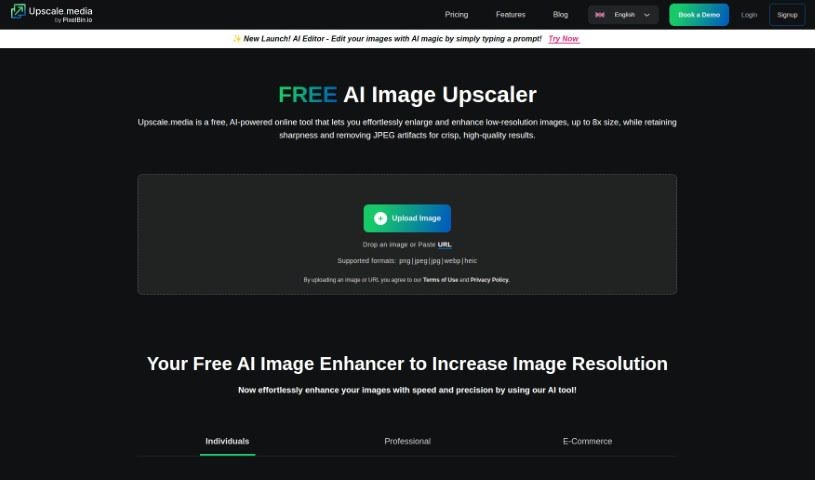
SuperImage is a neat AI tool designed specifically for making your low-resolution images bigger and better. It uses advanced neural networks and your computer's own GPU to do the heavy lifting. What's really great is that it keeps your data private because everything happens right on your device – no need to send your images anywhere online. It's built using the MNN deep learning framework and the Real-ESRGAN algorithm, which means it's both efficient and delivers high-quality results. You get a smooth, high-quality upscaling process without needing an internet connection or uploading anything.

Screenshot of Supermachine

Supermachine

Freemium

Supermachine is a really neat AI tool that helps you create images super fast, no matter what you need them for. It uses some pretty advanced AI to turn your simple words or phrases into unique pictures in just a few seconds. It is your go-to for making images for blog posts, those eye-catching YouTube thumbnails, cool NFT concepts, or even for prototyping fashion designs or architectural ideas. Plus, Supermachine gives you access to two public AI image libraries, offers up prompt ideas to get your creative juices flowing, and lets you download whatever you create. People like it because it's quick, doesn't cost a fortune, and is incredibly easy to use – you don't need any fancy, expensive computer hardware to get it running.

Screenshot of SUPIR - XPixel Group

SUPIR - XPixel Group

Freemium

SUPIR, which stands for "SUPIR Intelligent Image Restoration," is a really advanced AI tool from the XPixel Group. It's designed to completely change how we restore images, mixing AI smarts with a creative touch. It is a way to reimagine and seriously boost images in all sorts of categories – from beautiful landscapes and striking portraits to cute animal photos, immersive gaming visuals, classic movies, and old vintage shots. SUPIR uses a top-notch AI model that's built on massive generative data. This helps it dramatically improve image quality by bringing out finer details and making everything clearer.

Screenshot of Sus Technology

Sus Technology

Freemium

SUS Technology is behind the SUS Gallery, an AI Mobile Gallery that's really designed to help you manage and improve your photo collections. It is a smart assistant for your pictures. It uses AI to make your photos better, shrink them down to save space, and generally make editing a breeze. What's great is that all this AI magic happens right on your phone, offline, so your photos and data stay private and secure.

Screenshot of Svg.io

Svg.io

Freemium

SVG.io is a platform that offers a Text-to-SVG AI Generator. This tool lets you easily turn text prompts into scalable vector graphics (SVG) without needing to sign up or pay anything. It's a free tool that helps designers and anyone interested in graphics create custom SVG artwork quickly and simply. Scalable Vector Graphics, or SVG, is a file format that uses XML to describe two-dimensional vector graphics. This format is great because it scales up or down without losing quality, is lightweight, and can be easily changed with code. That's why it's so popular for web development and interactive graphics. The SVG images you create are generally free for commercial use, but it's always a good idea to double-check the licensing for any third-party elements that might be included.

Screenshot of Swapface

Swapface

Freemium

Swapface is a really cool app that lets you do ultra-realistic faceswaps in real-time. What's neat is you can instantly look like anyone just by using a single photo – no waiting for processing at all! It's designed to be super easy to set up, and it really takes your content creation and live streaming to the next level. Swapface uses advanced AI to swap faces seamlessly as you're live, giving you a fun, creative way to digitally transform into different characters with just a click.

Screenshot of SwapFans AI

SwapFans AI

Freemium

SwapFans AI is an all-in-one Gen AI platform built for marketing, sales, and film production. This innovative technology aims to simplify and enhance various aspects of these industries with its advanced features. SwapFans AI offers tools for tasks like changing backgrounds and generating images, giving users ways to modify and create visuals easily. You can get free credits to generate and export edited images without watermarks, and there are VIP upgrades available to unlock even more features. All in all, people really like SwapFans AI because it's user-friendly and has powerful AI capabilities, making it a great tool for anyone wanting to boost their marketing reach and sales performance.

Screenshot of SwapMyFace

SwapMyFace

Freemium

SwapMyFace is a really fun and easy-to-use app that lets you create amusing and unique face swaps without any hassle. You can swap faces with anyone, anywhere, and you don't need to be a Photoshop whiz to do it, thanks to the AI technology behind the app. People have been loving SwapMyFace because it's so simple to use and the results are genuinely impressive. It's entertaining to merge your face with all sorts of images, like movie characters, historical figures, or even famous paintings. Plus, the app has a handy Chrome extension, so you can quickly swap faces right from your browser. This makes it super convenient to create your own custom images in just a few seconds. And to get you started, SwapMyFace gives you 5 free generations to play around with before you decide if you want to subscribe.

Screenshot of Switchboard Canvas

Switchboard Canvas

Freemium

Switchboard Canvas is a really handy tool designed to make your workflows smoother and more automated. It is a powerful API for creating assets. What's great about it is you can generate multiple images all at once with just one API call. This makes it super easy to integrate with your existing automation services. Plus, you get precise control over asset creation – you can set specific dimensions and even swap out template values for each size you need. On top of that, Switchboard Canvas can translate text into over 70 languages, which is pretty efficient. They offer different plans, like Creator, Agency, and Enterprise, each with its own set of features. These plans vary in how many images you can create per API call and offer things like multilingual content creation. You can try it out with a 14-day trial, but there's a limit on image sizes per API call during that time. If you don't switch to a paid plan after the trial, any content or templates you made will be removed. Just so you know, if you go over your usage limit, each extra API call will cost $0.10.

Screenshot of Synthesia Custom Avatars

Synthesia Custom Avatars

Freemium

custom avatars is your own digital twin, but with a bit of a polish. They're personalized digital representations of real people, created to look like you, similar to how stock avatars are designed. The really neat part? You can use these unique likenesses in personalized videos, and they work across more than 140 languages. If you want to make one, just head over to the "Avatars" tab. There, you'll find the Avatar Builder, where you can tweak your avatar's look. You can pick out clothing colors and even add your own logos. Once you're happy with how it looks, you just hit "Generate Avatar." It might take about 20 minutes for your personalized avatar to be all set and ready to go.

Stay Updated with AI Tools

Get weekly updates on the latest AI tools, trends, and insights delivered to your inbox

Join 25,000+ AI enthusiasts. No spam, unsubscribe anytime.