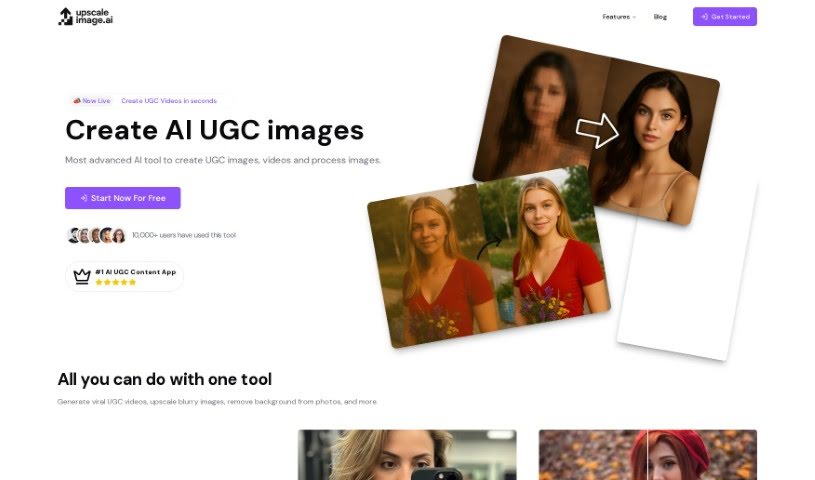
Screenshot of UpscaleImage AI

UpscaleImage AI

Discover what UpscaleImage AI is and how to make the most of its features in 2025. We'll explore its capabilities, compare it to other image generators, and guide you through using it.

Screenshot

What Exactly is UpscaleImage AI?

UpscaleImage AI is a really versatile platform that uses AI to both improve and create images. It is your go-to tool for making pictures better and even generating new ones from scratch. It can do a lot, like making your images bigger without losing any quality, fixing those annoying blurry photos, cleaning up the noise in old pictures, creating realistic images just from text descriptions you provide, easily removing backgrounds, and even transforming your own look into popular characters. It’s designed to boost image clarity across the board.

This tool is great for everyone, whether you’re a pro or just playing around with photos. Graphic designers, digital artists, and photo editors will find it super useful for their work. Businesses that need to polish their images will also benefit, as will anyone who’s just curious about making their photos look better or trying out AI image generation.

How does it work? Well, UpscaleImage AI uses smart algorithms – basically, clever computer programs – to take those lower-quality images and make them shine. It boosts the resolution, so you can enlarge pictures without that usual pixelated mess. It also works its magic on old or damaged photos, cutting down on noise and sharpening things up. Plus, it can whip up incredibly lifelike human images based on your text prompts, zap backgrounds right out of pictures, and even change your appearance to look like famous characters, whether it’s someone like the Hulk or James Bond.

For anyone doing serious photo editing, UpscaleImage AI is a real asset. You get features like upscaling, fixing blurriness, noise reduction, background removal, and that impressive realistic image generation from text. All in all, this platform really steps up the quality of your pictures by improving resolution, cutting down on graininess, and offering a whole range of ways to make your images look their best.

Who’s Behind UpscaleImage AI?

An unknown creator developed UpscaleImage. The platform first launched on June 17, 2024. It offers a bunch of cool features, including making images bigger without losing quality, fixing blurry photos, cleaning up noise in older pictures, creating realistic human images from text descriptions, and transforming people’s appearances into popular characters. It’s designed to be easy to use, making it a good choice for both professionals and casual users who want to edit or generate images.

What Can You Do with UpscaleImage AI?

Here’s a quick rundown of what UpscaleImage AI is great for:

  • Creating images from text: Just describe what you want, and it can generate model images.
  • Precise editing: It’s known for its high accuracy when editing.
  • Character generation: You can create images of characters based on regular photos.
  • Revitalizing old photos: It’s excellent at breathing new life into old, noisy images.
  • High-definition upscaling: Get those images looking sharp and clear at higher resolutions.
  • Restoring clarity: It helps improve the look of images that are too dark or low-lit.
  • Fixing blurry images: Get rid of blurriness in your photos in just a few seconds.
  • Upscaling to High Definition: Easily increase your image resolution.
  • Restoring old photos: Bring back detail and clarity to damaged or old pictures.
  • Generating realistic humans: Create lifelike photos of people from text prompts.

Who Should Use UpscaleImage AI?

This tool is perfect for:

  • Graphic designers
  • Digital artists
  • Photo editors
  • Businesses that need image editing services
  • Anyone interested in improving their photos or exploring AI image generation

How Do I Use UpscaleImage AI?

Using UpscaleImage AI is pretty straightforward. Just follow these simple steps:

  1. Fix Blurry Images: If you have a blurry or low-quality photo, you can quickly enhance its clarity and sharpness.
  2. Upscale Image Resolution: Need a bigger image? You can increase its size by 2X, 4X, or even 8X without sacrificing any quality.
  3. Restore Old Photos: Give your old or damaged pictures a new lease on life by reducing noise and making them clearer.
  4. Generate Human Images: Use text descriptions to create incredibly lifelike images of people with the help of advanced AI.
  5. Remove Backgrounds: Want a cleaner look? The platform can automatically get rid of backgrounds from your images.
  6. Transform into Characters: Turn yourself into popular characters by simply using one of your own photos.

These steps make it easy for both professionals and casual users to handle various image editing and enhancement tasks smoothly with UpscaleImage AI.

Related AI Tools

Discover more tools in similar categories that might interest you

123RF AI Image Generator

Creative Image Generation
Learn More

Stay Updated with AI Tools

Get weekly updates on the latest AI tools, trends, and insights delivered to your inbox

Join 25,000+ AI enthusiasts. No spam, unsubscribe anytime.