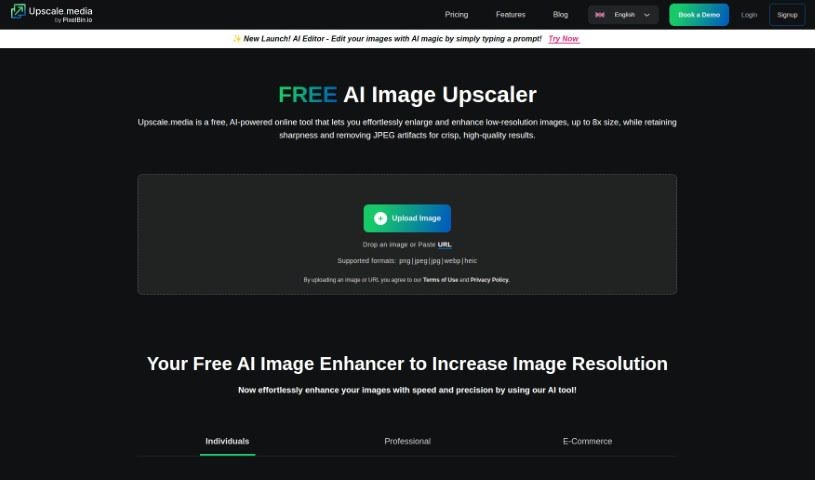
Screenshot of Upscale.media

Upscale.media

Discover what Upscale.media is and how to use it effectively in 2025. We'll explore its features and see how it stacks up against other image enhancers and upscalers.

Screenshot

What is Upscale.media?

Upscale.media is a really neat AI tool designed to boost the quality and resolution of your images. Whether you’re an individual looking to polish up personal photos or a business needing professional-grade results, this platform has you covered. It uses advanced AI technology, which means it can improve your pictures quickly and accurately. Plus, it offers some great features like the ability to transform many images at once (bulk transformation), easy integration with your existing systems via API, and a super straightforward interface that anyone can use. Oh, and if you’re new, you can sign up and get your first 3 credits for free – a perfect way to test out what it can do!

Who created Upscale.media?

Upscale.media was brought to life by a founder or team who wanted to build a top-notch AI image upscaler. Their goal was to give people a tool that could really make image quality and resolution shine using smart AI. You’ll find it’s built for speed and precision, handles multiple images at once, and integrates smoothly with other tools through its API, all wrapped up in an easy-to-use design. They’ve really succeeded in creating something that efficiently meets the image enhancement needs of both individuals and businesses.

What is Upscale.media used for?

  • Making your personal photos look their best.
  • Improving product images for businesses to attract more customers.
  • Handling a whole batch of images at once, saving you tons of time.
  • Connecting easily with your own systems using its API.
  • Trying it out with a free starter pack of 3 credits.
  • Boosting the overall quality and sharpness of your pictures.
  • Getting those enhancements done fast and with great accuracy.

Who is Upscale.media for?

  • Photographers who want to perfect their shots.
  • Graphic designers needing high-resolution assets.
  • E-commerce businesses aiming for more appealing product listings.
  • Marketing professionals looking to create polished visuals.

How to use Upscale.media?

Ready to give your images a boost with Upscale.media? It’s pretty simple:

  1. First off, sign up for an account on Upscale.media. This gets you those 3 free credits to start with.
  2. Next, just upload the images you want to enhance.
  3. Let the platform’s advanced AI work its magic to improve the quality and resolution.
  4. You’ll notice how fast and precise the tool is – it really speeds things up.
  5. If you’ve got a lot of images, use the bulk transformation feature to process them all together.
  6. Need to connect it to your own software? The APIs integrate smoothly, making your workflow even more productive.
  7. The interface is really user-friendly, so you can navigate the tool without any hassle.
  8. For keeping things organized, you can use tags like ‘AI Image Upscaler,’ ‘Image Upscaler,’ ‘Image Enhancement,’ and ‘Upscale Images’ to easily find what you need later.

By following these steps, you’ll be able to make the most of Upscale.media’s AI-powered tool, enhancing your personal or business images with both ease and precision.

Related AI Tools

Discover more tools in similar categories that might interest you

123RF AI Image Generator

Creative Image Generation
Learn More

Stay Updated with AI Tools

Get weekly updates on the latest AI tools, trends, and insights delivered to your inbox

Join 25,000+ AI enthusiasts. No spam, unsubscribe anytime.