What is Unfake?
Unfake is a neat AI tool from Gaspard+Bruno. Basically, it takes those images with the fake transparency grid – you know, the ones that look like they have a checkerboard background but aren’t really transparent? – and turns them into actual, background-less PNG files. It’s pretty smart; the tool automatically zaps away that fake transparency grid, making your images render much more accurately. You just upload your image, let Unfake work its magic, and then you can download the clean, transparent PNG right away. Best of all, it’s free to use! You can upload files up to 200MB, and it’s all powered by technology from VISIO Studio. If you ever need to get in touch, you can email the team at [email protected]. Plus, there are handy mobile apps for both Android and iOS, a Figma plugin, and even a Chrome extension. No need to sign up either – just jump right in!
Who created Unfake?
Unfake comes from Gaspard+Bruno Ltd. This company is registered in England and Wales, with offices located in Lisbon, Portugal, and London, UK. As mentioned, it’s an AI-powered tool designed to convert images that have those fake transparency grids into genuine, background-less PNG files. You upload your image, and their AI technology handles the removal of that fake grid, giving you a true PNG.
What is Unfake used for?
Unfake is really about making image textures work better for you. Here’s a breakdown of what it’s good for:
- High-Quality Textures: It provides high-resolution texture photography services, which are super useful for graphic design, CGI, digital creation, and for photography studios or advertising agencies.
- Fixing Fake PNGs: Its main job is transforming those “fake.png” images into real, background-less PNG files.
- Accurate Rendering: It removes those pesky fake transparency grids, ensuring your images look exactly how they should.
- Synthetic Materials: It’s great for generating unique synthetic materials for various creative projects.
- AI Solutions: Beyond just fixing images, the company offers private AI models to protect your intellectual property and data. This includes fine-tuning models, deploying them, and keeping an eye on them.
- Creative Testing: They also do sentiment analysis on images, videos, and text. This helps with creative testing, tracking campaigns, conducting audits, and doing meta-analyses.
- Asset Management: Unfake can connect AI to your Digital Asset Management (DAM) systems, making it easier to publish and track assets throughout their entire lifecycle.
- Custom Content: Need to customize content at scale? They use comprehensive datasets and models tailored for specific markets or data types.
- Workflow Automation: They can automate business workflows by connecting private models to different tools, APIs, and monitoring systems.
- AI Consultancy: Looking to adopt AI? They offer consultancy services, including help with content production, training sessions, and various AI-related tasks.
- Effortless Creation: They help with the easy creation and production of images/videos, data collection, developing proofs of concept, and curating custom datasets.
- Generative AI: They deploy, automate, and connect generative AI models to boost accuracy and results.
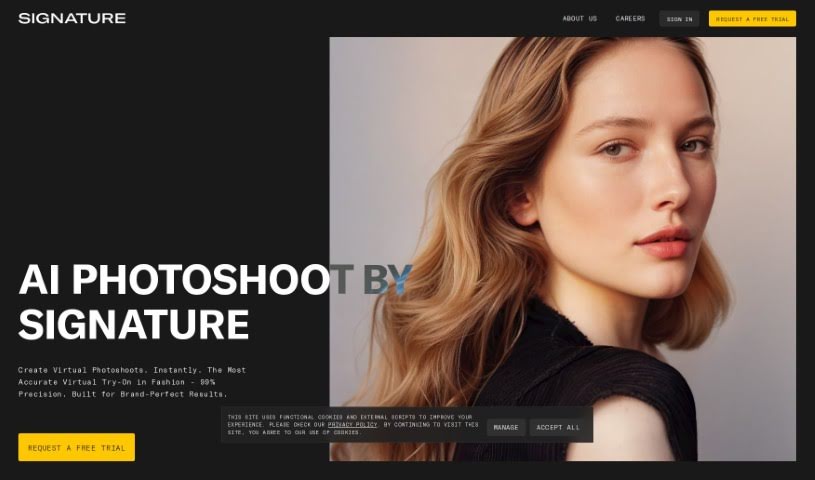
- Campaign Creation: They’ve even done synthetic campaign creation for Geneva Camarata using their Signature AI.
- Data Protection: They focus on data protection, security, and intellectual property.
- Compliance: They also help with regulatory adaptation and ethical standards.
- Private AI: They offer private artificial intelligence solutions to protect enterprise data.
- Model Fine-tuning: They fine-tune models using private AI for very specific use cases.
- Market Adaptation: They help you create, produce, iterate, and adapt for every market in a safe, private environment.
- Content Production: They handle text, image, and video production with their Signature AI.
Who is Unfake for?
Unfake is a fantastic tool for anyone working with digital images, especially:
- Graphic designers
- CGI artists
- Digital creators
- Photography studios
- Advertising Agencies
- CGI Professionals
- CGI Designers
How to use Unfake?
Using Unfake.png by Gaspard+Bruno is pretty straightforward. Here’s how you do it:
- First, head over to the Unfake.png tool. You can access it either on their website or through the mobile apps they have available for Android and iOS.
- Next, upload the image file that has that tricky fake transparency grid you want to fix.
- Once uploaded, the AI technology built into Unfake.png will automatically get rid of that fake transparency grid for you.
- After it’s processed, you can download the image. It’ll be a real, background-less PNG file, ready to use without any unwanted background.
- The best part? You don’t need to register at all! This makes the whole process quick and super easy.
- If you have any questions or need a hand, don’t hesitate to reach out to the Unfake.png team via email at [email protected].