AI Tools for Audio

Discover the best Audio AI tools to enhance your productivity and creativity.

Page 36 of 40 • 471 total tools

We’re really entering a new age for creating and changing audio, thanks to AI. You know, those days of needing tons of skills and pricey gear for good audio are pretty much over. Now, with smart AI audio tools, anyone can make professional-sounding audio for podcasts, music, or any cool audio project.

These tools aren’t just for making music; they can create voiceovers, improve sound quality, and even help with sound design. It’s amazing how much AI is changing the audio world, and the ways we can use it are endless.

After spending a lot of time trying out different platforms and features, I’ve put together a list of the top AI audio tools out there. Whether you’re just starting out and need something simple, or you’re a pro looking for powerful options, there’s definitely something here to help you make your audio sound even better.

So, if you’re ready to see what AI can do for sound, let’s jump into the best tools that will totally change how you work with audio.

The Best AI Audio Tools

  1. ElevenLabs: Great for making multilingual video voiceovers if you’re a creator.
  2. Suno: Perfect for creating custom soundscapes to help you relax.
  3. BandLab: Lets you mix and master tracks smoothly.
  4. TurboScribe: Helps improve audio for clearer transcriptions.
  5. Voicemod: Lets you change your voice for creative projects.
  6. Adobe Podcast: Enhances audio with simple, one-click AI tools.
  7. Transkriptor: An automated tool for transcribing lectures.
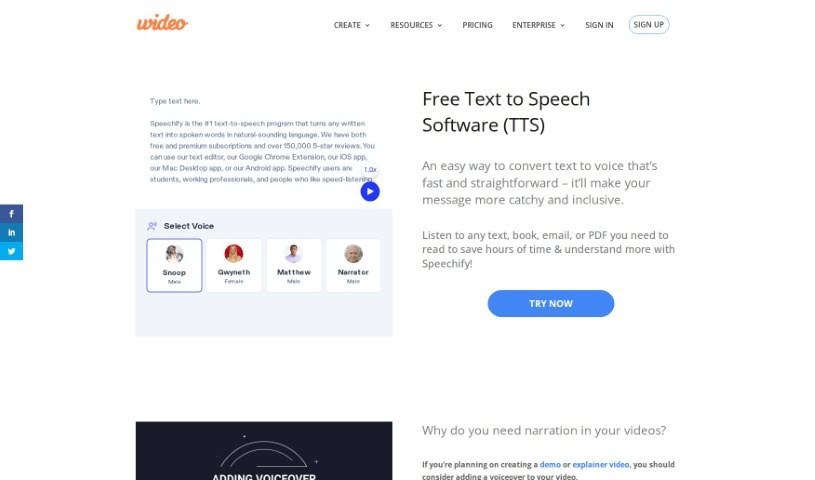
  8. Speechify: Makes it easy to listen to articles and documents.
  9. NaturalReader: Good for creating voiceovers for your video content.
  10. Riffusion: Offers real-time audio manipulation for creators.
  11. Narakeet: Converts subtitles into synchronized audio.
  12. PlayHT: Useful for voiceovers in audio editing.
  13. Lalal.ai: Lets you remove vocals seamlessly for remixes.
  14. Ttsmaker: Effortlessly create voiceovers for videos.
  15. Udio: Craft unique sounds using its audio tools.
How Do AI Audio Tools Work?

AI audio tools work a lot like AI writing software. They use advanced models that have been trained on huge amounts of data. Many of these tools use deep learning to analyze and create sound patterns, which lets them generate or change audio. You’ll often see them used for making speech, composing music, and sound design, all thanks to the vast libraries of audio samples and language data they learn from.

Basically, these tools use neural networks that are designed to process sound much like we do. They look at audio input, find patterns, and then predict the best sound to produce based on what they’ve learned. This means they can create a wide range of outputs, from voices that sound really real to music that feels both familiar and new.

When it comes to making voices, the process usually involves feeding a neural network thousands of hours of spoken audio. This teaches it subtle things like intonation and how to vary speech. Then, when you type something in, the model uses its training to create speech that matches the tone and context you’re going for. The result? Voices that sound lifelike and can deliver text with emotion and clarity.

In a similar way, AI music tools study huge collections of music to understand what makes a good hook, rhythm, or harmony. By breaking down existing songs, these models learn how to create new music that sounds like popular styles or even comes up with completely new soundscapes. You can tell the AI what genre or mood you want, and it’ll tailor the results to your taste.

Beyond just creating content, AI audio tools can also improve existing sounds. Things like reducing noise, fixing pitch, and adding effects are all powered by algorithms that have learned from the details in audio files. This lets you make your recordings sound better or create entirely new sound experiences without much effort.

If you’re curious about the technical side, there are plenty of resources that explain how audio processing and machine learning work in sound. All in all, AI audio tools are really changing how we create and interact with sound, opening up amazing possibilities for musicians, podcasters, and audio engineers.

Our Best AI Audio Tools at a Glance

RankNameBest ForPlans and PricingRating
1ElevenLabsMultilingual video voiceovers for creatorsN/A4.83 (29 reviews)
2SunoCreate custom soundscapes for relaxationN/A4.82 (11 reviews)
3BandLabMix and master tracks seamlessly.N/A4.75 (44 reviews)
4TurboScribeEnhance audio for clear transcriptionPaid plans start at $10/month.4.80 (5 reviews)
5VoicemodTransform your voice for creative projectsN/A4.78 (27 reviews)
6Adobe PodcastEnhance audio with one-click AI toolsN/A4.67 (12 reviews)
7TranskriptorAutomated lecture transcription tool.N/A.4.31 (13 reviews)
8SpeechifyListen to articles and documents.N/A4.80 (54 reviews)
9NaturalReaderCreate voiceovers for video contentN/A4.75 (44 reviews)
10RiffusionReal-time audio manipulation for creatorsN/A4.18 (11 reviews)
11NarakeetConvert subtitles to synchronized audioN/A4.72 (18 reviews)
12PlayHTVoice over for audio editingN/A4.59 (27 reviews)
13Lalal.aiSeamless vocal removal for remixesN/A4.64 (11 reviews)
14TtsmakerCreate voiceovers for videos effortlessly.N/A4.60 (5 reviews)
15UdioCraft unique sounds with audio toolsN/A4.18 (11 reviews)
Screenshot of Virtuozy Pro

Virtuozy Pro

Freemium

Virtuozy Pro is essentially an AI-powered music assistant designed to help you unlock your inner musician. It really aims to make the whole creative process smoother, no matter your experience level. Whether you're a seasoned pro or just starting out, Virtuozy Pro has features that can help. For instance, it can effortlessly generate chords and even write lyrics for you, all thanks to some pretty advanced artificial intelligence. The platform itself is built with an easy-to-use interface, guiding you through creating music. You can explore all sorts of musical styles and get past those frustrating creative blocks. It’s a way to quickly compose music and bring your ideas to life with just a few clicks, making music production feel much more accessible and efficient for everyone.

Screenshot of Vocali.se

Vocali.se

Freemium

Vocali.se is a really handy free online tool that makes it super simple to split vocals and music from any song or audio file. This means you can easily create your own karaoke versions of tunes! It uses a smart machine learning and Artificial Intelligence engine called Spleeter, which is known for doing a great job of separating audio tracks. All you have to do is upload your audio file, hit the "Separate Music and Vocals" button, and you'll get your separated files back quickly. The best part? No software to install and no account needed. Vocali.se is supported by donations from users, they're serious about protecting your privacy, and they have clear terms of service. If you need help, you can reach out to them via email at [[email protected]](/cdn-cgi/l/email-protection#afccc0c1dbceccdbefd9c0cccec3c681dcca).

Screenshot of Vocalist.ai

Vocalist.ai

Freemium

Vocalist.ai is a platform designed to help you transform your own vocals into those of professional-quality singers and rappers, all thanks to AI technology. It really excels at vocal conversion, letting you take simple recordings and turn them into studio-grade vocals that sound like they came from actual hit singers. The platform offers these beautifully recorded, custom vocal models to really enhance whatever you input. Many creators in the music industry, including producers, songwriters, and artists, have shared positive feedback, often mentioning how easy it is to use and how impressive the results are. Vocalist.ai features top-tier vocalists and rappers across many genres. Importantly, they're committed to ethical AI practices, which means they ensure artists are paid fairly, deliver a high-quality product, and make it easier for creators to get started.

Screenshot of Vocaloid6

Vocaloid6

Freemium

Vocaloid6 is a really cool AI technology from Yamaha that helps musicians make their songs sound more expressive. Basically, it lets you add lyrics and vocal melodies to your music, aiming for a natural singing voice and giving you more freedom to bring your vocal ideas to life. It's designed to help you quickly turn your creative concepts into actual vocal performances while you're working on your music. It is a helpful assistant for musicians who want to add captivating vocals and really make their musical visions a reality.

Screenshot of Vocalremove

Vocalremove

Freemium

Vocalremove.com offers a really straightforward tool that uses smart technology to take vocals out of any music track. What's left is just the instrumental part. This is super handy for musicians and anyone who loves karaoke, letting them create their own backing tracks for live shows or just for fun. It doesn't just remove vocals, though; you can actually tweak how much vocal removal you want, finding that perfect balance between the singing and the music. Plus, it's quick and easy – just upload your song, and you'll get what you need in no time.

Screenshot of Vocapia

Vocapia

Freemium

Vocapia is a company that really knows its way around speech processing. They focus on advanced technologies for recognizing continuous speech with large vocabularies and providing transcription services in many different languages. Their main product, VoxSigma™, is a powerful suite that uses AI and machine learning to make speech recognition and transcription super efficient. It's designed to handle all sorts of audio data, automatically breaking it down, figuring out who's speaking when (that's speaker diarization!), and turning it all into structured, searchable XML documents. Plus, Vocapia can even customize its models to fit exactly what you need, ensuring you get the most accurate results possible.

Screenshot of Vocloner

Vocloner

Freemium

Vocloner is a handy online tool that uses AI to clone voices. It is a digital mimic for sound. You give it an audio sample of a voice you want to copy, along with the text you want that voice to say, and it creates a new audio file. It's pretty versatile, supporting many languages and built on powerful open-source tech like Coqui AI's XTTS. Before you dive in, you'll need to agree to their licenses, which is standard practice. The best part? It's free to use, and they even offer an embeddable demo so you can try it out right on your own website before committing to anything bigger.

Screenshot of Vocol AI

Vocol AI

Freemium

Vocol.AI is a platform designed for voice collaboration. It uses advanced speech and Natural Language Processing (NLP) technologies to help teams work more efficiently. Essentially, it turns your voice recordings and data into useful summaries, transcriptions, and actionable insights. The goal is to help teams work smarter by making it easy to get clear takeaways from conversations. Vocol helps keep everyone on the same page, boosts productivity with clear action items, offers transcription in several languages like Chinese, Japanese, and English, and fits right into your existing tools and workflows.

Screenshot of Vocs AI

Vocs AI

Freemium

Vocs AI is a cool tool that lets you turn your own voice into the voices of AI singers and rappers. You just upload your clean acapella vocals, either as a WAV or MP3 file. Then, you pick one of the talented AI artists available, and the tool transforms your original singing or rapping into that chosen AI vocalist's sound. What's really neat about Vocs AI is that you get to control how your AI vocalist sounds – you can adjust the emotions, pitch, tone, and overall feel. This means you can create something really personal and expressive. Plus, Vocs AI has a bunch of royalty-free artists you can use for commercial projects. This includes singers, people for commercial voiceovers, narrators, podcasters, and even characters for animation. To help you finish your music projects, Vocs AI also offers a wide selection of original instrumental tracks and music loops across different genres. They have various pricing plans, starting with a free option that gives you access to three AI artists. The paid plans offer more, like higher quality voice conversions, more downloads, and access to even more AI artists.

Screenshot of Voice AI

Voice AI

Freemium

Voice AI, or voice artificial intelligence, is pretty neat technology that lets computers understand and talk back to us using our own voices. It's a blend of smart tech like natural language processing (which helps computers understand language), speech recognition (so they can hear us), and machine learning (which helps them learn and get better). You've probably already used it with virtual assistants like Siri or Alexa, or maybe in customer service systems or smart home gadgets. It's really handy because it lets you do things hands-free – like sending texts, making calls, setting reminders, or controlling your lights. This technology is always improving, making our interactions with machines feel more natural and efficient across all sorts of industries.

Screenshot of Voice AI Voice Cloning

Voice AI Voice Cloning

Freemium

Voice cloning is a pretty neat technology that lets you create synthetic voices that sound just like a specific person's voice. It is making a digital copy of someone's speech. This means you can realistically mimic a person's voice for things like voice assistants or even for changing your voice on the fly during calls or streams.

Screenshot of Voice Changer

Voice Changer

Freemium

A voice changer is a neat tool that can really alter your voice, adding all sorts of cool effects. You can make your voice deeper, sound like a different gender, or even distort it to hide your identity. Want to sound like a robot, Darth Vader, or maybe an alien struggling to speak? You can do that too! It can also simulate echoes, make it sound like a phone call, or give you that classic wobbling effect. Basically, it's a super fun way to play with your voice for entertainment or creative projects. You can change your voice in real-time using a microphone, or process audio clips you've already recorded. It even offers options for anonymous voice distortion, reversed audio, spooky demon effects, old radio sounds, and those classic robotic voices. In short, a voice changer gives you a whole bunch of ways to tweak and customize your voice for pretty much any situation.

Stay Updated with AI Tools

Get weekly updates on the latest AI tools, trends, and insights delivered to your inbox

Join 25,000+ AI enthusiasts. No spam, unsubscribe anytime.