008 Agent
Audio Transcription
Learn more
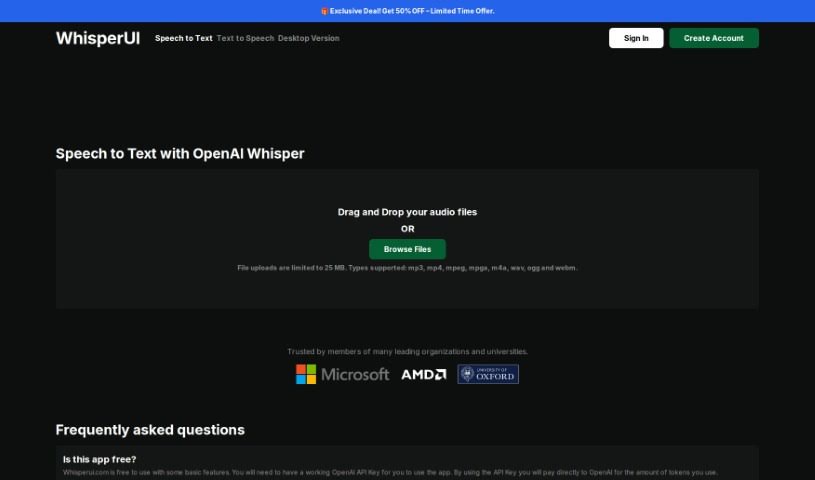
WhisperUI is a Speech to Text service built on OpenAI's Whisper that converts audio files into text or SRT subtitles for transcription, subtitling, and.
WhisperUI is a Speech to Text service built on OpenAI’s Automatic Speech Recognition (ASR) system, Whisper. It converts audio files into plain text or SRT subtitle files, making it useful for transcription, subtitle creation, and linguistic analysis.
The platform supports MP3, MP4, MPEG, MPGA, M4A, WAV, and WEBM files up to 25MB. It can transcribe speech in many languages—including English, Spanish, French, German, and Chinese—and translate them into English. Its ability to handle different accents and background noise comes from being trained on an extensive dataset.
Using WhisperUI requires an active OpenAI API Key. Billing is handled by OpenAI and charged based on the tokens your usage consumes, particularly for premium features.
OpenAI developed WhisperUI and built it on its own Whisper ASR system, which converts audio files into text or SRT files.
It’s a practical fit for linguists studying language structure, translators working with spoken content, researchers transcribing interviews, and transcriptionists speeding up written records from audio.
Upload your audio file to the WhisperUI web application. The system uses OpenAI Whisper to transcribe the spoken words into text or SRT files, which you can then review and edit. Most files are transcribed within a few minutes, though audio quality affects accuracy.
WhisperUI’s premium features include:
Some basic features are free, while advanced capabilities require an OpenAI API Key, with costs tied to token usage billed through OpenAI.
Related
Discover more tools in similar categories
Weekly picks of the best AI tools we've researched and added — no spam, unsubscribe anytime.
Join 25,000+ AI enthusiasts. No spam, unsubscribe anytime.