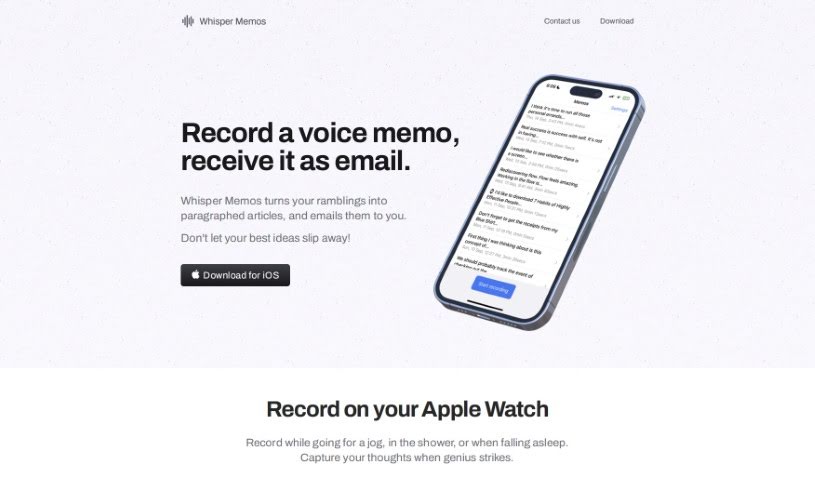
Screenshot of Whisper Memos

Whisper Memos

Discover Whisper Memos, a voice-to-text service that turns your spoken memos into well-written articles using GPT-4. Learn how to use it effectively in 2025 and compare it with other transcription tools.

Screenshot

What is Whisper Memos?

Whisper Memos is a handy voice-to-text service that lets you record voice memos and get them back as transcribed text, usually sent straight to your email. It’s pretty neat because it uses GPT-4, a powerful AI, to turn what you say into nicely structured, readable text that reads a bit like a newspaper article. You can start recording super easily – just a quick button press or a double-tap does the trick. Plus, the transcripts are automatically broken down into paragraphs, making them a breeze to read. What’s also great is their focus on privacy; you can choose a private mode where transcripts aren’t stored in your account at all, but are instead sent directly to your email. For the actual transcription and AI work, Whisper Memos partners with OpenAI, which is a big name you can trust. They don’t run their own servers; instead, they use Google Firebase for things like user authentication and managing your data. You can try Whisper Memos out for free on the App Store, and it’s quite affordable if you plan to use it regularly.

Who created Whisper Memos?

The team behind Whisper Memos brought together artificial intelligence, specifically GPT-4, to create a way to turn voice memos into well-organized written content. This company really prioritizes your privacy, offering features like a private mode and using OpenAI for all the transcription work. For managing data, Whisper Memos relies on Google Firebase. They offer an affordable solution that’s easy to get on the App Store.

How to use Whisper Memos?

Ready to start using Whisper Memos? It’s straightforward. Just follow these simple steps:

  1. Getting Started:
    • First, open up Whisper Memos on your Apple Watch.
    • You can begin recording by either pressing a button or doing a quick double-tap.
    • If you happen to be offline when you record, don’t worry! Your files are kept safe on your Apple Watch and will upload automatically once you’re back online.
  2. Recording on Your Apple Watch:
    • Feel free to record whenever inspiration strikes, whether you’re out for a jog or just relaxing.
    • Starting a recording is as simple as pressing a button or using that handy double-tap gesture.
    • For even quicker access, you can add a complication right to your watch face.
  3. Transcription and AI Magic:
    • Whisper Memos uses GPT-4 to transform your spoken memo into an article-style format, complete with clear paragraphs.
    • You’ll find reading your transcripts super quick and easy because all your words are automatically broken down into logical paragraphs.
  4. Privacy You Can Count On:
    • If you prefer extra privacy, just choose the private mode. This way, transcripts aren’t saved in your account; they’re sent directly to your email instead.
    • For your security and peace of mind, all the transcription and AI processing is handled exclusively by OpenAI.
  5. Servers and Databases:
    • Whisper Memos doesn’t use its own servers. Instead, it uses Google Firebase for authentication and data storage, which helps ensure everything runs smoothly and reliably.
  6. Ready to Go:
    • Whisper Memos offers a free trial, and it’s quite affordable for regular use.
    • Just download the app from the App Store, and you’ll be converting your voice recordings into written memos effortlessly in no time.

By following these steps, you can really make the most of Whisper Memos to easily turn your voice recordings into transcribed memos, all thanks to smart AI technology.

Related AI Tools

Discover more tools in similar categories that might interest you

Stay Updated with AI Tools

Get weekly updates on the latest AI tools, trends, and insights delivered to your inbox

Join 25,000+ AI enthusiasts. No spam, unsubscribe anytime.