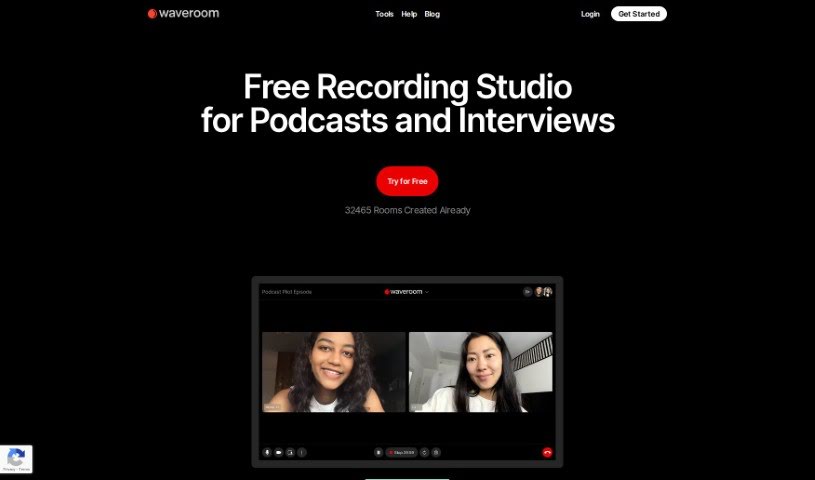
Screenshot of Waveroom

Waveroom

Discover what Waveroom is and how to use it effectively in 2025. We'll explore its key features and see how it stacks up against other podcasting tools.

Screenshot

What is Waveroom?

Waveroom is an online studio built for recording podcasts, interviews, and meetings remotely. It’s packed with features like multi-track recording, AI-powered noise removal, collaboration tools, and local recording. All of this is designed to ensure you get high-quality audio and video every time. Participants can easily download their own recordings, and we’re planning to add even more handy features soon, like simpler editing tools, automatic gap removal, and speech-to-text conversion.

You can use Waveroom for free, or opt for an enterprise plan if you need to include more than 10 participants.

Functionally, Waveroom really shines with its multi-track recording capabilities, meaning each person’s audio is recorded separately. The AI-noise removal is a game-changer for audio quality, cutting out distracting background sounds. Sharing is a breeze with one-click collaboration links, and the local recording feature means you can still get great quality even if your internet connection isn’t the best. As mentioned, we’re working on making editing simpler, removing those awkward silences, and adding speech-to-text, plus making it work smoothly on mobile devices.

Who created Waveroom?

Waveroom Overview:

Waveroom, this online remote recording studio, was actually created by OmniSale GmbH back in 2022. Their goal was to make high-quality audio and video recording for podcasts, interviews, and meetings super accessible. With features like multi-track recording, AI-noise removal, easy one-click collaboration, and local recording, Waveroom really aims to give you that studio-level sound and look. Right now, it supports up to 5 participants recording at once, but they’re planning to add simpler editing tools and mobile device support down the road. The company itself is based in Switzerland, and they’re focused on building quality tools that make long-distance communication much more effective.

What is Waveroom used for?

  • Recording meetings
  • Interview recording
  • Online remote recording
  • Achieving studio-quality sound
  • Multi-track recording
  • Downloading individual tracks
  • One-click collaboration
  • Recording podcasts
  • Recording interviews
  • Remote teaching capabilities
  • As a corporate communication tool
  • Podcast recording
  • Meeting recording
  • Recording customer testimonials
  • Recording tutorials
  • Recording webinars
  • Getting studio-level video recordings
  • High-quality audio and video communication

Who is Waveroom for?

  • Podcasters
  • Interviewers
  • Meeting hosts
  • Remote teachers
  • Business professionals
  • Content creators
  • Educators
  • Corporate communicators
  • Teachers
  • Businesses that hold remote meetings
  • Online Marketers
  • Remote instructors
  • Anyone looking to create studio-level video recordings

How to use Waveroom?

Ready to get started with Waveroom? It’s pretty straightforward:

  1. First, just log into Waveroom. Remember, it’s that online remote recording studio perfect for podcasts, interviews, and meetings.
  2. Once you’re in, start a new recording session. Then, you can easily invite the people you want to record with to join.
  3. Make sure to use the multi-track recording feature. This is super helpful because it lets you record, download, organize, and even edit each person’s audio and video tracks separately.
  4. Want to boost your recording quality? Use the AI-noise removal tool to get rid of any distracting background noise.
  5. Collaboration is key, right? Share your recording session links easily. Up to five people can record at the same time this way.
  6. Don’t worry too much about your internet connection; Waveroom’s local recording mechanism means you’ll still get high-quality recordings even if your connection is a bit shaky.
  7. After the session wraps up, you can download each participant’s individual tracks directly from the recording area.
  8. Keep an eye out for new features we’re planning, like simplified editing, gap removal, and speech-to-text conversion.
  9. If you need to include more than five people, just reach out to Waveroom’s sales team. They can tell you all about the Enterprise plan.

Following these steps should help you get the most out of everything Waveroom has to offer!

Related AI Tools

Discover more tools in similar categories that might interest you

Stay Updated with AI Tools

Get weekly updates on the latest AI tools, trends, and insights delivered to your inbox

Join 25,000+ AI enthusiasts. No spam, unsubscribe anytime.