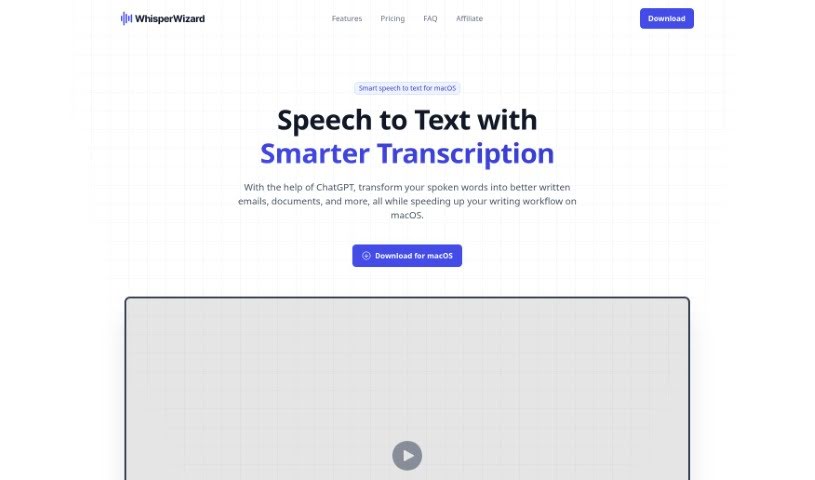
Screenshot of Whisperwizard

Whisperwizard

Discover what Whisperwizard is and how to use it effectively in 2025. We'll explore its features and see how it stacks up against other transcription tools.

Screenshot

What is Whisperwizard?

WhisperWizard is a handy tool built specifically for macOS. It uses artificial intelligence to turn spoken words into text, which really speeds up writing tasks like drafting emails or creating documents. You can simply record your voice, and the software quickly and accurately converts it into written text. It’s powered by ChatGPT technology, so you can count on accurate transcriptions and better text outputs. Plus, WhisperWizard takes your privacy seriously – it doesn’t keep any of your data or voice recordings. It works directly with OpenAI’s servers, meaning no user activity logs or custom templates are stored on their end.

Who created Whisperwizard?

Whisperwizard comes from Lemon Squeezy, a company that launched it on February 29, 2024. This tool offers smart speech-to-text services tailored for macOS users. Key features include making writing workflows more efficient, converting voice recordings to text, and providing quick, accurate transcriptions. Lemon Squeezy is committed to user data privacy, storing no data and supporting macOS versions 10.12 and newer.

What is Whisperwizard used for?

Whisperwizard is great for a variety of tasks:

  • Streamlining writing workflows: It helps you write more efficiently.
  • Converting voice recordings: Easily turn spoken words into text.
  • Quick and accurate transcription: Get your speech transcribed fast and reliably.
  • Custom templates: Create and use templates for recurring tasks.
  • Easy template access: Quickly find and use your saved templates.
  • Retrieving past recordings: Access your previous voice recordings with ease.
  • Adapting speech conversion: Tailor how your speech is converted for different formats.
  • Instant transcript copying: Copy your transcripts right away for immediate use.
  • Ensuring user data privacy: Your data and recordings are not kept by the tool.
  • Improving speech transcription: Get better quality transcriptions.
  • Boosting writing efficiency: Swap manual typing for speech-to-text to save time.
  • Creating documents and drafting emails: Get your written content done faster.
  • Expressing thoughts: Convert spoken ideas into written text accurately and promptly.
  • Using shortcuts: Access templates quickly to speed up routine tasks.
  • Making multiple custom ChatGPT templates: Enhance your text output with personalized prompts.

Who is Whisperwizard for?

Whisperwizard is a valuable tool for:

  • Writers
  • Translators
  • Administrative Assistants
  • Content creators
  • Journalists
  • Professionals who need efficient writing workflows, like drafting emails or creating documents.
  • Anyone who frequently expresses their thoughts in written text.
  • Content writers
  • Researchers
  • Students
  • Professionals who often find themselves doing a lot of repetitive typing.

How to use Whisperwizard?

Using WhisperWizard is straightforward. Just follow these simple steps:

  1. Start Recording: Hit ⌥Space to begin recording with WhisperWizard.
  2. Just Speak: Instead of typing, talk naturally. Your words will be translated into accurate text.
  3. Create Custom Templates: Set up templates for common tasks, such as drafting emails or handling translations, so you can access them quickly.
  4. AI-Powered Transcription: Use the AI transcription feature to improve your speech and turn it into excellent written text.
  5. Access Past Recordings: You can instantly replay any recording to get to your past transcripts with just a click.
  6. Edit with ChatGPT Prompts: Make changes to your recordings by using custom ChatGPT prompts.
  7. Use Shortcuts: Take advantage of shortcuts for fast access to your templates, which really boosts efficiency.
  8. Work More Efficiently: Make your writing process faster by converting spoken words into text quickly and accurately.
  9. Your Data is Private: WhisperWizard is designed to protect your privacy; it doesn’t store any of your custom templates or activity logs.
  10. Compatibility: Please note that WhisperWizard is designed for macOS version 10.12 and newer.

Related AI Tools

Discover more tools in similar categories that might interest you

Stay Updated with AI Tools

Get weekly updates on the latest AI tools, trends, and insights delivered to your inbox

Join 25,000+ AI enthusiasts. No spam, unsubscribe anytime.