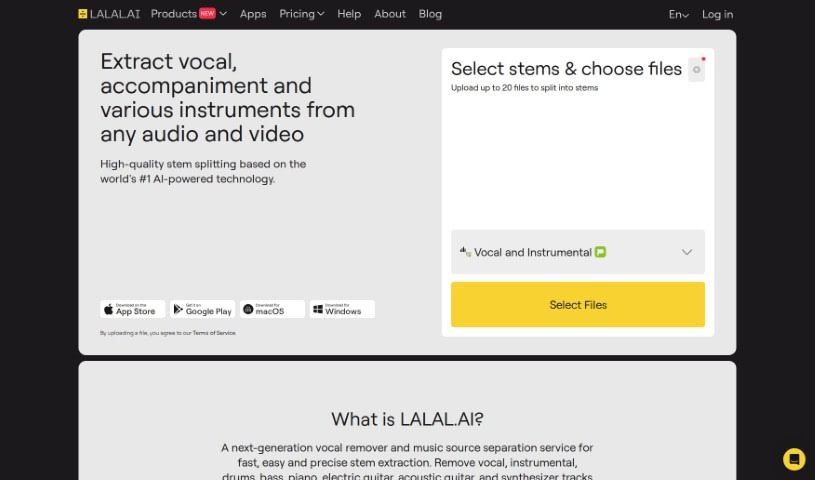
Screenshot of Lalal.ai

Lalal.ai

Discover Lalal.ai in 2025! Learn what this powerful audio tool does, how to use its features like stem separation and noise cancellation, and see how it stacks up against other audio tools.

Screenshot

What is Lalal.ai?

Lalal.ai is a really smart tool that uses a special neural network called Phoenix to automatically separate audio sources. What does that mean? Well, it lets you easily remove vocals, instrumental tracks, drums, bass, piano, electric guitar, acoustic guitar, and even synthesizer parts from your audio, all without losing quality. You can get it as a desktop app for Windows, macOS, and Linux. It works by combining deep learning with signal processing techniques to achieve this audio separation. Beyond just splitting tracks, Lalal.ai also offers AI-powered music generation, a huge library of ready-made tracks, a super easy-to-use interface, technology for extracting stems, and a solution for noise cancellation. It’s come a long way from just splitting audio into two parts; it’s now the first tool in the world that can split audio into 10 different stems, letting you pull out various elements from audio and video files with impressive accuracy.

Who created Lalal.ai?

LALAL.AI was actually built by a team of experts who really know their stuff in artificial intelligence, machine learning, mathematical optimization, and digital signal processing. The company behind it is Omnisale GmbH, and they’re based in Switzerland. Their main goal is to make working with audio and video much simpler for professionals across different industries. Since it started, the project has seen some serious growth and innovation. They’ve developed some pretty amazing neural networks, like Rocknet, Cassiopeia, Phoenix, and Orion, all of which offer advanced technology for separating audio sources. The company is committed to keep creating top-notch solutions and rolling out new features.

What is Lalal.ai used for?

Here’s a rundown of what you can do with Lalal.ai:

  • Easily separate audio sources: It automates the process of breaking down audio into its individual components.
  • Remove specific tracks: You can get rid of vocals, instrumental parts, drums, bass, piano, electric guitar, acoustic guitar, and synthesizer tracks without any loss in quality.
  • Generate music with AI: It offers capabilities for creating music using artificial intelligence.
  • Access a large library: There’s an extensive collection of pre-made tracks and sounds available for use.
  • Use stem extraction technology: This allows you to pull out individual stems from your audio files.
  • Get noise cancellation: It provides a solution to remove unwanted noise from your audio.
  • Extract various elements: You can pull out vocals, accompaniment, and different instruments from any audio and video file.
  • High-quality stem splitting: It uses AI-powered technology to split audio stems with excellent quality.
  • Integrate with other services: You can connect Lalal.ai to various services through its API.
  • Cancel out noise: It’s great for removing background music, mic rumble, and those popping sounds from vocals (plosives).

How to use Lalal.ai?

Using Lalal.ai is pretty straightforward. Here’s how you can get the most out of it:

  1. First off, head over to the main Lalal.ai website and find the section where you can upload your files.
  2. Once you’re there, look for the settings icon – it’s usually in the top right corner of the screen.
  3. A drop-down menu will appear. Here, you’ll see an option for ‘Enhanced Processing.’ You can choose to turn this on or off, depending on what you need.
  4. Lalal.ai gives you three levels for noise reduction: Mild, Normal, and Aggressive. Pick the one that best fits what you’re trying to clean up in your audio.
  5. If you want to adjust the noise canceling level specifically, you can expand the options right in the upload section. Then, select the ‘Voice and Noise’ stem and tweak the Noise Canceling Level to your liking.
  6. Now, it’s time to upload your audio or video file so Lalal.ai can work its magic.
  7. The tool will give you the results back in the same file format you uploaded. If you’re a premium user, you actually have the flexibility to pick your desired output format by following the steps provided.
  8. Want to get rid of echo and reverb? Just enable the ‘De-echo vocals/voice’ feature in the settings menu.
  9. It’s good to know that Lalal.ai supports a bunch of different file formats for uploads, including MP3, OGG, WAV, FLAC, AVI, MP4, MKV, AIFF, and AAC.

Following these steps should help you use Lalal.ai’s features really effectively for all your audio processing and stem separation needs.

Related AI Tools

Discover more tools in similar categories that might interest you

Stay Updated with AI Tools

Get weekly updates on the latest AI tools, trends, and insights delivered to your inbox

Join 25,000+ AI enthusiasts. No spam, unsubscribe anytime.