AI Software Development Tools

AI Tools for Software Development

Discover the best Software Development AI tools to enhance your productivity and creativity.

Page 9 of 23 • 269 total tools
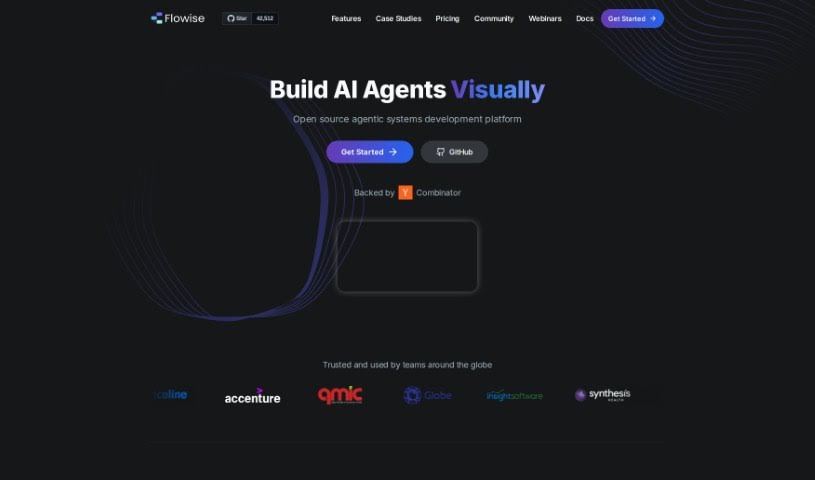
Screenshot of Flowise

Flowise

Freemium

Flowise is an open-source tool for building custom LLM applications through a visual, drag-and-drop interface. Built on LangchainJS, it lets you combine components such as prompt templates and LLM models into working LLM flows, moving from idea to production without heavy coding.

Software Development View Tool →
Screenshot of Full Stack Ai

Full Stack Ai

Freemium

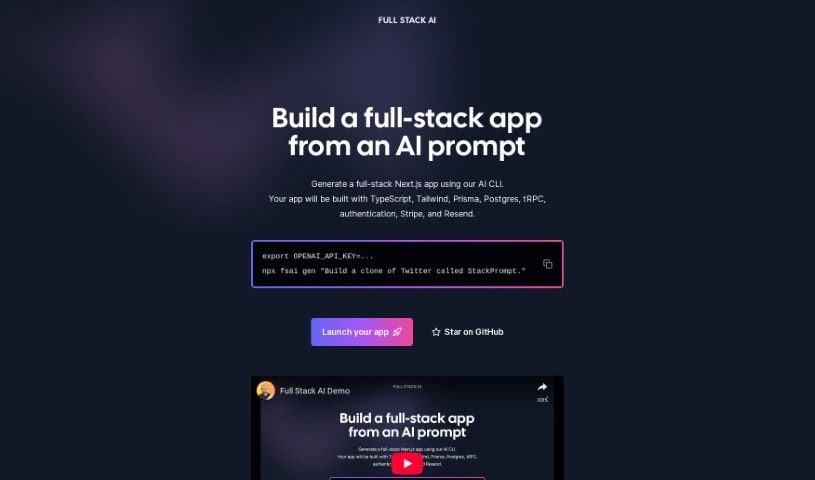
Full Stack AI is a command-line interface (CLI) tool that generates full-stack Next.js applications from an AI prompt. Each generated app comes with a complete tech stack already built in: TypeScript, Tailwind CSS for styling, Prisma for database management, Postgres as the database, tRPC for end-to-end APIs, authentication, Stripe for payments, and Resend for email.

Software Development View Tool →
Screenshot of Genia

Genia

Freemium

Genia is a platform founded by Miten Jain. The company focuses on giving healthcare professionals clear, actionable insights for precision medicine, using smart algorithms and advanced bioinformatic solutions. Its goal is to enable personalized treatments based on the analysis of genetic data.

Software Development View Tool →
Screenshot of Genpark

Genpark

Freemium

GenPark JSON is a lightweight data-interchange format that is easy for humans to read and write, while remaining simple for machines to parse and generate. It is built on a core part of JavaScript but is not tied to any single programming language, making it compatible with many languages, especially those in the C family.

Software Development View Tool →
Screenshot of Ggml.ai

Ggml.ai

Freemium

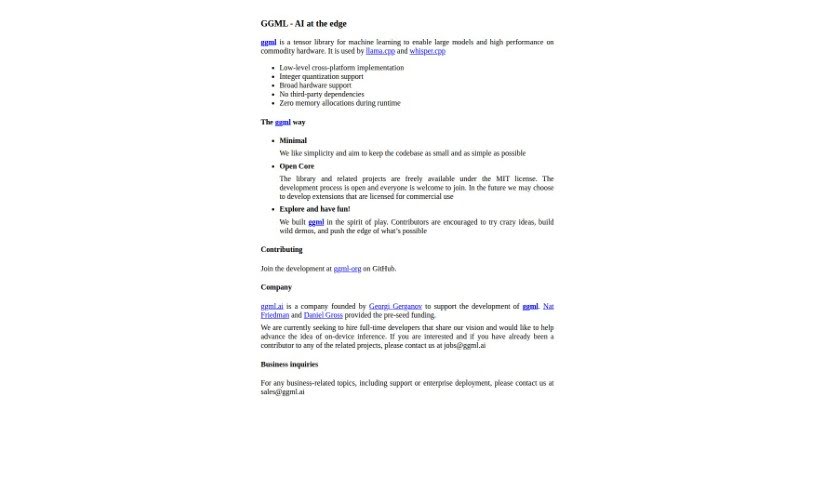
GGML.ai is a C-based tensor library for machine learning that makes it possible to run large AI models on regular hardware, without specialized equipment. It supports 16-bit float and integer quantization for more efficient model execution, along with automatic differentiation and optimization tools like ADAM and L-BFGS.

Software Development View Tool →
Screenshot of GitBrain

GitBrain

Freemium

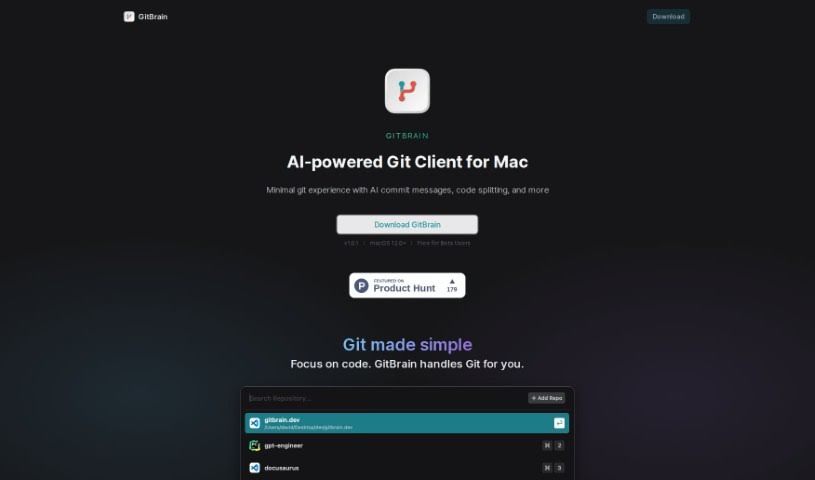
GitBrain is a native Mac Git client that uses AI to simplify Git management. Its standout capability is splitting code changes into multiple AI-generated commits, along with automatic summaries of what you've changed.

Software Development View Tool →
Screenshot of GitFluence

GitFluence

Freemium

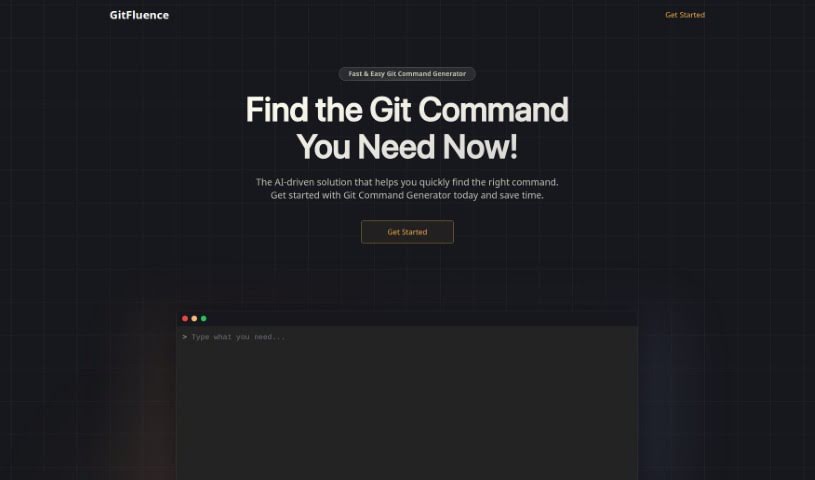
GitFluence is an AI-powered assistant for Git, the widely used version control system. Its standout feature, the Git Command Generator, suggests the exact commands you need based on a plain-language description of what you want to do — no more digging through documentation or scrolling through forums like Stack Overflow. Beyond command generation, GitFluence offers real-time collaboration tools, code review, and integrations with popular development platforms and tools. The system also learns from how you use it, improving its suggestions and overall experience over time. It's designed to boost productivity whether you work solo or on a team.

Software Development View Tool →
Screenshot of Gitloop

Gitloop

Freemium

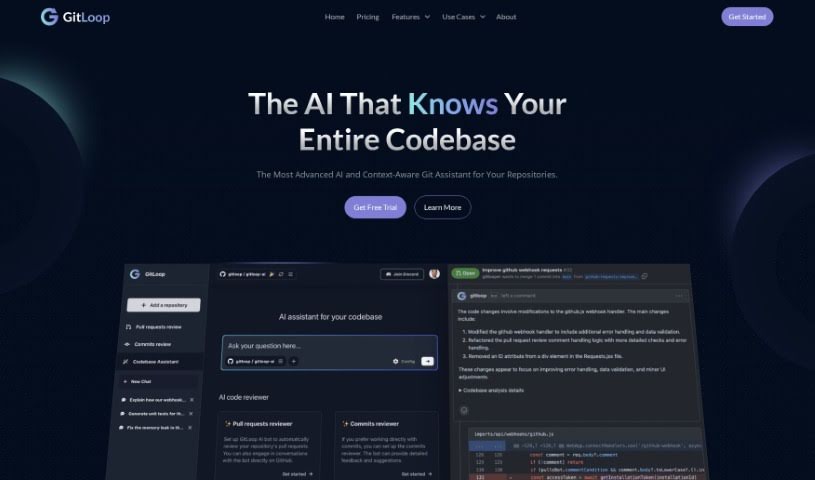
GitLoop is a suite of AI-enhanced tools from Aivot LLC designed to make working with Git repositories easier. It provides insights into your codebase, helps manage features, assists with pull requests and commits, and can generate or improve code, with the aim of improving code quality and making development more efficient.

Software Development View Tool →
Screenshot of GitPoet

GitPoet

Freemium

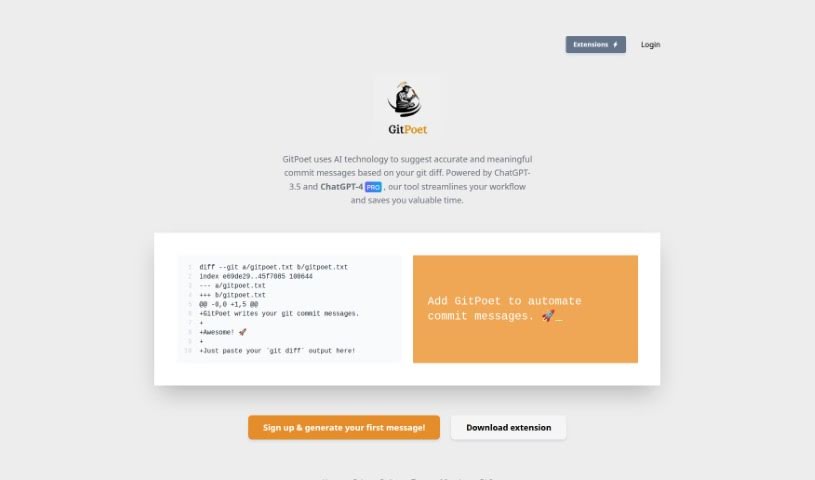
GitPoet is an AI coding assistant for Git. It reads your code changes (`git diff`) and suggests commit messages that are accurate and meaningful. The goal is to make development smoother, save time, and improve the quality of your commit logs. Clear, concise commit messages matter for tracking progress, easing collaboration, and maintaining your codebase effectively.

Software Development View Tool →
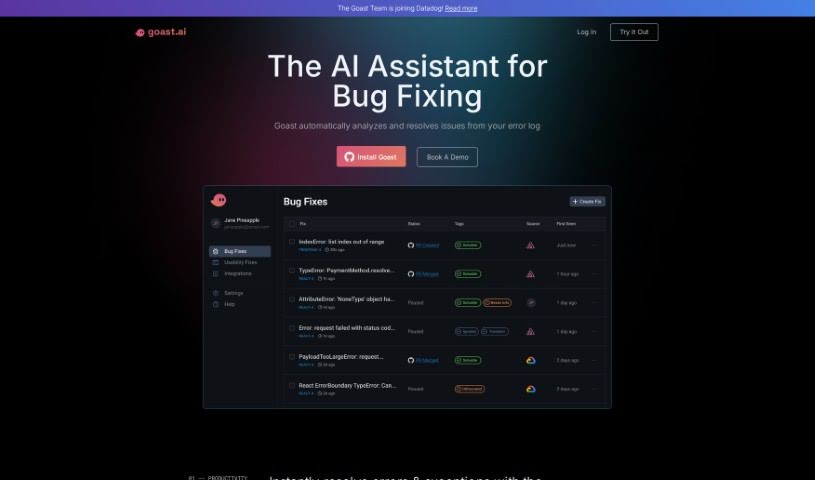
Screenshot of Goastvs

Goastvs

Freemium

Goastvs is a coding productivity tool that automates many development tasks. It offers instant error fixes, AI-generated pull requests, and a deep understanding of your entire project. It can suggest code, find and fix bugs, resolve merge conflicts, and integrate external code. Goastvs works with popular frameworks and languages including React, Flutter, TypeScript, Go, JavaScript, and Python. Users report coding faster and reducing manual work with the tool. Note that Goastvs is still in Beta, so it has some limitations—particularly with certain languages and framework dependencies. It requires tokens to use and may not always grasp complex requirements. Despite these caveats, its goal is to streamline the coding process and improve efficiency for development teams. It also handles backend infrastructure configuration and supports all major coding frameworks. You can watch the AI fix a real product in real-time, and it helps categorize incidents using AI. It connects to your error monitoring platform and can send fixes automatically as pull requests to your repositories. You can also refine pull requests based on feedback and sort issues by impact and severity. It even offers proactive fixes for issues you haven't noticed yet. Access is available from wherever you work, and you can simply ask Goast to fix specific issues. It's a broad toolkit for reducing repetitive coding work and speeding up development cycles. For teams shipping quickly, that combination of automation and context awareness is the core value proposition. It aims to cut down the time between discovering a bug and shipping the fix. The tool is designed to fit into existing workflows rather than replace them. Overall, Goastvs positions itself as an AI pair that handles the busywork so developers can focus on harder problems. Its Beta status is worth keeping in mind when evaluating it for critical production workflows, but the feature set is already substantial for teams willing to try it. As with any early-stage tool, testing it on lower-risk projects first is a sensible approach before rolling it out more widely across your engineering organization. That way you can evaluate its accuracy and fit on your own codebase before committing to it as part of your standard workflow. It's a practical way to de-risk adoption while still capturing the productivity gains the tool promises. Teams that rely heavily on observability tooling will likely find the integrations especially useful since Goast can pull context directly from those platforms. This makes root-cause analysis faster and reduces the back-and-forth typically needed to reproduce and diagnose errors. For teams without such tooling, the value may be lower since the AI has less context to work from. Evaluating your existing stack is therefore a good first step before adopting Goastvs. If your team already uses Sentry, Datadog, or BugSnag, the integration path is straightforward and the onboarding effort is minimal. If not, you may still benefit from the core bug-fixing and PR-generation features, though the experience will be less automated. Either way, the tool is worth a trial for teams looking to reduce time spent on debugging and routine fixes. Its pricing is token-based, so costs scale with usage. This makes it easy to start small and expand as you see value. Check the website for current pricing details. The founders have positioned the product around speed: faster time-to-resolution and more accurate fixes are the stated goals. Early adopters seem to agree that it delivers on that promise for common error classes. More complex, architectural bugs remain a challenge for any automated tool, and Goastvs is no exception. Setting realistic expectations will lead to a better experience with the product. Use it for the routine work and keep humans in the loop for the hard problems. That hybrid approach is where the tool shines today. As the product matures out of Beta, its capabilities are likely to expand, but even now it offers meaningful time savings for everyday debugging tasks. For engineering teams under pressure to ship, that alone can justify giving it a try. Its compatibility with major languages and frameworks means most teams can adopt it without changing their stack. That low-friction adoption path is a practical advantage worth noting. Combined with its automation features, Goastvs is a solid option for teams looking to boost coding productivity with AI assistance. Its focus on real-world workflows—error triage, PR generation, and observability integration—sets it apart from more generic coding assistants. For teams already invested in those workflows, it's a natural fit worth evaluating. As always, test it against your own codebase to see how well it handles your specific error patterns and frameworks before making it a standard part of your toolchain. That hands-on evaluation will tell you more than any review can. Start with a small project, measure the time saved on bug fixes, and decide from there whether it earns a place in your team's workflow. That measured approach is the best way to assess any AI developer tool, including this one. Its Beta status means features and pricing may change, so keep an eye on updates from the team as the product evolves. Staying informed will help you get the most value from the tool over time. Overall, Goastvs is a promising option for teams seeking AI-powered bug-fixing help. Its combination of automation, integrations, and broad language support makes it a practical choice for many development teams today. Give it a try and see how it fits into your workflow. You may find it saves meaningful time on routine fixes. That's the core promise, and for many teams, it delivers. Evaluate it on your own terms and decide if it's right for your team. The tool is available now, and getting started is straightforward. Visit the website to learn more and sign up. Good luck with your evaluation, and happy coding. We hope this overview helps you decide whether Goastvs belongs in your toolkit. Thanks for reading, and best of luck with your projects. Goastvs may be exactly the productivity boost your team has been looking for. Only you can decide, but now you have the facts to make an informed choice. That's the goal of this overview. We hope it helped. If you have questions, the Goastvs team is reachable through their website. They're responsive and happy to help new users get started. That's a good sign for any early-stage tool. Reach out and see for yourself. The team's responsiveness is a positive signal for a Beta product. Don't hesitate to contact them with questions about your specific use case. They can tell you whether Goastvs is a good fit before you invest time in setup. That kind of direct support is valuable when adopting new developer tooling. Take advantage of it. It costs nothing to ask, and it could save you significant setup time. A quick conversation with the team is often the fastest way to evaluate fit. Do that first, then run a trial on a real project. That two-step approach is the most efficient path to a decision. Good luck.

Software Development View Tool →
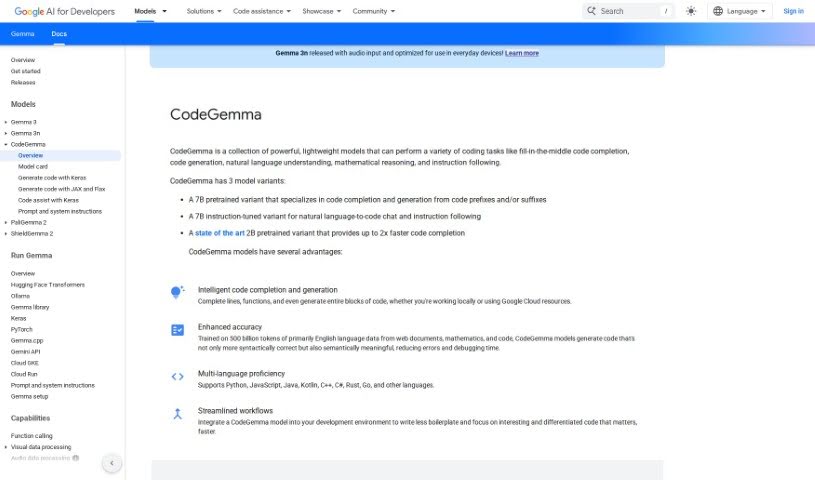
Screenshot of Google CodeGemma

Google CodeGemma

Freemium

Google CodeGemma is a suite of lightweight models built specifically for coding tasks. It handles code completion, code block generation, natural language understanding, math problems, and instruction following.

Software Development View Tool →
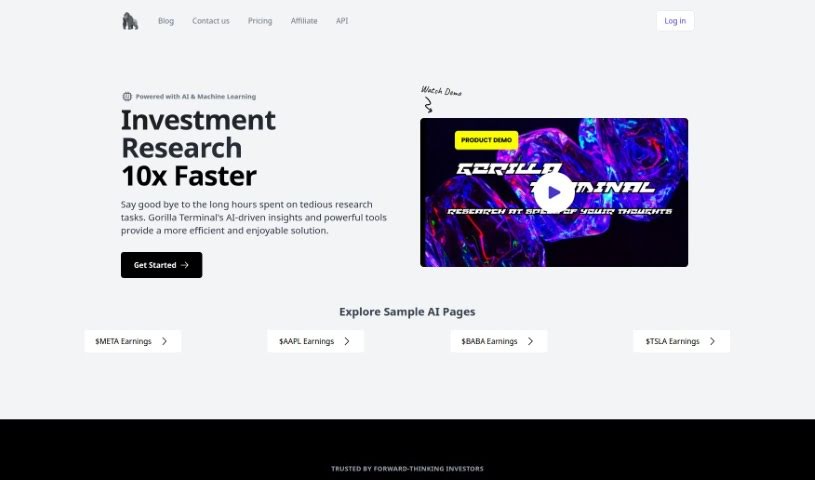
Screenshot of Gorilla Terminal

Gorilla Terminal

Freemium

Gorilla Terminal is a command-line tool built to make terminal work smoother and faster. Its interface is designed around a few core principles: speed and efficiency, ease of use for beginners and experienced developers alike, extensive customization, cross-platform compatibility, and reliable, secure operation. You can tailor it to fit your specific needs, and its improved performance helps you finish tasks quicker.

Software Development View Tool →

About Software Development tools

Staring at a terminal screen at two in the morning while trying to trace a subtle memory leak or decipher a cryptic build stack trace can test any developer’s patience. (I once spent four straight hours hunting down a bug in an API integration, only to discover a missing comma in a JSON config file.) Between writing repetitive boilerplate, untangling legacy codebases, updating dependencies, and building out test coverage, everyday coding tasks often keep you away from solving core logic problems.

These development platforms act as high-speed pair programmers for software engineers, web developers, system architects, and open-source contributors. They write routine code, catch edge cases, and explain unfamiliar syntax in seconds without replacing human logic, algorithmic thinking, or system design choices.

Code Completion, Legacy Refactoring, and Automated Tests

Accelerating daily coding tasks and generating boilerplate code turns ideas into working software much faster. Writing repetitive CRUD endpoints, database schemas, or API wrapper functions by hand eats up valuable sprint hours. Modern AI coding assistants auto-complete functions, suggest context-aware logic based on your existing codebase, and turn plain English comments into tested functions right inside your favorite editor.

Debugging complex errors and refactoring legacy systems becomes far less tedious. Trying to trace how a massive legacy module works or figuring out why a specific build failed often leads to endless web searches. Intelligent development agents scan your repository structure, pinpoint failing lines of code, explain the root cause in simple terms, and offer clean refactoring suggestions that preserve your application’s original intent.

Writing unit tests and generating documentation keeps codebases healthy without extra overhead. Most developers love building features, but few enjoy writing test suites or updating API docs. AI development tools analyze your code pathways, generate comprehensive test cases that cover tricky edge cases, and auto-generate inline documentation, ensuring your project remains maintainable for your entire team.

Key Capabilities to Look For:

  • Context-aware code completion: Systems that read your entire project repository to suggest code that matches your existing patterns and conventions.
  • Interactive terminal and chat assistants: Tools that let you ask questions about your codebase, debug stack traces, and run terminal commands directly from your IDE.
  • Automated test and doc generation: Features that automatically create unit tests, integration scenarios, and inline docstrings for your functions.
  • Multi-language and framework support: Software that works smoothly across Python, JavaScript, TypeScript, Rust, Go, SQL, and popular web frameworks.
  • Privacy and repository security controls: Platforms built with strict security models that ensure your proprietary code remains private and is never used to train external models.

Building great software will always depend on human problem-solving, architectural vision, and a deep understanding of user needs. Software can suggest a function, flag a syntax error, or draft a unit test, but designing scalable architecture and making core system choices requires your developer brain.

Browse the software development tools below to upgrade your engineering stack.

The Best AI Software Development Tools

  1. Continue.dev: Open source assistant that brings ChatGPT into VS Code for code generation and editing.
  2. Sourcegraph Cody: AI coding assistant for writing and understanding code across a repository.
  3. CodeAssist: Works inside JetBrains IDEs and VS Code, so it fits an editor you already use.
  4. Aider Chat: Pair programming tool that edits code directly in your local git repository.
  5. Bloop: Open source assistant for searching, navigating and understanding an existing codebase.
  6. Greptile: Ask plain questions about any GitHub repository and get direct answers.
  7. Wolfia: Finds answers in codebases from plain-English questions, with automated search.
  8. DoWhile AI: Browser-based assistant for searching and understanding large codebases.
  9. CodeAnt AI: Finds and fixes code issues and reviews pull requests automatically.
  10. Codereviewbot: Reviews GitHub pull requests and flags bugs and security issues.
  11. What The Diff: Writes pull request descriptions and summaries for reviewers.
  12. Metabob: Code review tool that detects, explains and fixes coding problems.
  13. CodeThreat: SAST analysis that finds and fixes security weaknesses in code.
  14. Snyk Deepcode AI: Security engine that finds, fixes and prioritises vulnerabilities.
  15. Pixee AI: Pixeebot automatically finds and fixes code vulnerabilities.
New tools, in your inbox.

Weekly picks of the best AI tools we've researched and added — no spam, unsubscribe anytime.

Join 25,000+ AI enthusiasts. No spam, unsubscribe anytime.