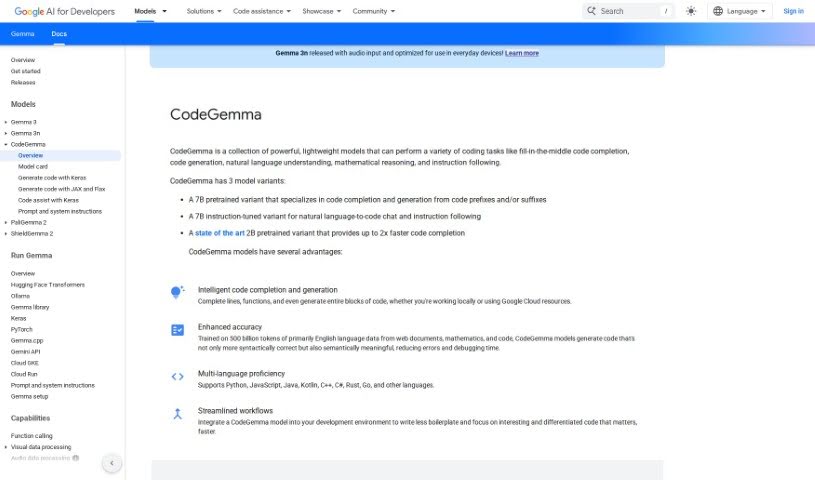
Screenshot of Google CodeGemma

Google CodeGemma

Discover Google CodeGemma in 2025! We'll break down its features, explore how to use it for coding tasks, and compare it to other code generators.

Screenshot

What is Google CodeGemma?

Google CodeGemma is a suite of really helpful, lightweight models built specifically for all sorts of coding jobs. Whether you need help finishing a line of code, generating entire code blocks, understanding natural language instructions, tackling math problems, or just following directions, CodeGemma has you covered. It actually comes in three different flavors: a 7B pretrained model that’s great for finishing your code and creating new snippets, a 7B instruction-tuned model that’s perfect for translating your plain English requests into code, and a super-fast 2B pretrained model that excels at quick code completion. What really makes CodeGemma models stand out is their knack for accurately completing lines, functions, and generating code blocks. Plus, they’re smart enough to work with popular languages like Python, JavaScript, Java, and many others. By bringing CodeGemma models into your everyday development setup, you can really smooth out your workflow, cut down on repetitive code, and free yourself up to focus on writing the really important, impactful code you want to create.

Who created Google CodeGemma?

Google CodeGemma was developed by the team at Google AI for Developers. They designed this tool to be a helpful assistant for a wide range of coding activities, including finishing code, generating new code, understanding natural language, and much more. The models that power CodeGemma have been trained on a massive amount of data, which is why they’re so good at producing accurate and relevant code.

Who is Google CodeGemma for?

  • Software developers
  • Data scientists
  • Web developers
  • Mobile app developers
  • DevOps engineers
  • Machine learning engineers
  • Game developers
  • Technical writers
  • Systems analysts
  • Database administrators

How to use Google CodeGemma?

Ready to dive in? Here’s how you can start using Google CodeGemma:

  1. Pick the right model: First, choose the CodeGemma variant that best fits what you need to do. You’ve got options: the 7B pretrained model is excellent for code completion and generation, the 7B instruction-tuned model is your go-to for turning natural language into code, and the super-fast 2B pretrained model is ideal if you just need quick code completion [1:12906.html†source].
  2. Tap into its power: Make the most of what CodeGemma models can do! They offer smart code completion and generation, and thanks to being trained on huge datasets, they’re incredibly accurate. They also handle multiple programming languages, so you’re covered no matter what you’re working with [1:12906.html†source] [1:12906.html†source] [2:12906.html†source].
  3. Integrate it into your workflow: Bringing a CodeGemma model into your development environment is a game-changer. It helps streamline how you work, cuts down on writing repetitive code, and lets you concentrate on writing code that truly matters, efficiently [1:12906.html†source].
  4. Get the full picture: For all the nitty-gritty details about the CodeGemma models, how to implement them, performance evaluations, and even their usage guidelines and limitations, be sure to check out the official model card provided by CodeGemma [3:12906.html†source].

By following these straightforward steps, you’ll be well on your way to using Google CodeGemma effectively for all your coding needs.

Related AI Tools

Discover more tools in similar categories that might interest you

Stay Updated with AI Tools

Get weekly updates on the latest AI tools, trends, and insights delivered to your inbox

Join 25,000+ AI enthusiasts. No spam, unsubscribe anytime.