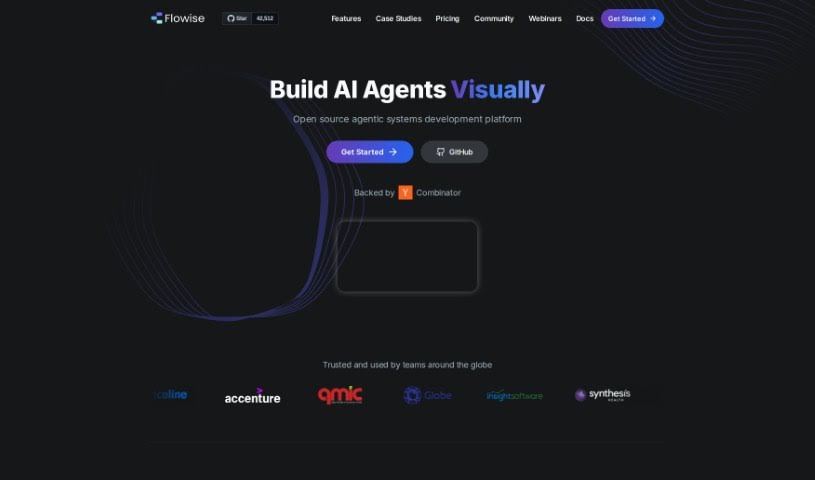
What is Flowise?
FlowiseAI is a fantastic open-source tool that gives you a visual way to build your own Language Learning Models (LLMs) using LangchainJS. It is a user-friendly interface that makes creating custom LLM models much simpler. You can easily combine different components, like prompt templates and LLM models, to build all sorts of LLM flows. This means you can go from testing an idea to having it ready for production really quickly.
It’s also super convenient to set up, especially if you use Docker. Just run a simple command in your terminal, ‘docker-compose up -d’, and you’re good to go. FlowiseAI is great for both business and personal projects, and the developers are always adding new updates. Plus, if you ever run into any trouble, they offer support via email and Discord.
Who created Flowise?
FlowiseAI was actually created by @abnux, the founder of 10kdesigners. It first launched on March 29, 2023, and it’s an open-source, drag-and-drop UI tool powered by LangChain. It really makes building custom Language Learning Models (LLMs) feel effortless.
What is Flowise used for?
Flowise is incredibly versatile! Here are just some of the things you can build with it:
- Product Catalog Chatbots: Answer customer questions about your products.
- AI Persona Bots: Create bots that mimic specific teaching styles.
- Personal Cockpits: Build your own AI agents and chatbots that connect to various APIs and workflows.
- Telegram Bots: Develop bots for real-time bus information, including distance calculations and map displays.
- Multi-modal Chatbots: Seamlessly blend text and image generation.
- Custom Chatbots (No Code): Build your own LLM chatbots in about 5 minutes, no coding required.
- Project Management Automation: Create tasks in Notion directly from Slack using an AI bot.
- Conversational Agents: Build agents with memory that can recall past interactions, with PDF and Excel capabilities.
- Language Translation Chains: Construct chains for translating languages.
- Fast App Development: Quickly build apps using FlowiseAI and LangchainJS components.
- AI Newsletter Agents: Connect an AI bot to the internet and various APIs to create personalized newsletters.
- Enhanced Website Search: Create a chatbot or improved search functionality for your website.
- Backend AI Applications: Design and test entire stacks quickly for backend AI applications.
- SQL Chatbots: Build chatbots that can interact with SQL databases without needing to code.
- RAG (Retrieval-Augmented Generation): Create No-Code RAG systems.
- AWS Bedrock LLM Apps: Build No-Code AWS Bedrock LLM Apps using Flowise.
- Visualizing Chains: See your LLM app chains visually for easier building and deployment.
- Conversational Retrieval QA Chains: Enable Q&A retrieval through conversational interfaces.
- Custom Component Integration: Integrate your own custom components into the LLM chain for greater personalization.
- Free Core Usage: The core functionality is always free for both commercial and personal use.
Essentially, if you want to build custom LLM applications, automate tasks, or create intelligent chatbots without deep coding knowledge, Flowise is a fantastic option.
Who is Flowise for?
Flowise is a great tool for a wide range of people, including:
- Developers: Build and deploy LLM applications faster.
- AI Engineers: Experiment with and create custom LLM solutions.
- Chatbot Creators: Design sophisticated conversational agents.
- Project Managers: Automate workflows and integrate AI into project management.
- Language Learning Model Creators: Develop specialized models for language tasks.
- AI Bot Creators: Build various types of AI bots for different purposes.
- Language Translators: Create translation chains and tools.
- AI Enthusiasts: Explore and learn about LLMs in an accessible way.
- AI App Builders: Quickly assemble and deploy AI-powered applications.
- AI Researchers: Prototype and test new AI concepts.
- AI Application Designers: Visualize and implement AI functionalities.
- App Developers: Integrate AI capabilities into existing or new applications.
How to use Flowise?
Getting started with FlowiseAI is pretty straightforward. Here’s a quick guide:
- Installation:
- First, install FlowiseAI globally on your machine by running
npm install -g flowise in your terminal.
- Then, you can start FlowiseAI by typing
npx flowise start.
- Customization:
- Once it’s running, you can customize various components. This includes things like the prompt template and the LLM model itself, which lets you build truly personalized LLM flows.
- Building Language Learning Models:
- For tasks like language translation, you can use the LLM chain along with a Chat Prompt Template and a Chat Model.
- Fast App Development:
- To speed things up, you can integrate custom components from FlowiseAI directly into your LLM chain. Then, compile everything using LangchainJS for really accelerated app development.
- Getting Support:
- If you ever get stuck or have questions, don’t hesitate to reach out. You can contact them via email at [email protected] or join their Discord community.
- Commercial Usage:
- Good news – FlowiseAI is flexible! You can use it for both commercial projects and personal use.
- Docker Support:
- If you prefer using Docker, setting up a container for FlowiseAI is easy. Just use the command
docker-compose up -d.
- Staying Updated:
- To make sure you’re always using the latest and greatest, keep an eye on their Github repository for updates and new improvements.
By following these steps, you’ll be well on your way to effectively building and deploying your own custom LLM applications with FlowiseAI.