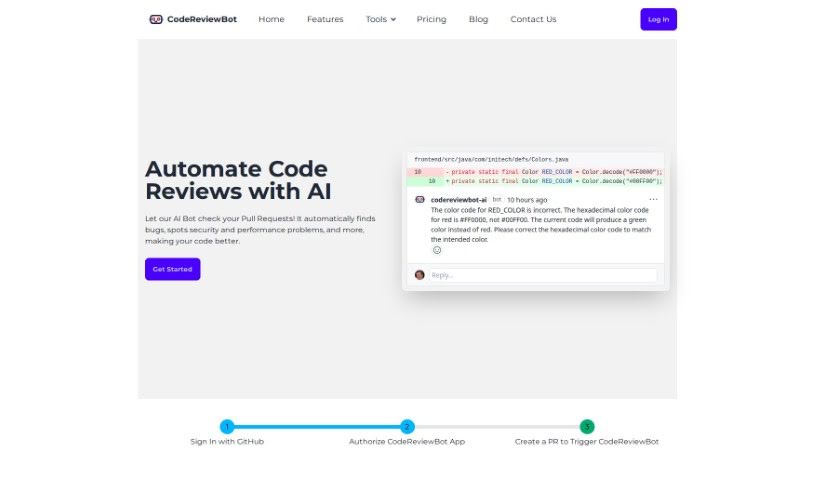
Screenshot of Codereviewbot

Codereviewbot

Discover what CodeReviewBot is and how to use it effectively in 2025. We'll explore its features and how it stacks up against other software development tools.

Screenshot

What is CodeReviewBot?

CodeReviewBot is a smart tool that uses artificial intelligence to make code reviews better. It automatically checks GitHub pull requests for bugs, security issues, and things that could be done more efficiently. It then gives you detailed feedback and suggestions to improve your code quality and help developers work faster. This tool fits right in with GitHub, lets you set your own review rules, and works with both public and private code repositories. CodeReviewBot uses advanced AI, like OpenAI’s GPT-4 and Google’s Gemini, to look at your code and offer ways to improve it. This really helps speed up the review process and keep your coding standards consistent.

Your code’s privacy is important, so the tool doesn’t use your private code for training its models. You can also tweak its settings to fit your specific repository needs. CodeReviewBot has different pricing options, including a free plan for open-source projects. Paid plans start at $15 a month for up to 40 reviews, going up to $75 a month for 500 reviews. They also offer enterprise plans with custom solutions if you need something more tailored.

Besides helping developers be more productive, finding bugs, pointing out security risks, and making code more efficient, CodeReviewBot works with both public and private repositories. It can easily be added to your current workflow. And again, it keeps your private code safe by not using it to train its models.

Who created CodeReviewBot?

A company launched CodeReviewBot on November 30, 2023. This tool uses advanced AI, including models like OpenAI’s GPT-4 and Google’s Gemini, to make the code review process smoother, improve code quality, and boost developer productivity. It provides consistent feedback, spots bugs, security vulnerabilities, and areas that need improvement. The company offers flexible pricing plans, with options for open-source projects and private repositories starting at $15 per month. They also have enterprise-level plans that include custom solutions and priority support.

What is CodeReviewBot used for?

  • It automatically checks GitHub pull requests to improve code quality and boost developer productivity.
  • It finds bugs, security vulnerabilities, and other potential issues or inefficiencies.
  • It gives detailed and consistent feedback on pull requests.
  • It offers recommendations for making code more efficient and reducing errors.
  • It automates the code review process, saving time and resources.
  • It integrates smoothly with GitHub pull requests.
  • You can customize review rules and adjust them for your repository’s needs.
  • It keeps private code data private by not using it for model training.
  • It supports both public and private repositories.
  • There’s a free trial option and flexible pricing plans available.
  • It provides automated feedback.
  • It suggests ways to improve code efficiency.
  • It identifies areas with risk or inefficiency.
  • It helps maintain consistent standards.
  • This lets developers focus more on the actual coding.
  • It integrates with GitHub PRs.
  • You can customize review rules.
  • It enhances developer productivity by automating the code review process.
  • It ensures consistent code review standards through uniform assessments.
  • It identifies a range of security vulnerabilities.

Who is CodeReviewBot for?

  • Software developers
  • Programmers
  • IT professionals
  • Engineers

How to use CodeReviewBot?

To get started with CodeReviewBot, first log into the platform. Then, you can either create a new project or choose an existing one. Upload the code you want reviewed into your project’s repository. Next, start a code review by selecting the specific branch or commit you need analyzed. CodeReviewBot will then automatically examine the code for things like bugs, inefficiencies, and style inconsistencies.

Once the analysis is done, CodeReviewBot will provide a detailed report. This report will point out the problems it found and offer suggestions on how to fix them. Take some time to go through this report carefully to understand the issues and the recommended changes. You can also adjust the analysis settings if you want to focus on particular aspects of the code.

After you’ve reviewed the report, you can share the findings with your team members. Discuss potential solutions together and assign tasks to address the issues identified. CodeReviewBot helps make team communication smoother and streamlines the entire code review process.

Finally, make the necessary changes based on the feedback you get from CodeReviewBot. This helps ensure your code meets the required quality standards. By using CodeReviewBot regularly for your code reviews, you’ll improve the overall quality of your codebase and encourage best practices within your development team.

Related AI Tools

Discover more tools in similar categories that might interest you

Stay Updated with AI Tools

Get weekly updates on the latest AI tools, trends, and insights delivered to your inbox

Join 25,000+ AI enthusiasts. No spam, unsubscribe anytime.