AI Tools for Creative

Discover the best Creative AI tools to enhance your productivity and creativity.

Page 93 of 114 • 1360 total tools

Creativity today is changing fast, and AI is becoming a super helpful partner. Whether it’s creating amazing visuals or writing music, AI creative tools are making the art process more accessible and exciting. But with so many options out there, finding the right one for your creative needs can feel a bit overwhelming.

Things have really changed in just a few years. AI tools aren’t just for special uses anymore; they’re smoothly fitting into our everyday creative work. These new technologies can make your projects better, save you time, and even lead you to explore artistic ideas you hadn’t considered before.

I’ve spent a good amount of time exploring the world of AI creative tools, looking into everything from graphic design apps to music software. Since I love seeing how technology and creativity come together, I wanted to share what I found about the best tools available right now.

So, whether you want to make eye-catching visuals or come up with fresh concepts, there’s a tool out there just for you. Let’s dive into the best AI creative tools that can take your artistic projects to the next level and change how you create.

The best AI Creative Tools

  1. Canva for designing social media posts
  2. Character AI for brainstorming story ideas and concepts.
  3. Janitor AI for quickly crafting unique story ideas.
  4. Remove.bg for instantly removing backgrounds from design projects
  5. Leonardo AI for generating dynamic artwork for designers
  6. Photopea for designing stunning graphics and illustrations.
  7. Photoroom for improving photos for creative projects
  8. Pixelcut for designing eye-catching product ads
  9. Pixlr for designing great graphics with ease
  10. Midjourney for visual storytelling through art prompts.
  11. AI Face Swap for creating unique memes for social media.
  12. Cutout.pro for creating dynamic backgrounds for art
  13. Remaker for AI-powered image creation for unique designs.
  14. Ideogram for logo design and customization.
  15. Openart for experimenting with unique artistic styles
How do AI creative tools work?

AI creative tools work by using advanced algorithms that learn from all sorts of data. They look at patterns in creative works—like art, music, or writing—which helps them copy styles and create new, original pieces. It’s a bit like how human artists get inspired by different things they see or hear.

At their core, these tools often use neural networks. These are specially built to understand and interpret human creativity. The networks are trained on huge amounts of data, including works from many different styles and formats, so they can learn and adapt to various approaches.

When you give a prompt—like a topic for a story, a theme for a painting, or a music genre—these AI tools use the patterns they’ve learned to generate fitting responses. They essentially guess which elements should go together to make content that feels cohesive and engaging.

What’s really interesting is that AI creative tools don’t just repeat what they’ve learned; they can actually be innovative. By blending styles or drawing from less common influences, they can produce work that surprises and inspires, offering a fresh take even on familiar subjects.

As technology keeps advancing, these creative tools are getting more capable. This means we can have richer interactions, with users and AI working together more smoothly. Often, this leads to amazing artistic creations that combine human ideas with computer power.

If you’re curious about the technical side of these tools, looking into neural networks and creative AI applications can offer more insight into how they bring artistic ideas to life.

Our best AI creative tools at a glance

RankNameBest forPlans and PricingRating
1CanvaSocial media post designN/A4.73 (11 reviews)
2Character AIGBrainstorming story ideas and concepts.N/A4.64 (11 reviews)
3JanitorAICrafting unique story ideas quickly.N/A0.00 (11 reviews)
4Remove.bgInstant background removal for design projectsPaid plans start at $0.2/image.4.82 (11 reviews)
5Leonardo AIDynamic artwork generation for designersPaid plans start at $9/month.4.73 (11 reviews)
6PhotopeaDesign stunning graphics and illustrations.N/A4.67 (12 reviews)
7PhotoroomEnhancing creative project photosPaid plans start at $7.50/month.4.74 (38 reviews)
8PixelcutDesigning eye-catching product adsN/A4.64 (11 reviews)
9PixlrDesigning stunning graphics effortlesslyPaid plans start at $0.99/month.4.73 (11 reviews)
10MidjourneyVisual storytelling through art prompts.N/A4.73 (11 reviews)
11AI Face SwapCrafting unique memes for social media.N/A4.70 (10 reviews)
12Cutout.proDynamic background creation for artistryN/A4.46 (13 reviews)
13RemakerAI-powered image creation for unique designs.N/A4.69 (13 reviews)
14IdeogramLogo design and customization.N/A4.85 (26 reviews)
15OpenartExperiment with unique artistic stylesPaid plans start at $84/year.4.25 (8 reviews)
Screenshot of Sketchar

Sketchar

Freemium

Sketchar is a drawing app built to help you learn to draw more quickly, explore different styles, and create amazing art wherever you are. It really aims to blend art, technology, education, and entertainment in a unique way for everyone who uses it. You know, Sketchar actually won an award for 'Best Use of Augmented Reality' back in 2018 from the Webby Awards – those are pretty big deals in the digital world! This app has genuinely helped people get better at drawing, feel less stressed, and find a creative outlet. It's used by folks who love drawing, even if they don't consider themselves 'artists.' Plus, it offers a great space for learning together and even creating art with others. Schools around the world have also found Sketchar useful for getting kids involved in art through drawing. The main goal for Sketchar? To find and bring out the creative talent hidden in everyone, helping them go from feeling unsure to feeling confident.

Screenshot of Sketchimage.ai

Sketchimage.ai

Freemium

SketchImage.AI is a really neat platform that uses artificial intelligence to turn your sketches into impressive images. It's designed to boost your creativity, making the whole process quick and user-friendly. You can go from a rough idea to a finished visual in under 30 seconds! Whether you're just starting out or you're a seasoned artist, this tool helps you bring your creative visions to life without any hassle. SketchImage.AI is all about empowering you to create amazing art with AI, making the journey from a simple sketch to a finished piece feel truly special.

Screenshot of Sketchpro.ai

Sketchpro.ai

Freemium

SketchPro.ai is a groundbreaking AI assistant designed specifically for architects and designers. It brings your design visions to life with real-time rendering powered by artificial intelligence. Whether you're working in architecture, interior design, real estate, or even product and furniture design, SketchPro.ai offers a suite of tools to help you visualize and customize unique styles. You can even sign up for their waitlist right now to start exploring all the exciting possibilities SketchPro has to offer.

Screenshot of Skingenie

Skingenie

Freemium

Skingenie is an AI tool that creates personalized skincare routines just for you. It figures out your unique skin type and any concerns you have, then builds a tailored plan. This smart technology uses AI to look at your skin data and give you recommendations that actually grow with you as your skin changes. It's pretty cool because you can even share your success stories to help inspire others on their own skincare journeys. SkinGenie is designed to work for everyone, no matter your skin type – it even recommends gentle products that are great for sensitive skin. To get the best advice, it’s a good idea to update your routine with SkinGenie every 4-6 weeks, or whenever you notice your skin changing significantly. Plus, SkinGenie can even look at the products you're already using and suggest ways to improve your routine or recommend complementary items to make it even better. Lots of people have already seen amazing results and transformed their skin health with SkinGenie's custom routines, and you can too!

Screenshot of Skylum

Skylum

Freemium

Skylum is a really advanced photo editing tool that uses smart artificial intelligence to completely change how you edit pictures. It's designed to help you get professional-quality results quickly and easily. It is a way to automate a lot of the tedious editing work, freeing up your time. It offers several automatic modes that can apply all sorts of cool effects and adjustments to your photos with just a few clicks. Some of its standout features include EnhanceAI, RelightAI, SkyAI, StructureAI, and Portrait Background. Whether you're just starting out or you're a seasoned pro, Skylum has something for you. You can get access to all its features and updates through either a subscription or a one-time lifetime purchase.

Screenshot of Slazzer

Slazzer

Freemium

Slazzer is an online tool designed to efficiently remove backgrounds from images automatically, and it does this in just about 5 seconds. You won't need to mess with manual selections or complicated editing software, making the whole process really quick and easy. The tool uses smart algorithms and AI technology to accurately spot and remove backgrounds from all sorts of images. It's straightforward to use, fast, and precise, which is great for professional photographers, graphic designers, or anyone who wants to make their photos look better for e-commerce, design projects, or social media.

Screenshot of Sloyd

Sloyd

Freemium

Sloyd is a really neat web app and SDK that makes 3D modeling much simpler. It lets you generate intricate 3D models in real-time using a bunch of different generators. Whether you're a pro designer or just starting out, Sloyd lets you create amazing 3D models with just a few clicks. What makes it stand out is its easy-to-use interface, the instant feedback you get as you generate models, and the fact that you can use it either through its web app or its SDK.

Screenshot of SmartVisuals

SmartVisuals

Freemium

SmartVisuals.app is a really neat online tool designed to make creating infographics super simple. It is your go-to for making visual content look great, even if you're not a design pro. It's an AI-powered infographic generator that's incredibly easy to use, letting you whip up eye-catching infographics without needing a ton of design experience. The way it works is pretty cool: you give it your data, and the AI helps put it all together into an informative and engaging infographic. This is perfect for all sorts of things, whether you're teaching something, presenting data, or working on marketing materials. Plus, SmartVisuals.app is free to use, runs on AI, and includes handy features for editing text and images. It’s a versatile tool that can be a real lifesaver for anyone creating content.

Screenshot of Smudge

Smudge

Freemium

Smudge is a really handy color palette app built specifically for developers. It's packed with features to make your design work smoother. You can easily convert colors to HEX, RGB, and even Swift codes. Plus, it helps you keep all your color palettes organized, and you can share them with your teammates or clients. What's pretty cool is that it uses AI to pull colors right from images, or it can even generate custom palettes based on objects or scenes you describe. The whole idea is to speed up your design process and make teamwork much better. You can grab it for your iPhone, iPad, and Mac. Want to learn more or download it? Check out their website at <https://smudge.app/developer-colour-palette>.

Screenshot of Snap Headshots

Snap Headshots

Freemium

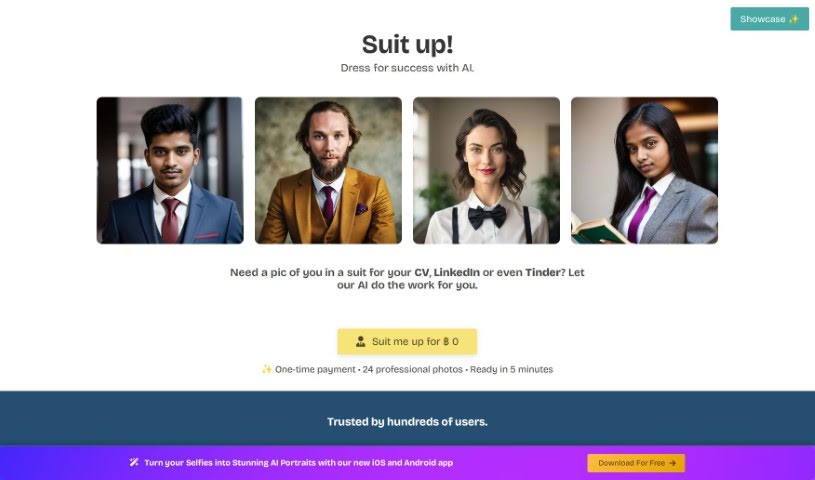
Snap Headshots is a service that creates AI-generated headshots from your high-quality profile photos. They focus on head and shoulders shots. Your privacy is a big deal to them; they store your photos securely in an encrypted environment and follow all local personal data rules. Your photos are used only for making these AI headshots, and they're deleted when you ask or after a set time. This service is also great for larger teams who need to get perfect headshots for everyone easily. The process is pretty straightforward: you upload about 8 to 10 selfies, and the AI uses them to create professional-looking headshots, usually ready in about 30 minutes. They promise really good results thanks to their new AI technology, giving you realistic headshots that look great on your CV, in emails, or on social media.

Screenshot of Snapclear

Snapclear

Freemium

Snapclear is a desktop application that works entirely offline, using AI to automatically remove backgrounds from your images. It's a really handy tool for anyone who wants to save time and effort by letting artificial intelligence handle the tedious task of background removal. One of Snapclear's standout features is its smart cropping. The AI it uses is specially trained to accurately identify subjects in photos, which means you get precise crops perfect for things like online stores, product catalogs, or any design project. Snapclear supports a variety of image formats and, because it works 100% offline, it's available for Windows, Linux, and macOS, making background removal simple for both individuals and businesses. You can even download Snapclear for free and start enjoying automated background removal right away.

Stay Updated with AI Tools

Get weekly updates on the latest AI tools, trends, and insights delivered to your inbox

Join 25,000+ AI enthusiasts. No spam, unsubscribe anytime.