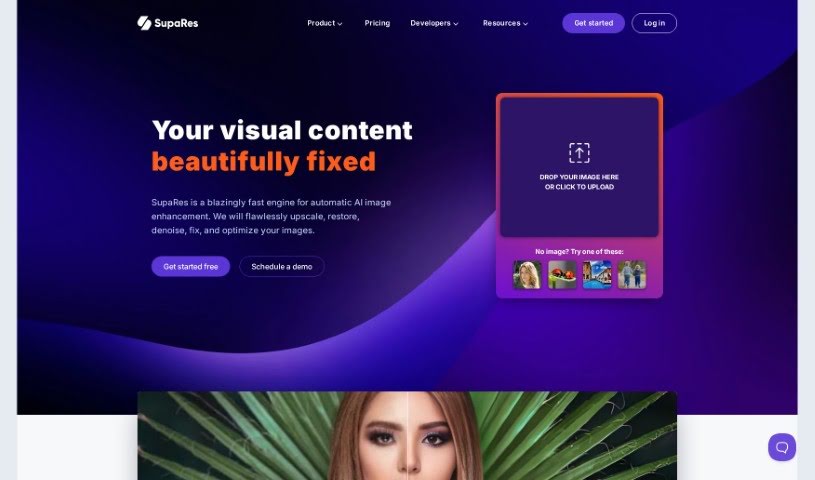
Screenshot of SupaRes

SupaRes

Discover SupaRes, an AI image enhancement tool. Learn its features, how to use it effectively in 2025, and how it stacks up against other photo editors.

Screenshot

What is SupaRes?

SupaRes is an AI platform designed to make your visual content look its absolute best. It’s packed with features to help you optimize and enhance images, whether you’re dealing with low-resolution shots or need to fine-tune details. It is your go-to tool for upscaling images, making faces clearer, adjusting colors and light, fixing those annoying compression lines, brightening dark photos, and cleaning up any distracting noise. It’s built to be straightforward and efficient, making it a really useful asset for anyone working with visuals, from web designers and real estate agents to marketers and publishers.

Who created SupaRes?

SupaRes was actually developed by a team led by CJ Brewer, who’s the Engineering Director at Section.io, and Praveen Bennett, the Technology Director at Bennett. Together, they’ve created an AI-powered platform that really covers all the bases for image enhancement. You get super-resolution to make photos sharp, face enhancement for clear portraits, automatic tone adjustments for perfect light and color, ways to fix compression artifacts, a boost for low-light shots, and precise noise removal. Their goal with SupaRes is to be the single solution businesses need for professional, stunning image quality, without all the usual hassle.

What is SupaRes used for?

Here’s a breakdown of what SupaRes can do for your images:

  • Super-Resolution: Turn those grainy, low-quality photos into crisp, high-resolution masterpieces.
  • Face Enhancement: It quickly spots and sharpens faces, giving you clear, high-resolution portraits in a snap.
  • Tone Adjustments: Want better light, color, and white balance? This feature does it automatically with just one click.
  • Artifacts Reduction: Say goodbye to compression artifacts! SupaRes restores images, making them crystal clear again.
  • Low-Light Boost: Struggling with poorly lit photos? This tool accurately brightens them up.
  • Noise Removal: It precisely removes image noise while carefully keeping the original textures and fine details intact.

Who is SupaRes for?

SupaRes is a great tool for professionals in:

  • Web design
  • Real estate
  • Marketing
  • Publishing

How to use SupaRes?

Ready to give your images a boost with AI? Here’s how to get started with SupaRes:

  1. Sign Up: First, head over to the SupaRes website and create a free account. You don’t need a credit card to begin; they give you a one-time quota of 10 credits to try it out.
  2. Upload Image: Once you’re logged in, it’s time to upload your photos. You can simply drag and drop your image directly onto the platform, or click the upload button if you prefer.
  3. Choose Enhancement: SupaRes offers a whole suite of features to make your images shine. You can pick from Super-Resolution, Face Enhancement, Tone Adjustments, Artifacts Reduction, Low-Light Boost, and Noise Removal.
  4. Process Image: Just select the enhancement you want to apply. The platform uses AI to process your image, and you’ll get professional-looking results in just a few seconds.
  5. Image Optimization: On top of enhancements, SupaRes also has an image optimization engine. This helps balance file size with visual quality, making sure your images are perfect for whatever you need them for.
  6. Manage Images: The platform has a really user-friendly interface to help you manage all your visuals. You can work with team members, access your cloud storage, and keep your account secure with two-factor authentication.
  7. Pricing and Plans: It’s good to know how the monthly credits work. You can switch between paid plans if your needs change, and they accept major credit and debit cards for payments.

By following these simple steps, you can easily use SupaRes to enhance and optimize your images professionally and efficiently for all sorts of uses.

Related AI Tools

Discover more tools in similar categories that might interest you

123RF AI Image Generator

Creative Image Generation
Learn More

Stay Updated with AI Tools

Get weekly updates on the latest AI tools, trends, and insights delivered to your inbox

Join 25,000+ AI enthusiasts. No spam, unsubscribe anytime.