AI Tools for Creative

Discover the best Creative AI tools to enhance your productivity and creativity.

Page 85 of 114 • 1360 total tools

Creativity today is changing fast, and AI is becoming a super helpful partner. Whether it’s creating amazing visuals or writing music, AI creative tools are making the art process more accessible and exciting. But with so many options out there, finding the right one for your creative needs can feel a bit overwhelming.

Things have really changed in just a few years. AI tools aren’t just for special uses anymore; they’re smoothly fitting into our everyday creative work. These new technologies can make your projects better, save you time, and even lead you to explore artistic ideas you hadn’t considered before.

I’ve spent a good amount of time exploring the world of AI creative tools, looking into everything from graphic design apps to music software. Since I love seeing how technology and creativity come together, I wanted to share what I found about the best tools available right now.

So, whether you want to make eye-catching visuals or come up with fresh concepts, there’s a tool out there just for you. Let’s dive into the best AI creative tools that can take your artistic projects to the next level and change how you create.

The best AI Creative Tools

  1. Canva for designing social media posts
  2. Character AI for brainstorming story ideas and concepts.
  3. Janitor AI for quickly crafting unique story ideas.
  4. Remove.bg for instantly removing backgrounds from design projects
  5. Leonardo AI for generating dynamic artwork for designers
  6. Photopea for designing stunning graphics and illustrations.
  7. Photoroom for improving photos for creative projects
  8. Pixelcut for designing eye-catching product ads
  9. Pixlr for designing great graphics with ease
  10. Midjourney for visual storytelling through art prompts.
  11. AI Face Swap for creating unique memes for social media.
  12. Cutout.pro for creating dynamic backgrounds for art
  13. Remaker for AI-powered image creation for unique designs.
  14. Ideogram for logo design and customization.
  15. Openart for experimenting with unique artistic styles
How do AI creative tools work?

AI creative tools work by using advanced algorithms that learn from all sorts of data. They look at patterns in creative works—like art, music, or writing—which helps them copy styles and create new, original pieces. It’s a bit like how human artists get inspired by different things they see or hear.

At their core, these tools often use neural networks. These are specially built to understand and interpret human creativity. The networks are trained on huge amounts of data, including works from many different styles and formats, so they can learn and adapt to various approaches.

When you give a prompt—like a topic for a story, a theme for a painting, or a music genre—these AI tools use the patterns they’ve learned to generate fitting responses. They essentially guess which elements should go together to make content that feels cohesive and engaging.

What’s really interesting is that AI creative tools don’t just repeat what they’ve learned; they can actually be innovative. By blending styles or drawing from less common influences, they can produce work that surprises and inspires, offering a fresh take even on familiar subjects.

As technology keeps advancing, these creative tools are getting more capable. This means we can have richer interactions, with users and AI working together more smoothly. Often, this leads to amazing artistic creations that combine human ideas with computer power.

If you’re curious about the technical side of these tools, looking into neural networks and creative AI applications can offer more insight into how they bring artistic ideas to life.

Our best AI creative tools at a glance

RankNameBest forPlans and PricingRating
1CanvaSocial media post designN/A4.73 (11 reviews)
2Character AIGBrainstorming story ideas and concepts.N/A4.64 (11 reviews)
3JanitorAICrafting unique story ideas quickly.N/A0.00 (11 reviews)
4Remove.bgInstant background removal for design projectsPaid plans start at $0.2/image.4.82 (11 reviews)
5Leonardo AIDynamic artwork generation for designersPaid plans start at $9/month.4.73 (11 reviews)
6PhotopeaDesign stunning graphics and illustrations.N/A4.67 (12 reviews)
7PhotoroomEnhancing creative project photosPaid plans start at $7.50/month.4.74 (38 reviews)
8PixelcutDesigning eye-catching product adsN/A4.64 (11 reviews)
9PixlrDesigning stunning graphics effortlesslyPaid plans start at $0.99/month.4.73 (11 reviews)
10MidjourneyVisual storytelling through art prompts.N/A4.73 (11 reviews)
11AI Face SwapCrafting unique memes for social media.N/A4.70 (10 reviews)
12Cutout.proDynamic background creation for artistryN/A4.46 (13 reviews)
13RemakerAI-powered image creation for unique designs.N/A4.69 (13 reviews)
14IdeogramLogo design and customization.N/A4.85 (26 reviews)
15OpenartExperiment with unique artistic stylesPaid plans start at $84/year.4.25 (8 reviews)
Screenshot of Random Animal Generator

Random Animal Generator

Freemium

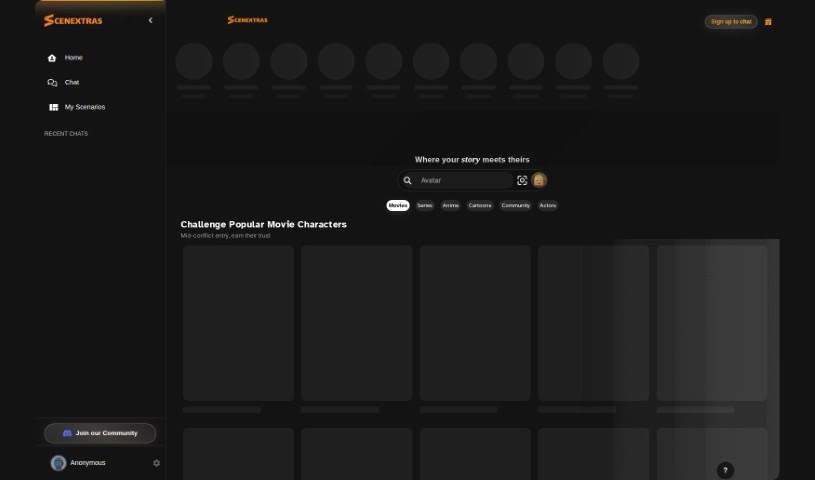
The Random Animal Generator is a fantastic place to find a huge variety of high-quality animal pictures. Its main goal is to spark your curiosity, encourage respect for all living things, and celebrate the incredible diversity of the animal kingdom. You can easily generate animal pictures at random, then view, download, and share them. It's super user-friendly and offers customization, letting you filter images by things like animal type, color, where they live, or even their mood. It's not just for nature lovers and artists looking for inspiration; it's also a great educational tool for teachers and students. You can use it to explore different animal species, learn about their unique traits, and understand their habitats. The whole platform really highlights how beautiful diversity is and how special each creature is, helping us all appreciate the animal world a bit more.

Screenshot of RandomSeed API

RandomSeed API

Freemium

RandomSeed API is a super-easy way to use Stable Diffusion for generating images. It's designed so you can build your own image-generating services without ever having to wrestle with GPUs yourself. It offers a smooth, hassle-free solution for adding image generation capabilities to your projects, cutting out all the complicated GPU management. With RandomSeed API, you can easily create and tweak how your images are generated, while the API takes care of all the heavy lifting behind the scenes. It really simplifies the development process by hiding all the technical GPU details, letting developers focus on building cool, new image-related applications and services without a hitch.

Screenshot of Raster

Raster

Freemium

Raster is a really smart digital asset manager built for today's teams. It makes managing, editing, and hosting your photo assets super efficient. What sets it apart is its lightning-fast performance and clever features that really speed things up for marketing teams, photographers, and developers. Raster's interface is easy to use, boosting both creativity and how much you get done, making it a must-have for teams that care about efficiency and quality. The system's AI-powered organization and collaborative editing tools are game-changers, letting you manage and edit images smoothly without the usual headaches of traditional file storage.

Screenshot of Ravatar

Ravatar

Freemium

Ravatar is a service platform designed to help you create incredibly lifelike human AI avatars. It uses advanced technologies like Generative AI and Conversational AI to make these avatars look and act remarkably like real people. Imagine avatars that can mimic human appearance and behavior so well, they feel natural to interact with in virtual spaces, all thanks to speech recognition and generation capabilities. The platform guides you through creating, customizing, and then integrating these realistic AI avatars into your systems, whether for personal use or as customer service assistants.

Screenshot of Rayst Gradients

Rayst Gradients

Freemium

Rayst Gradients offers a collection of 64 beautiful gradients, all generated by artificial intelligence. These aren't just any gradients; they're designed to really make your design projects pop with unique color blends, adding a fantastic splash of vibrancy and visual appeal. What's even better is that the entire collection is available for free, whether you're using it for commercial work or just for fun, and you don't need any special permissions. While attribution is always appreciated, it's not required. This means designers, web developers, and artists can easily download and plug these gradients into all sorts of projects, instantly boosting the visual experience without worrying about licenses. Each gradient is carefully crafted by AI, giving you a versatile and inspiring resource for whatever design challenges you're facing.

Screenshot of Real Fake Photos

Real Fake Photos

Freemium

Real Fake Photos is a service that uses AI technology to transform your everyday selfies into high-quality professional headshots. You just upload your selfies, and our AI algorithms get to work, analyzing them to make all the right enhancements for a polished, professional look. It's super user-friendly, meaning anyone can use it without needing any special tech skills or expensive gear. Beyond the standard touch-ups, Real Fake Photos lets you customize your headshots with different styles and backgrounds, which is perfect for matching your personal brand or specific industry needs. People have been really happy with how convenient it is and the quality of the headshots they get, often mentioning how easy it is to get impressive results right from home.

Screenshot of Recipe Reactor

Recipe Reactor

Freemium

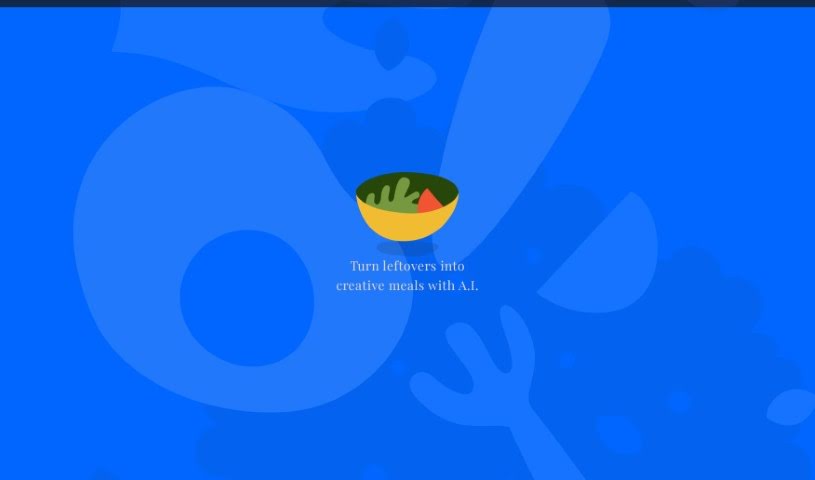
Recipe Reactor is a really neat app designed to be your kitchen's best friend. It completely changes how you handle your cooking life. It is a central hub where you can easily bring in recipes from anywhere – whether it's a website link or through a handy browser extension. Plus, you can organize everything with your own tags and a search function, so finding that perfect recipe is a breeze. What's really cool is its AI-powered recipe creation. It can actually suggest new meal ideas using the ingredients you already have on hand. This is fantastic for cutting down on food waste and sparking your creativity in the kitchen. Beyond that, Recipe Reactor offers great tools for managing all your recipes, letting you share them easily and even giving you tips to become a better cook. You can start using the app for free, and there will be options to upgrade later to really boost your cooking skills.

Screenshot of Recipeasy

Recipeasy

Freemium

Recipeasy is a handy tool that uses AI to help you whip up easy and delicious meals. It is your personal recipe assistant! You can tell it exactly what you like and what your dietary needs are, and it'll build a custom recipe just for you. It's got filters for all sorts of diets – vegan, vegetarian, gluten-free, dairy-free, nut-free, and kosher. This means you can easily cater to specific dietary requirements. Recipeasy's smart AI figures out what you'll enjoy based on your tastes and any restrictions, making cooking simpler. It really helps you create satisfying dishes without needing to be a master chef or spend ages hunting for recipes. Kyle Davidson created Recipeasy, and it's designed to be super easy to use. It's a great way to get convenient recipe ideas for any occasion, making it a real asset in the kitchen.

Screenshot of Recraft

Recraft

Freemium

Recraft is a platform designed to help you create designs quickly and effectively. Many users find it incredibly useful for all sorts of tasks – from brainstorming sets of icons and making images for conferences to designing logos. The platform's features are really intuitive, letting you explore and refine your creative ideas fast, which saves a ton of time on everyday design work. People especially love Recraft for its huge range of styles and how it creates seamless patterns, making it a go-to for unique visual elements like washi tape. Design pros have given Recraft great feedback, noting its ability to deliver consistent results and really smooth out the design process.

Screenshot of Reeflex Store

Reeflex Store

Freemium

ReeHeld is a really user-friendly camera app for iPhones, powered by AI. It lets you capture photos with exposure times anywhere from 1 to 30 seconds. It's designed to boost your iPhone's GPU performance and uses advanced AI, along with the iPhone's neural engine, to keep your shots incredibly stable. This means you can take amazing long-exposure photos of landscapes, cityscapes, and more, all without needing a tripod. The app has a super intuitive interface, making it easy to quickly adjust your capture time and focus. Whether you're a seasoned pro or just starting out with photography, ReeHeld is a great choice, and you can grab it from the Apple App Store. It's backed by a well-known camera equipment brand, offering a whole range of lenses and filters to really make your photos shine. Plus, ReeHeld helps improve your overall image quality and even has an affiliate program if you're interested in collaborations.

Screenshot of Refabric

Refabric

Freemium

Refabric is a fantastic tool that lets you dive into the world of AI fashion design without any hassle. It's perfect whether you're just starting to sketch out your very first collection or you're already a seasoned designer looking to refine your skills. Refabric offers a really intuitive and easy-to-use interface that's designed to help you every step of the way. This platform makes it simple to explore designs that are on-trend, connect with other designers, and really bring your fashion ideas to life. Essentially, it empowers you to create designs using generative AI, completely changing the game for fashion design.

Screenshot of Reface

Reface

Freemium

Reface is a really cool app that uses AI to let you easily swap faces in videos and GIFs. All you need is one selfie! Developed by a Ukrainian company, it lets you put your face onto someone else's, create funny content, animate photos, and even turn them into cool cartoons. The app has tons of videos and GIFs ready to go, or you can upload your own media to make your face swaps totally unique. It's super easy to use, available on both iOS and Android, and it's a fantastic way to get creative and have some fun.

Stay Updated with AI Tools

Get weekly updates on the latest AI tools, trends, and insights delivered to your inbox

Join 25,000+ AI enthusiasts. No spam, unsubscribe anytime.