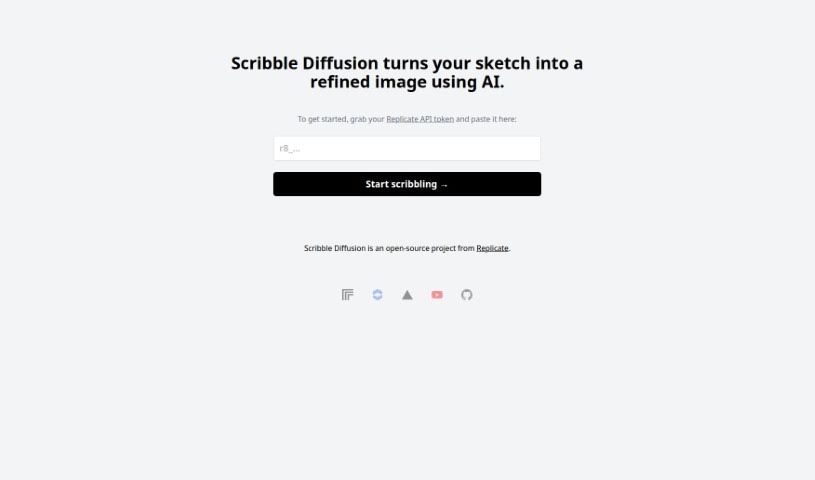
Screenshot of Scribble Diffusion

Scribble Diffusion

Discover Scribble Diffusion, an open-source AI tool that turns your sketches into polished images. Learn how to use it effectively in 2025, explore its features, and see how it stacks up against other design generators.

Screenshot

What is Scribble Diffusion?

Scribble Diffusion is a really neat open-source project from Replicate. It uses AI to take your rough sketches and turn them into much more polished, professional-looking images. You just draw something simple, and Scribble Diffusion works its magic to create something that looks like it came straight from a designer’s toolkit. What makes it stand out is how easy it is to go from a sketch to a finished image, the professional quality of the results, and the fact that it’s open-source, meaning people can contribute to make it even better over time. It’s super versatile, great for artists and designers, and honestly, anyone who likes to create things. Plus, its interface is really straightforward, so you don’t need to be a tech wizard to use it.

Who created Scribble Diffusion?

Scribble Diffusion is an open-source project that came out of Replicate. Essentially, it’s a tool that lets you transform your sketches into refined images using AI. It’s designed to give you professional-looking results, thanks to some pretty advanced AI algorithms. This makes it a fantastic resource for artists, designers, or really anyone who has a creative idea they want to bring to life. What’s great about Scribble Diffusion is that it’s simple to use, adaptable for different needs, and has a user-friendly interface. While the specific founder isn’t mentioned in the information I have, Replicate is the driving force behind this innovative tool.

What is Scribble Diffusion used for?

Scribble Diffusion is incredibly handy for a variety of creative tasks:

  • It’s super easy to use: The interface is designed to be straightforward and intuitive.
  • It’s really versatile: You can use it for many different creative projects.
  • You get professional-looking results: The AI helps refine your sketches into polished images.
  • It makes sketch-to-image conversion simple: Just draw and let the AI do the heavy lifting.
  • It enhances your sketches: You can take a basic drawing and give it a refined, professional look using AI.
  • It helps create eye-catching images: Turn your sketches into visually appealing artwork.
  • It assists artists: If you’re an artist, it can help make your sketches look more polished and professional.
  • It’s a great tool for designers: Designers can use it to refine their illustrations and bring their ideas to life.
  • It helps bring artistic visions to life: If you have an idea, this tool can help you visualize it as a polished image.
  • It converts sketches into polished images: Using advanced AI, it transforms your drawings into professional-looking artwork.
  • It’s easy to upload and generate images: The user-friendly interface makes the whole process smooth.
  • It boosts creativity: You can use AI to generate illustrations and explore new creative avenues.
  • It simplifies sketch-to-image conversion: The process is made much easier and more efficient.
  • It supports a wide range of users: Artists, designers, and anyone creative can find it useful.
  • It’s an open-source project: This means it can be improved and innovated upon continuously.
  • It’s great for artists, designers, and creators: Its versatility makes it a valuable tool for many creative professionals.
  • It’s all about sketch-to-image conversion: That’s its core function.
  • It’s open-source for ongoing development: This allows for constant improvement and new ideas.
  • It’s versatile for artists, designers, and creatives: It caters to a broad creative audience.

Who is Scribble Diffusion for?

Scribble Diffusion is a fantastic tool for:

  • Artists
  • Designers
  • Anyone with a creative streak

Basically, if you’re involved in art or design, or just enjoy creating things visually, this tool is for you!

How to use Scribble Diffusion?

Using Scribble Diffusion is pretty straightforward. Here’s a simple step-by-step guide:

  1. Head over to the tool: First, you’ll want to visit the Scribble Diffusion website. That’s where you can access everything you need.
  2. Upload your sketch: Next, take the sketch you’ve drawn – the one you want to transform – and upload it to the platform.
  3. Let the AI do its thing: Once your sketch is uploaded, just let Scribble Diffusion’s AI algorithms work their magic. They’ll automatically refine and enhance your drawing.
  4. Tweak settings if you like (Optional): If you want to fine-tune the results, you can adjust some settings to better match your preferences for the refinement process.
  5. Generate your polished image: After you’ve made any adjustments you want, go ahead and click the button to generate the refined image.
  6. Save your creation: Once the refined image is ready, you can easily download or save it to your computer or device.
  7. Enjoy the professional look: Say goodbye to those rough sketches! You’ll get polished, professional-looking images, all thanks to Scribble Diffusion.

Scribble Diffusion comes packed with some really useful features:

  • Effortless Sketch to Image Conversion: It’s as simple as drawing your sketch, uploading it, and letting the AI turn it into a polished image.
  • Professional-Quality Results: The advanced AI algorithms are designed to refine your sketches, ensuring you get visually appealing and professional-looking images.
  • It’s an Open-Source Project: Developed by Replicate, Scribble Diffusion benefits from being open-source, which means it’s constantly being improved and innovated upon.
  • Wide Range of Uses: It’s incredibly useful for artists, designers, and really anyone with a creative idea. You can enhance sketches, create unique illustrations, and bring your artistic visions to life.
  • Super User-Friendly Interface: The interface is designed to make the whole process easy, from uploading your sketch to adjusting settings and generating your final image.

By following these steps and taking advantage of Scribble Diffusion’s features, you can easily transform your sketches into polished, professional-looking images with the help of AI technology. It really makes the creative process more accessible and the results more impressive.

Related AI Tools

Discover more tools in similar categories that might interest you

123RF AI Image Generator

Creative Image Generation
Learn More

Stay Updated with AI Tools

Get weekly updates on the latest AI tools, trends, and insights delivered to your inbox

Join 25,000+ AI enthusiasts. No spam, unsubscribe anytime.