AI Tools for Creative

Discover the best Creative AI tools to enhance your productivity and creativity.

Page 80 of 114 • 1360 total tools

Creativity today is changing fast, and AI is becoming a super helpful partner. Whether it’s creating amazing visuals or writing music, AI creative tools are making the art process more accessible and exciting. But with so many options out there, finding the right one for your creative needs can feel a bit overwhelming.

Things have really changed in just a few years. AI tools aren’t just for special uses anymore; they’re smoothly fitting into our everyday creative work. These new technologies can make your projects better, save you time, and even lead you to explore artistic ideas you hadn’t considered before.

I’ve spent a good amount of time exploring the world of AI creative tools, looking into everything from graphic design apps to music software. Since I love seeing how technology and creativity come together, I wanted to share what I found about the best tools available right now.

So, whether you want to make eye-catching visuals or come up with fresh concepts, there’s a tool out there just for you. Let’s dive into the best AI creative tools that can take your artistic projects to the next level and change how you create.

The best AI Creative Tools

  1. Canva for designing social media posts
  2. Character AI for brainstorming story ideas and concepts.
  3. Janitor AI for quickly crafting unique story ideas.
  4. Remove.bg for instantly removing backgrounds from design projects
  5. Leonardo AI for generating dynamic artwork for designers
  6. Photopea for designing stunning graphics and illustrations.
  7. Photoroom for improving photos for creative projects
  8. Pixelcut for designing eye-catching product ads
  9. Pixlr for designing great graphics with ease
  10. Midjourney for visual storytelling through art prompts.
  11. AI Face Swap for creating unique memes for social media.
  12. Cutout.pro for creating dynamic backgrounds for art
  13. Remaker for AI-powered image creation for unique designs.
  14. Ideogram for logo design and customization.
  15. Openart for experimenting with unique artistic styles
How do AI creative tools work?

AI creative tools work by using advanced algorithms that learn from all sorts of data. They look at patterns in creative works—like art, music, or writing—which helps them copy styles and create new, original pieces. It’s a bit like how human artists get inspired by different things they see or hear.

At their core, these tools often use neural networks. These are specially built to understand and interpret human creativity. The networks are trained on huge amounts of data, including works from many different styles and formats, so they can learn and adapt to various approaches.

When you give a prompt—like a topic for a story, a theme for a painting, or a music genre—these AI tools use the patterns they’ve learned to generate fitting responses. They essentially guess which elements should go together to make content that feels cohesive and engaging.

What’s really interesting is that AI creative tools don’t just repeat what they’ve learned; they can actually be innovative. By blending styles or drawing from less common influences, they can produce work that surprises and inspires, offering a fresh take even on familiar subjects.

As technology keeps advancing, these creative tools are getting more capable. This means we can have richer interactions, with users and AI working together more smoothly. Often, this leads to amazing artistic creations that combine human ideas with computer power.

If you’re curious about the technical side of these tools, looking into neural networks and creative AI applications can offer more insight into how they bring artistic ideas to life.

Our best AI creative tools at a glance

RankNameBest forPlans and PricingRating
1CanvaSocial media post designN/A4.73 (11 reviews)
2Character AIGBrainstorming story ideas and concepts.N/A4.64 (11 reviews)
3JanitorAICrafting unique story ideas quickly.N/A0.00 (11 reviews)
4Remove.bgInstant background removal for design projectsPaid plans start at $0.2/image.4.82 (11 reviews)
5Leonardo AIDynamic artwork generation for designersPaid plans start at $9/month.4.73 (11 reviews)
6PhotopeaDesign stunning graphics and illustrations.N/A4.67 (12 reviews)
7PhotoroomEnhancing creative project photosPaid plans start at $7.50/month.4.74 (38 reviews)
8PixelcutDesigning eye-catching product adsN/A4.64 (11 reviews)
9PixlrDesigning stunning graphics effortlesslyPaid plans start at $0.99/month.4.73 (11 reviews)
10MidjourneyVisual storytelling through art prompts.N/A4.73 (11 reviews)
11AI Face SwapCrafting unique memes for social media.N/A4.70 (10 reviews)
12Cutout.proDynamic background creation for artistryN/A4.46 (13 reviews)
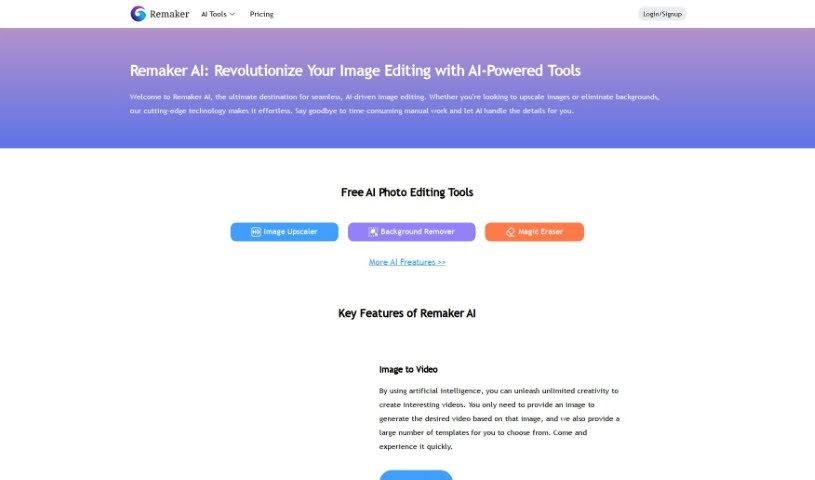
13RemakerAI-powered image creation for unique designs.N/A4.69 (13 reviews)
14IdeogramLogo design and customization.N/A4.85 (26 reviews)
15OpenartExperiment with unique artistic stylesPaid plans start at $84/year.4.25 (8 reviews)
Screenshot of Playground

Playground

Freemium

Playground AI is an online tool that lets you create all sorts of images using artificial intelligence. It is your go-to spot for generating art, social media posts, presentations, posters, videos, logos, and much more. What's great about it is that it's really user-friendly, so you don't need to be a design expert to make cool stuff. It's built using technologies like Stable Diffusion, Tailwind CSS, React, Next.js, Node.js, and Emotion, all working together to help you create images easily.

Screenshot of Pletory

Pletory

Freemium

Pletory is a 3D tech company that offers tools designed to help brands, agencies, and individuals really boost their 3D projects. They focus on making things creative and fun, almost like a game. The company got its start in 2019, founded by Thomas Boulesteix. His big idea was to build a new kind of group, a next-generation platform. Pletory's goal is to change how we interact with the world by giving brands and developers the power to connect different realities. They do this by using 3D assets, video games, and various services. At its core, Pletory values working together, aiming for the best, talking openly, and actually doing things rather than just talking about them. You'll find features like customizing avatars, using advanced animations, creating 3D scenes, and much more.

Screenshot of Plugger

Plugger

Freemium

Plugger is a really versatile AI-powered design tool. It offers a whole range of design features, from graphic design and content generation to creating social media posts, logos, and even stock photos. You can also use it for t-shirt designs, comic books, character design, and even removing backgrounds from images and videos. What's cool is that it can also upscale image resolution, fix pixel errors, turn text into cartoon characters, convert photos into a cartoon style, and create those popular furry character designs. Plugger.ai lets you make unlimited revisions, which is great because it's designed to cut down on the usual headaches in design workflows. It really helps automate the whole design process, making it a cost-effective solution, especially for marketing and social media visuals.

Screenshot of Plurana

Plurana

Freemium

Plurana is a really neat tool that lets you create vector designs, specifically high-quality SVGs. It is a generative design assistant for things like patterns, prints, and graphics for your social media. What's cool is that it can generate random design ideas, draw inspiration from cultural heritage for some truly unique looks, and you can even upload your own images to mix in. Plus, it works perfectly with Figma, which is a huge plus if you're already using that popular design software. The designs you make here really feel inspired by different cultures, giving them a special touch.

Screenshot of Plusvector

Plusvector

Freemium

PlusVector is your go-to AI engine for whipping up fantastic vector graphics. Whether you need illustrations, logos, or icons, it creates them instantly and really efficiently. The best part? You can generate scalable vector graphics (SVGs) just by typing in a simple prompt – no need to be a design pro! PlusVector lets you create vectors from prompts, gives you SVGs that look great no matter how big or small you make them, and includes easy editing tools. You also get access to a community library filled with vectors and templates, plus you can download as many vectors as you like. It's also great for commercial projects because you don't need to credit the tool for the images you use. Because the SVGs are resolution-independent, they'll always look sharp and clear on any device or screen size, and you can even tweak them with CSS and JavaScript. PlusVector offers different pricing plans: Standard, Pro, and Enterprise. You can use it for commercial work, get support for file formats beyond SVG, design logos, and really customize the vectors to your liking.

Screenshot of Pngmaker

Pngmaker

Freemium

So, what exactly is Pngmaker? Based on the details in the "pngmaker.pdf" document, it's an AI-powered tool that turns your text descriptions into PNG images. You just type out what you want, and the platform uses some pretty advanced algorithms to whip up transparent PNG images for you, usually in about 10 seconds. Pretty neat, right? PNGMaker AI can even blend new elements into PNGs you already have. It's designed for all sorts of professionals – think graphic designers, content creators, web developers, and event planners. Plus, they offer a free trial so you can test out its image-generating magic yourself. They also have different subscription plans if you need more features, like unlimited normal processing, limits on how many jobs you can run, commercial licenses, or the option to keep your generated images private. All in all, it's a super user-friendly way to create visuals, perfect for tons of different uses, and it really encourages you to get creative.

Screenshot of Polarr Copilot

Polarr Copilot

Freemium

Polarr Copilot is a really advanced platform that's changing how we create things. It uses smart AI tools to help you edit photos, make videos, and design graphics. You can easily turn your ideas into amazing visuals, and there are plenty of options to tweak everything until it's just right. The interface is super easy to use, no matter what style you're going for. It really lets you be creative with your photos, letting your imagination guide the editing process. Polarr Copilot makes editing simpler by letting you just describe what you want to change, and then you get to watch the magic happen right there in the tool.

Screenshot of Polarr Copilot Next

Polarr Copilot Next

Freemium

Polarr Copilot Next is a web-based photo editing tool designed to make your editing process faster and better. What really sets it apart is its smart AI system. This AI learns your unique editing style as you work, applying your preferences in real-time. This means less manual work for you and immediate feedback on every change you make. It’s built to quickly import lots of RAW files while keeping them secure and offline. Plus, you get pre-trained AI styles, direct help from real people, and an easy-to-use interface that doesn't take long to learn, making it a great choice whether you're a pro or just starting out.

Screenshot of Poly

Poly

Freemium

Based on the "poly.pdf" document, Poly is essentially a smart file system built for managing all your digital creations. It is a new way to look at and understand your image library. You can search for images using text or even by uploading another image. The system uses AI to really get what's in your files, making it super easy to find what you need, when you need it. Plus, Poly comes packed with features like different ways to view your files, incredibly fast image previews, quick scrolling through tons of images, creating special "spaces" for easy access, options to share things publicly, and other tools to make your creative work smoother.

Screenshot of Polycam

Polycam

Freemium

Polycam is a really neat AI tool that helps you create lifelike textures for your 3D projects. Whether you're into 3D modeling, gaming, or animation, you can simply type in a description, and Polycam generates up to four seamless, tileable textures for you to download. These textures are perfect for popular software like Blender, Unreal Engine, SketchUp, and Unity. You'll get essential maps like albedo, displacement, normals, and roughness, which are super useful for making 3D objects look great in video games, AR/VR experiences, digital art, and even VFX. You can even take these textures and apply them to your Polycam scans in other 3D software to really make them your own. The best part? You can use them commercially without any worries about restrictions or royalties – it’s completely watermark-free and royalty-free. Polycam is always looking for user feedback to make their tools even better, and you can try it out on the App Store, Google Play, or even their free web version.

Screenshot of Pons Ai

Pons Ai

Freemium

Pons Ai is a really neat SaaS tool that uses artificial intelligence to help you create one-of-a-kind, personalized greeting cards. What makes it stand out from other card-making tools is its 'AI Artist' feature. This lets you describe exactly what you want the AI artist to draw, giving you a huge amount of control over personalization and creativity. The tool guides you through everything, from entering the recipient's details to quickly generating several card designs. It really simplifies the whole process of designing a card and even offers creative suggestions if you're stuck.

Screenshot of Pool Planner AI

Pool Planner AI

Freemium

Pool Planner AI is a smart tool that uses artificial intelligence to help you picture different inground pool designs right in your own backyard. You just upload a good-quality photo of your yard, and the tool whips up more than 90 vibrant HD pictures. These show off all sorts of inground pool styles, making it super easy to compare them and feel confident about your final choice for the pool's layout. It's impressively fast, too, with a turnaround time of about an hour. This makes it a real advantage for both pool companies and folks who are planning to build a pool. You can get Pool Planner AI for a one-time fee of $15, and the payment process is secure. Plus, it's a great asset for any home improvement project, especially when it comes to building a pool. It really helps you make decisions, steer clear of expensive mistakes, and boost your project's success by giving you accurate visualizations.

Stay Updated with AI Tools

Get weekly updates on the latest AI tools, trends, and insights delivered to your inbox

Join 25,000+ AI enthusiasts. No spam, unsubscribe anytime.