Real Fake Photos (Creative)
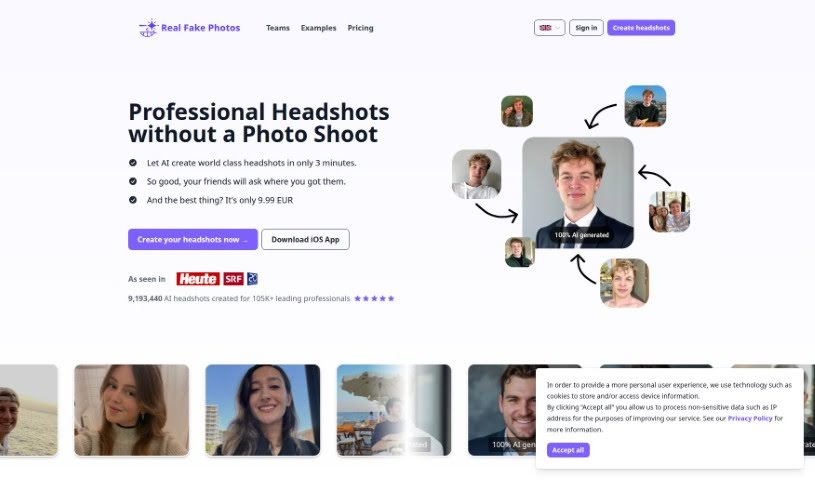
Screenshot of Real Fake Photos

Real Fake Photos

Discover what Real Fake Photos is and how it turns everyday selfies into professional AI headshots with custom styles and backgrounds.

Screenshot

What is Real Fake Photos?

Real Fake Photos is a service that uses AI to transform everyday selfies into professional headshots. You upload your selfies, and the AI analyzes them and applies enhancements for a polished, professional look. The service is user-friendly, requiring no special technical skills or expensive equipment. Beyond standard touch-ups, it lets you customize headshots with different styles and backgrounds to match your personal brand or industry needs. Users report positive experiences with the convenience and quality of the results, which can be produced from home.

Who created Real Fake Photos?

Real Fake Photos was founded by Daniel Dippold, who is also an investor in the company. The company aims to provide AI-generated professional headshots at an affordable price, with an emphasis on customer satisfaction and convenience. Professionals from various industries have given feedback praising the ease of use and the quality of the final results.

What is Real Fake Photos used for?

  • Turn regular selfies into professional headshots.
  • Enhance features, smooth skin, and polish photos.
  • Create profile pictures for job applications, social media, and LinkedIn.
  • Choose from a variety of styles and backgrounds to fit your personal brand and industry.
  • Keep your unique look while appearing professional, using image processing that goes beyond simple filters.

Who is Real Fake Photos for?

  • Photographers
  • Software engineers
  • SEO specialists
  • Engineers
  • Analysts
  • CTOs
  • Human resource professionals
  • Consultants
  • Machine learning researchers

How to use Real Fake Photos?

  1. Upload Your Selfie: Go to the Real Fake platform and upload the selfie you want to work with.
  2. Let AI Enhance Your Photo: The AI analyzes your photo and applies enhancements to improve headshot quality.
  3. Customize Your Look: Choose between professional or casual styles, and select from available backgrounds.
  4. Wait for Your Results: Your generated headshots are ready to download in about 2 hours.
  5. Upscale and Finalize: If you need higher resolution, you can upscale your headshots before finalizing.

Related

Related AI Tools

Discover more tools in similar categories

123RF AI Image Generator

Creative Image Generation
Learn more
New tools, in your inbox.

Weekly picks of the best AI tools we've researched and added — no spam, unsubscribe anytime.

Join 25,000+ AI enthusiasts. No spam, unsubscribe anytime.