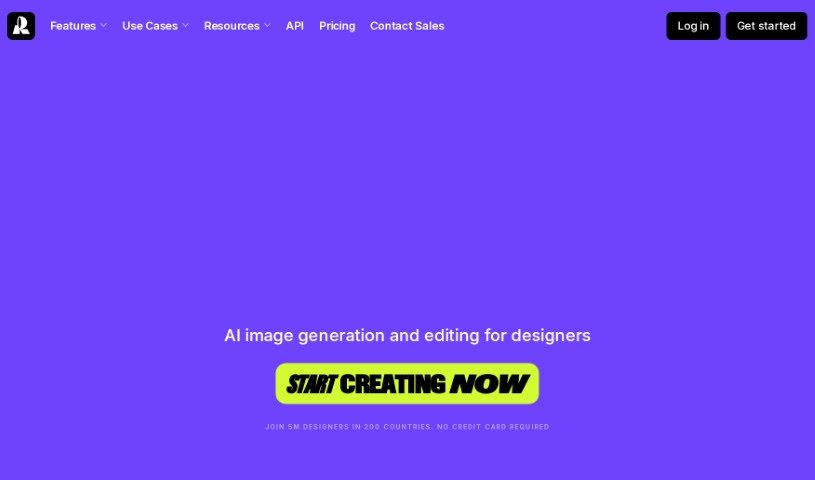
Screenshot of Recraft

Recraft

Discover what Recraft is and how to use it effectively in 2025. We'll explore its features and see how it stacks up against other image generators.

Screenshot

What is Recraft?

Recraft is a platform designed to help you create designs quickly and effectively. Many users find it incredibly useful for all sorts of tasks – from brainstorming sets of icons and making images for conferences to designing logos. The platform’s features are really intuitive, letting you explore and refine your creative ideas fast, which saves a ton of time on everyday design work. People especially love Recraft for its huge range of styles and how it creates seamless patterns, making it a go-to for unique visual elements like washi tape. Design pros have given Recraft great feedback, noting its ability to deliver consistent results and really smooth out the design process.

Who created Recraft?

Recraft was brought to life by Roman Kuzhel, who’s both an AI artist and formerly a Senior Product Designer at Dodo Brands. The company itself focuses on offering innovative solutions for graphic design tasks. This is something professionals like Anastasiia Goncharova and Daniela Muntyan have really pointed out, praising Recraft’s user-friendly features and the wide variety of patterns it offers.

What is Recraft used for?

  • Making visuals that perfectly match your brand’s guidelines.
  • Generating images that stick to a specific brand color palette.
  • Creating and editing graphics, vector art, icon sets, mockups, 3D images, and illustrations, all while keeping a consistent brand style.
  • Producing design elements and sophisticated imagery that maintain a consistent brand look.
  • Crafting both vector and raster images where the human form is anatomically perfect.
  • Ensuring your brand style stays consistent across all your visuals.
  • Iterating on designs with complete control and precision.
  • Generating human figures in tricky poses with accurate anatomy and fine details.
  • Building elaborate scenes and environments where objects relate to each other in complex ways.
  • Creating multiple images in the same style, perfect for making icon sets or image collections that look like they belong together.
  • Crafting visually consistent graphics.
  • Editing and repainting images using a lasso tool.
  • Checking out what other users have created in the community gallery.
  • Transforming a single image into a whole set of stylized visuals.
  • Making design changes easily with simple visual controls.
  • Experimenting with different styles to evolve your designs.
  • Precisely controlling colors in your creations.
  • Creating vector art.
  • Ensuring your designs adhere to brand standards.

Who is Recraft for?

  • Graphic designers
  • Logo Designers
  • Illustrators
  • Marketing professionals
  • Event Planners
  • UI/UX Designers
  • Product designers
  • Content creators
  • Social media managers
  • Fashion designers

How to use Recraft?

To get the most out of Recraft, just follow these simple steps:

  1. Getting Started: First, head over to the Recraft platform using your favorite web browser.
  2. Starting New Projects: When you’re ready, create a new project. You can usually do this by clicking the “New Project” button on your dashboard.
  3. Adding Your Files: Upload any images, logos, or other visuals you want to use in your project. This is how you bring your own elements into Recraft.
  4. Exploring What It Can Do: Take some time to check out all the cool features Recraft offers. You can generate 3D visuals, make seamless patterns, and explore a whole range of different styles.
  5. Designing Your Work: Now, dive into designing! Use Recraft’s easy-to-use tools. Play around with textures, colors, shapes, and styles to really bring your creative ideas to life.
  6. Saving Your Work: Don’t forget to save your progress as you go! This way, you won’t lose any of your hard work. Just use the save function within the platform.
  7. Exporting Your Designs: Once you’re happy with how your design looks, use the export feature to save it in the format you need. Recraft usually gives you several export options.
  8. Sharing and Getting Feedback: Share your finished project with others to get their thoughts or to collaborate. Recraft might even let you share your work directly from the platform.
  9. Checking Out the Gallery: Make sure to explore the community gallery. It’s a great place to see what other users are creating, which can spark inspiration and show you new ways to use Recraft.
  10. Finding Help: If you run into any trouble or just want to get even better at using Recraft, check out any tutorials or resources the platform provides. They’re there to help you understand it more deeply.

By following these steps, you’ll be able to use Recraft effectively to let your creativity flow and design some truly unique visuals for whatever projects you have in mind.

Related AI Tools

Discover more tools in similar categories that might interest you

123RF AI Image Generator

Creative Image Generation
Learn More

Stay Updated with AI Tools

Get weekly updates on the latest AI tools, trends, and insights delivered to your inbox

Join 25,000+ AI enthusiasts. No spam, unsubscribe anytime.