AI Tools for Creative

Discover the best Creative AI tools to enhance your productivity and creativity.

Page 77 of 114 • 1360 total tools

Creativity today is changing fast, and AI is becoming a super helpful partner. Whether it’s creating amazing visuals or writing music, AI creative tools are making the art process more accessible and exciting. But with so many options out there, finding the right one for your creative needs can feel a bit overwhelming.

Things have really changed in just a few years. AI tools aren’t just for special uses anymore; they’re smoothly fitting into our everyday creative work. These new technologies can make your projects better, save you time, and even lead you to explore artistic ideas you hadn’t considered before.

I’ve spent a good amount of time exploring the world of AI creative tools, looking into everything from graphic design apps to music software. Since I love seeing how technology and creativity come together, I wanted to share what I found about the best tools available right now.

So, whether you want to make eye-catching visuals or come up with fresh concepts, there’s a tool out there just for you. Let’s dive into the best AI creative tools that can take your artistic projects to the next level and change how you create.

The best AI Creative Tools

  1. Canva for designing social media posts
  2. Character AI for brainstorming story ideas and concepts.
  3. Janitor AI for quickly crafting unique story ideas.
  4. Remove.bg for instantly removing backgrounds from design projects
  5. Leonardo AI for generating dynamic artwork for designers
  6. Photopea for designing stunning graphics and illustrations.
  7. Photoroom for improving photos for creative projects
  8. Pixelcut for designing eye-catching product ads
  9. Pixlr for designing great graphics with ease
  10. Midjourney for visual storytelling through art prompts.
  11. AI Face Swap for creating unique memes for social media.
  12. Cutout.pro for creating dynamic backgrounds for art
  13. Remaker for AI-powered image creation for unique designs.
  14. Ideogram for logo design and customization.
  15. Openart for experimenting with unique artistic styles
How do AI creative tools work?

AI creative tools work by using advanced algorithms that learn from all sorts of data. They look at patterns in creative works—like art, music, or writing—which helps them copy styles and create new, original pieces. It’s a bit like how human artists get inspired by different things they see or hear.

At their core, these tools often use neural networks. These are specially built to understand and interpret human creativity. The networks are trained on huge amounts of data, including works from many different styles and formats, so they can learn and adapt to various approaches.

When you give a prompt—like a topic for a story, a theme for a painting, or a music genre—these AI tools use the patterns they’ve learned to generate fitting responses. They essentially guess which elements should go together to make content that feels cohesive and engaging.

What’s really interesting is that AI creative tools don’t just repeat what they’ve learned; they can actually be innovative. By blending styles or drawing from less common influences, they can produce work that surprises and inspires, offering a fresh take even on familiar subjects.

As technology keeps advancing, these creative tools are getting more capable. This means we can have richer interactions, with users and AI working together more smoothly. Often, this leads to amazing artistic creations that combine human ideas with computer power.

If you’re curious about the technical side of these tools, looking into neural networks and creative AI applications can offer more insight into how they bring artistic ideas to life.

Our best AI creative tools at a glance

RankNameBest forPlans and PricingRating
1CanvaSocial media post designN/A4.73 (11 reviews)
2Character AIGBrainstorming story ideas and concepts.N/A4.64 (11 reviews)
3JanitorAICrafting unique story ideas quickly.N/A0.00 (11 reviews)
4Remove.bgInstant background removal for design projectsPaid plans start at $0.2/image.4.82 (11 reviews)
5Leonardo AIDynamic artwork generation for designersPaid plans start at $9/month.4.73 (11 reviews)
6PhotopeaDesign stunning graphics and illustrations.N/A4.67 (12 reviews)
7PhotoroomEnhancing creative project photosPaid plans start at $7.50/month.4.74 (38 reviews)
8PixelcutDesigning eye-catching product adsN/A4.64 (11 reviews)
9PixlrDesigning stunning graphics effortlesslyPaid plans start at $0.99/month.4.73 (11 reviews)
10MidjourneyVisual storytelling through art prompts.N/A4.73 (11 reviews)
11AI Face SwapCrafting unique memes for social media.N/A4.70 (10 reviews)
12Cutout.proDynamic background creation for artistryN/A4.46 (13 reviews)
13RemakerAI-powered image creation for unique designs.N/A4.69 (13 reviews)
14IdeogramLogo design and customization.N/A4.85 (26 reviews)
15OpenartExperiment with unique artistic stylesPaid plans start at $84/year.4.25 (8 reviews)
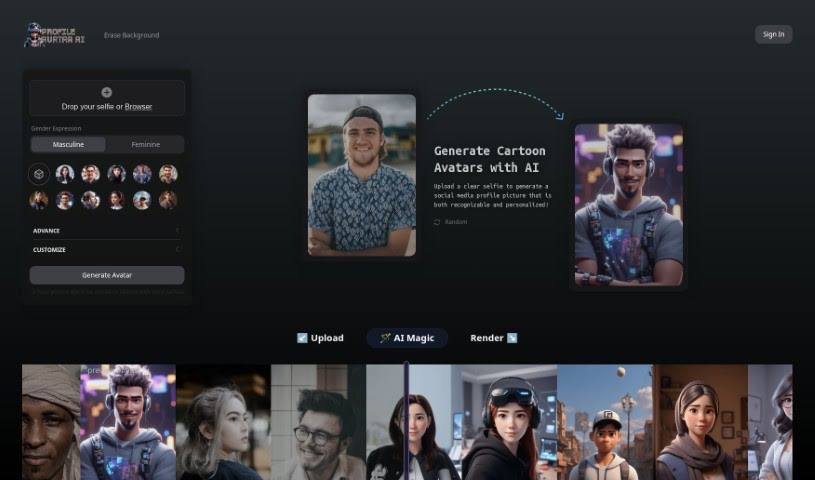
Screenshot of Picsart AI Avatar

Picsart AI Avatar

Freemium

An AI Avatar is essentially a digital character or representation, often designed with human-like qualities. These avatars are brought to life using advanced artificial intelligence and natural language processing technologies. They are digital assistants that can chat with you, answer your questions, provide information, and even have personalized conversations. You'll often find AI avatars being used in customer service to help people, as virtual assistants in apps, in educational tools to make learning more engaging, and in online chatbots. The main goal is to make digital interactions feel more like talking to a real person, improving the overall user experience. As AI technology keeps getting better, these avatars are becoming incredibly sophisticated, able to understand and handle a much wider range of questions and tasks.

Screenshot of Picsart AI Story Generator

Picsart AI Story Generator

Freemium

An AI Story Generator is a really smart tool that uses artificial intelligence to help you write engaging, unique stories. You give it some ideas, and it spins them into captivating narratives across all sorts of genres. It's pretty neat, really! Whether you're a seasoned writer, just starting out, creating content for social media, or working on marketing campaigns, this tool can be a fantastic source of inspiration. Best of all? It's free, so you can let your creativity run wild without worrying about costs.

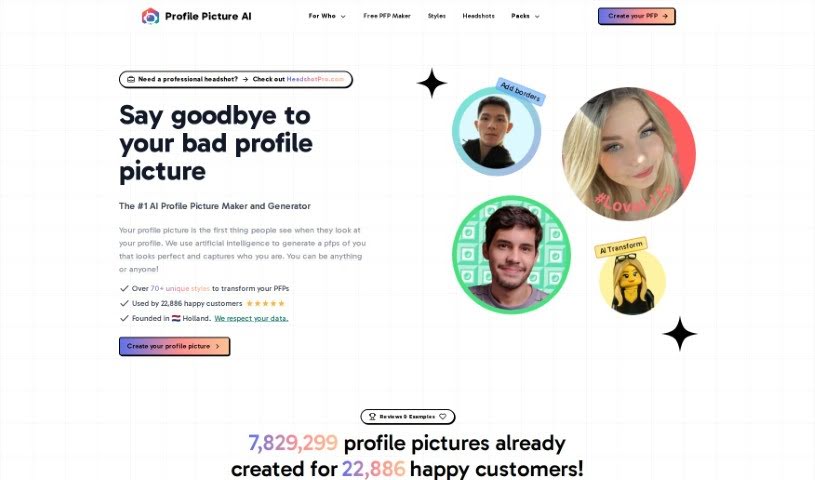
Screenshot of Picsi

Picsi

Freemium

Picsi is a really cool platform that uses InsightFace technology, which is all about advanced face analysis and manipulation. It is a toolkit for working with faces in digital art. It lets you do things like swap faces, use super-accurate face recognition, and align faces perfectly. The technology behind Picsi, called InsightsFace, is actually pretty well-known worldwide for its advanced capabilities and success in major competitions. With Picsi, you can really get creative with AI-powered features. You can match expressions dynamically, transform multiple faces at once, and generally push the boundaries of what's possible in digital art. It's built to give both businesses and individuals powerful tools, combining advanced tech with a focus on your creativity and the amazing potential of AI.

Screenshot of PicSo

PicSo

Freemium

PicSo is a really neat mobile app that lets you create unique art just by typing what you imagine. You describe the artwork you want, and the app brings it to life. It's super straightforward! You can use it right on the web or download the client. Plus, it automatically saves everything you make in the cloud, which is handy. PicSo also comes with pre-set styles to give you a little nudge if you're stuck on what to type. People seem to really like it because it's easy to use, makes art pretty quickly, and can even whip up several different images from the same text description.

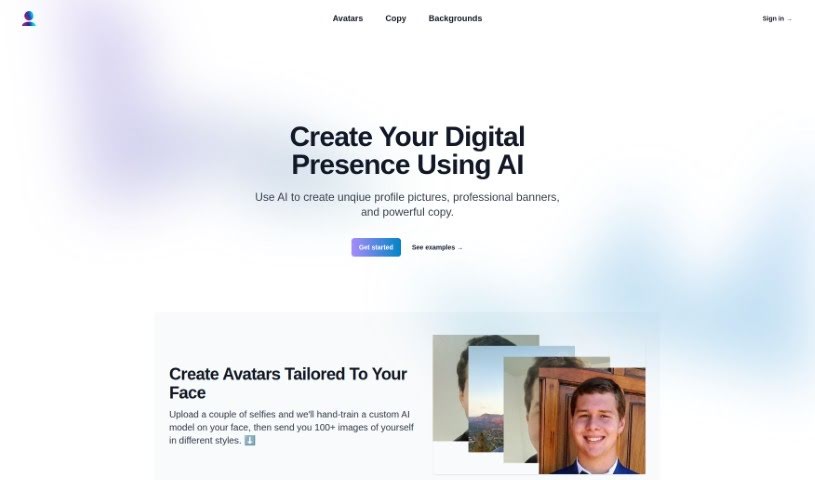
Screenshot of PicTales

PicTales

Freemium

PicTales is a really neat platform that lets you turn your photos into amazing stories using smart AI technology. You just upload your pictures, pick a story genre you like from a big list, and choose from over 100 languages to create your own unique tales. It's designed to be super easy and fun, making storytelling accessible for everyone. Here are some of the cool things it offers:

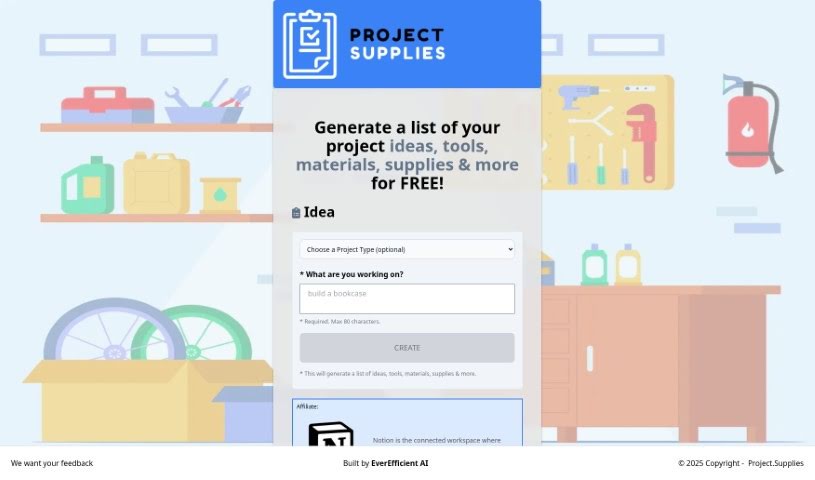
Screenshot of Pictorial

Pictorial

Freemium

Pictorial is a really neat tool that helps you create graphics for your website or blog without any fuss, all thanks to Generative AI. You just give it the web address (URL) for your site, and the AI gets to work, creating high-quality images based on what's already there. The whole idea is to make your website or blog look much better visually, and you don't need to be a designer or know fancy prompt engineering to do it. They're calling it the first AI-powered visual generator specifically for businesses, and it gives you lots of ways to make professional, eye-catching designs.

Screenshot of Pictura

Pictura

Freemium

Pictura is a handy tool designed specifically for Mac users that uses AI to make your photos and anime visuals look sharper and clearer. It's really easy to use – you can just drag and drop your images, and it loads them up quickly. Plus, it keeps your pictures safe with built-in encryption. Pictura can actually increase the resolution of your images by up to four times, bringing out finer details. It's got special AI models that are fine-tuned for both regular photos and anime art, so you get the best results no matter what you're working with.

Screenshot of Picture Perfect AI

Picture Perfect AI

Freemium

PicturePerfectAI is a really neat AI tool that lets you create your own custom, lifelike avatars. It is your personal avatar studio! You can use these avatars for all sorts of things – maybe for a virtual assistant, a friendly face for customer service, or even as a digital companion. What's great is that you get high-quality avatars, and you can even choose between SD and 4K resolutions. They offer over 100 different styles, which is a ton of variety!

Screenshot of Pictush

Pictush

Freemium

Pictush is a smart tool that uses AI to make your images better. It can do things like upscale pictures, add color to old black and white photos, and bring old pictures back to life. For instance, it can make your images up to 8 times bigger, which is pretty neat! Plus, its AI colorization feature adds really vibrant colors to monochrome photos, making them look brand new. If you've got old photos that are faded or damaged, Pictush can help restore them, improving their quality and keeping those special memories intact. It's designed to be super easy for anyone to use, not just for old photos – you can use it on any image, no matter how old or what condition it's in. They're also offering a nice 50% discount on their Basic and Professional Packages, which makes it a lot more affordable.

Screenshot of Picurious AI

Picurious AI

Freemium

Picurious AI is a way to turn your pictures into starting points for learning and discovery. It's like a guided adventure where each image opens up new knowledge, all thanks to AI. You can dive into all sorts of subjects – from math puzzles and the wonders of nature to landscape architecture, art, vehicles, and the fascinating worlds of animals and plants. Picurious AI sparks your curiosity with AI-generated questions, helping you figure out things like how to care for plants, identify different birds, recognize architectural styles, learn about rare flowers, trace the origins of coffee beans, understand what sunlight flowers need, get wine suggestions, or even discover iconic chair designers.

Screenshot of PicWish AI Photo Editor

PicWish AI Photo Editor

Freemium

PicWish AI Photo Editor is a really versatile tool for editing photos. It uses artificial intelligence to make your images look better, and it's pretty easy to use. With PicWish, you can quickly change your photos using all sorts of editing features – think filters, cool effects, and more advanced tools. The AI technology it uses is smart; it analyzes your pictures to suggest improvements. This could mean making colors pop, adjusting the lighting just right, or even cropping for a more balanced look. Plus, the interface is super user-friendly, which is great for both folks just starting out with photography and seasoned pros. It’s a handy app if you want to give your photos a boost with AI-powered editing.

Screenshot of Pincel

Pincel

Freemium

It seems there might be a slight misunderstanding, as the term "Pincel" or a specific subject by that name isn't directly mentioned in the files I have access to. Without more context about what "Pincel" refers to, or the specific area you're interested in, it's a bit tricky for me to dive into the details. If you could share a bit more information – perhaps what Pincel is used for or the context you're thinking of – I'd be happy to put together a more detailed overview for you. Just let me know!

Stay Updated with AI Tools

Get weekly updates on the latest AI tools, trends, and insights delivered to your inbox

Join 25,000+ AI enthusiasts. No spam, unsubscribe anytime.