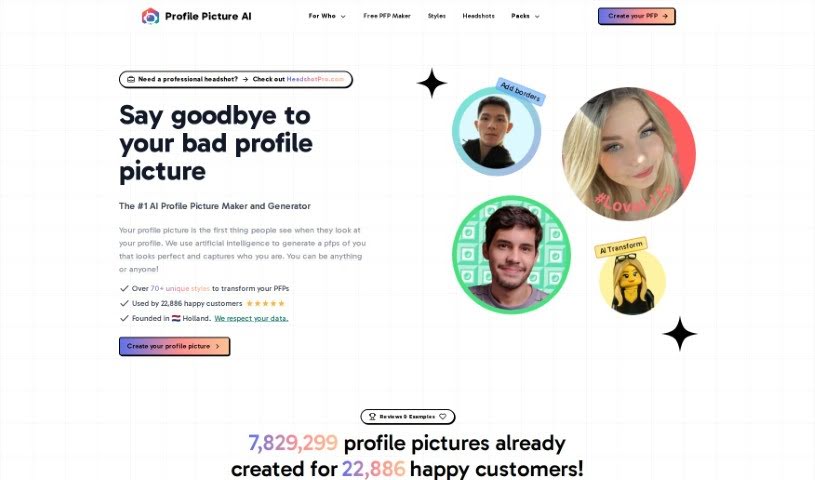
Screenshot of Profile Picture AI

Profile Picture AI

Curious about Profile Picture AI? Learn what it is and how to use it effectively in 2025. We'll explore its features and see how it stacks up against other AI image generators.

Screenshot

What Exactly is Profile Picture AI?

Profile Picture AI is a neat platform powered by artificial intelligence, created by Danny Postma, who’s a solopreneur all the way from the Netherlands. Basically, it lets you generate awesome profile pictures. All you have to do is upload a few specific kinds of photos – think close-ups, side profiles, shots from the chest up, and even full-body pictures. The more variety you offer in backgrounds and angles, the better! The service does ask that you use high-quality photos, and it’s best to go light on the makeup, as heavy makeup can sometimes get exaggerated by the AI. They also don’t allow nudes, but swimwear or underwear shots are fine. You can upload your photos in common formats like JPG, PNG, WebP, and HEIC. Your data is kept safe on servers located in the United States, and payments are handled securely through Stripe. If you need one, you can also request an invoice for your purchase. And if you’re not happy, there’s a refund option within the first 14 days. Once you’ve got your new pictures, you’re free to use them however you like – whether it’s for social media, your website, business cards, or even personal use like on dating profiles.

Who’s Behind Profile Picture AI?

Danny Postma, a solopreneur from the Netherlands, is the creative mind behind Profilepicture.ai. Before diving into this project, Danny also founded Headlime.com, which was later acquired by Jasper.AI, a major player in the AI copywriting world. He built Profilepicture.ai entirely on his own, without any outside investors, which means there’s no external influence on how user data is handled. The company itself, Postcraft PTE LTD, is based in Holland, and they take data security seriously, storing information on secure servers in the United States.

Who Would Find Profile Picture AI Useful?

This tool is a great fit for a variety of people, including:

  • Photographers
  • Models
  • Entrepreneurs
  • Content creators
  • Social media influencers
  • Business professionals

How Do I Use Profile Picture AI?

Getting started with Profilepicture.ai is pretty straightforward. Just follow these simple steps:

  1. Upload Your Photos: Start by uploading a good selection of your photos. Make sure to include different types like close-ups, side profiles, chest-up shots, and full-body pictures. It’s really helpful if you can provide a range of facial expressions, different locations, varied backgrounds, and diverse perspectives.
  2. Focus on Quality and Makeup: When you’re picking your photos, aim for high quality. It’s also a good idea to avoid heavy makeup, as the AI might exaggerate it. While nudes aren’t permitted, photos in swimwear or underwear are acceptable.
  3. Data Security is Key: Rest assured, your data is stored securely. They use trusted third-party partners to keep your information safe on servers located in the United States.
  4. Secure Payment and Refunds: Payments are processed safely and securely through Stripe. If you decide it’s not for you, you can request a refund within 14 days of your purchase, as long as you haven’t started the AI training process yet.
  5. Invoices and Photo Usage: Need an invoice? You can easily request one for your purchase. And once you have your generated photos, you’re free to use them anywhere you like – from your social media feeds to your personal website or even dating profiles.
  6. Explore Styles and Pricing: You’ll have options to choose from different style packages – like a small set, an XL set, or access to all styles – so you can pick what best suits your preferences and budget.
  7. See What Others Are Saying: Thousands of customers have already found great value in this service, collectively creating over seven million profile pictures! It seems to be a popular choice.
  8. AI Generation and Data Deletion: The AI model learns from the photos you provide, and then it generates avatars based on the styles you select. Your data and the trained models are typically deleted within 7 days, unless you opt to delete them immediately.

By taking these steps, you can easily create a personalized and professional-looking profile picture using the AI-powered features of Profilepicture.ai.

Related AI Tools

Discover more tools in similar categories that might interest you

123RF AI Image Generator

Creative Image Generation
Learn More

Stay Updated with AI Tools

Get weekly updates on the latest AI tools, trends, and insights delivered to your inbox

Join 25,000+ AI enthusiasts. No spam, unsubscribe anytime.