AI Tools for Text To Speech

Discover the best Text To Speech AI tools to enhance your productivity and creativity.

Page 8 of 9 • 101 total tools

In today’s digital world, making content accessible is more important than ever. Text-to-speech (TTS) technology has become an essential tool, letting people consume written content easily. Whether it’s eBooks or online articles, turning text into natural-sounding speech helps everyone, especially those with visual impairments or learning differences.

What used to be a niche tool is now a sophisticated option. Today’s AI-powered TTS solutions don’t just read text; they adapt to different situations and tones. The quality has improved dramatically, making them great for casual listening or professional narration.

After trying out a bunch of text-to-speech tools, I’ve put together a list of some of the best ones. Each tool has unique features that can help you connect with your audience or just enjoy a book without having to read it yourself.

If you’re looking to improve your listening experience or need a helpful tool for reading, you’ve come to the right place. Here are the top text-to-speech tools worth checking out.

The best AI Text To Speech Tools

  1. ElevenLabs: Great for voiceovers for e-learning content.
  2. Speechify: Perfect for reading audiobooks seamlessly.
  3. NaturalReader: Helps enhance learning with spoken content.
  4. Narakeet: Use it to generate lifelike voiceovers for videos.
  5. PlayHT: Ideal for audiobooks and narratives.
  6. Ttsmaker: Good for narrating e-learning content.
  7. tts MP3.com: Useful for voiceovers for multimedia projects.
  8. Top Mediai: Offers natural voice narration for videos.
  9. Murf.ai: Excellent for interactive e-learning narration.
  10. Fake You: Converts text to lifelike speech.
  11. Voicemaker: Provides dynamic voiceovers for educational apps.
  12. TTS Reader: Reads ebooks aloud for convenience.
  13. Speechgen.io: Enhances presentations with audio narration.
  14. Resemble AI: Offers real-time narration for audiobooks.
  15. ReadSpeaker: Provides accessible reading for diverse audiences.

How do AI text to speech tools work?

AI text-to-speech (TTS) tools convert written text into spoken words using advanced algorithms and models. At their heart are neural networks trained on huge amounts of vocal data. This training helps them understand and copy human speech patterns, accents, and intonations, making the generated voices sound more and more lifelike.

When you input text, the TTS system first analyzes it to grasp its structure. It looks at punctuation, sentence length, and word context to figure out the right rhythm and intonation, known as prosody. This ensures the generated audio sounds natural and flows well, rather than robotic.

After analyzing the text, the system uses a vocoder to create the audio. This step involves generating sound waves that mimic how human voices produce sound. It considers how phonemes—the basic units of sound—combine to form words. The result is audio that captures the natural flow of human speech.

Many TTS tools also let you customize settings like pitch, speed, and voice style. This flexibility means you can choose from different voices, including male and female options, various accents, and even different age ranges. This adaptability suits many uses, from virtual assistants to audiobooks.

Plus, TTS technology is always getting better. Innovations like deep learning and neural TTS are improving the quality and emotional range of synthesized speech. As these advancements continue, the difference between machine-generated speech and human voices will become even smaller, making TTS tools more versatile and engaging.

Our best AI text to speech tools at a glance

RankNameBest forPlans and PricingRating
1ElevenLabsvoiceover for e-learning content.N/A4.83 (29 reviews)
2Speechifyreading audiobooks seamlessly.N/A4.80 (54 reviews)
3NaturalReaderenhance learning with spoken content.N/A4.75 (44 reviews)
4Narakeetgenerate lifelike voiceovers for videos.N/A4.72 (18 reviews)
5PlayHTaudiobooks and narrativesN/A4.59 (27 reviews)
6Ttsmakere-learning content narrationN/A4.60 (5 reviews)
7ttsMP3.comvoiceovers for multimedia projectsN/A4.64 (11 reviews)
8TopMediainatural voice narration for videosPaid plans start at $Free/month.3.86 (7 reviews)
9Murf.aiinteractive elearning narrationN/A4.64 (11 reviews)
10FakeYouconverting text to lifelike speechN/A4.82 (11 reviews)
11Voicemakerdynamic voiceovers for educational appsPaid plans start at $50/year.4.55 (11 reviews)
12TTS Readerreading ebooks aloud for convenienceN/A4.79 (14 reviews)
13Speechgen.ioenhancing presentations with audio narration.Paid plans start at $0.08/per 1000 characters.4.73 (11 reviews)
14Resemble AIreal-time narration for audiobooksN/A4.64 (22 reviews)
15ReadSpeakeraccessible reading for diverse audiences.N/A4.72 (72 reviews)
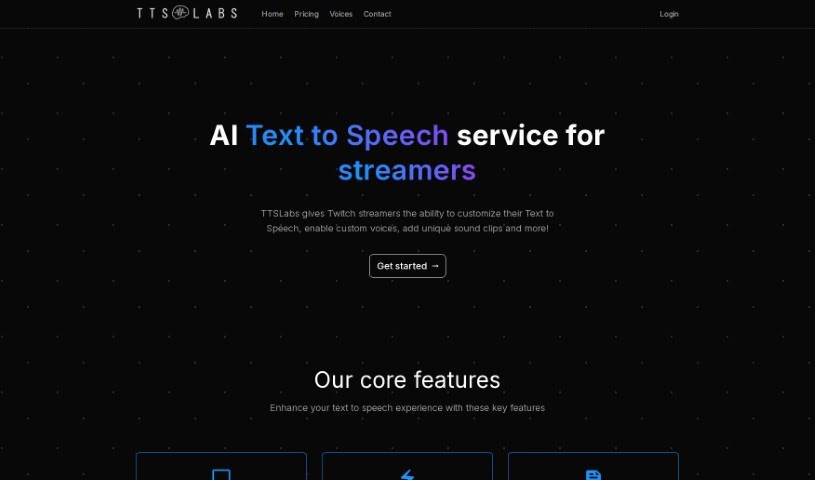
Screenshot of TTSLabs

TTSLabs

Freemium

TTSLabs offers a few different subscription plans, letting you access custom voices and voice alerts. Their free plan is pretty generous, giving you over 80 custom voices, support for things like Tips and Bits, advanced profanity filters, and 400 AI voice alerts each month. You also get 10 enabled voices, 25 enabled sound clips, customer support, early access to new voices, priority processing, and extended alert support for Raids and Hosts. If you need more, the Pro plan costs $25 a month and bumps things up with unlimited AI voice alerts, unlimited enabled voices, and unlimited enabled sound clips, plus priority customer support and that extended alert support for Raids/Hosts.

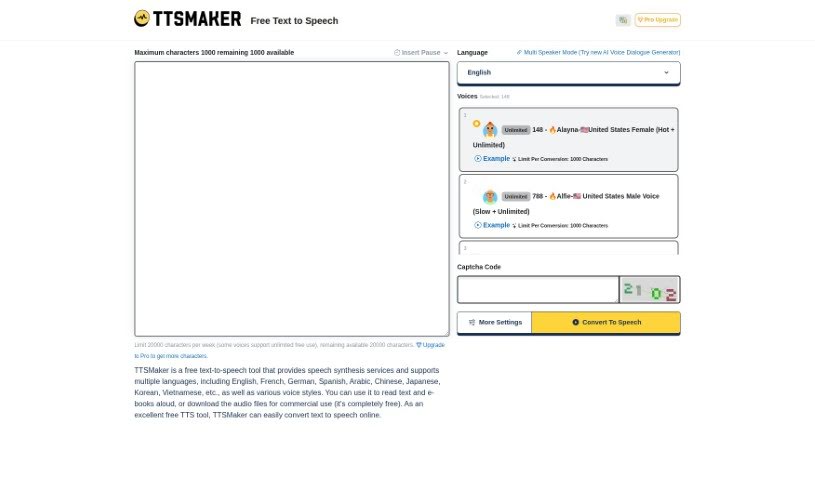
Screenshot of Ttsmaker

Ttsmaker

Freemium

Ttsmaker is a fantastic free online tool that turns text into speech. It boasts over 200 different AI voices across a wide array of languages, including English, French, German, Spanish, Arabic, Chinese, Japanese, Korean, and many more. You can pick from various voice styles to have your text or even your e-books read aloud. Plus, you have the option to download the audio files that are created. The best part? Ttsmaker doesn't ask for any registration or payment, so you can use it online for free, whenever you need it.

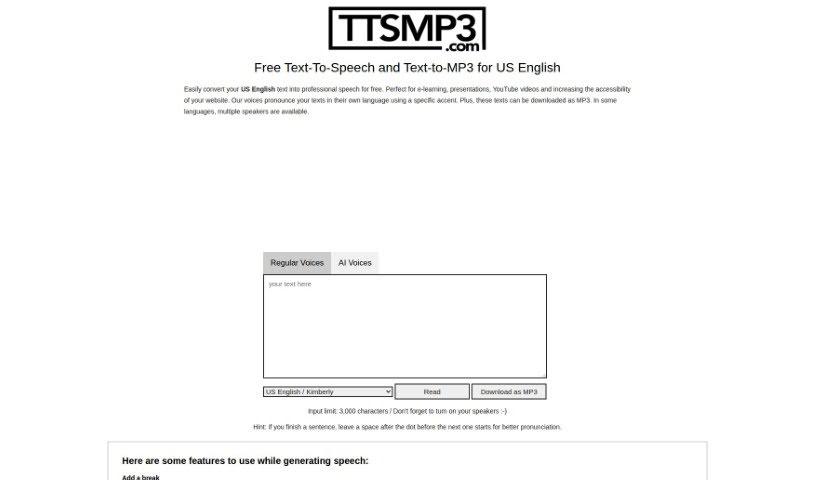
Screenshot of ttsMP3.com

ttsMP3.com

Freemium

TtsMP3.com is a text-to-speech service that makes converting text into natural-sounding speech super easy. It supports many languages, including US English, and offers a variety of voices and accents. You can download your spoken text as MP3 files, which is really handy. Plus, it's packed with features like voice customization, adding breaks, emphasizing words, controlling speed, adjusting pitch, and even creating whispered speech. The service runs on AWS Polly, giving free users a daily limit of about 375 words or 3,000 characters. If you need more, they offer premium access. It’s a fantastic tool for anyone creating audio for e-learning, presentations, YouTube videos, or anything else that needs a professional voiceover.

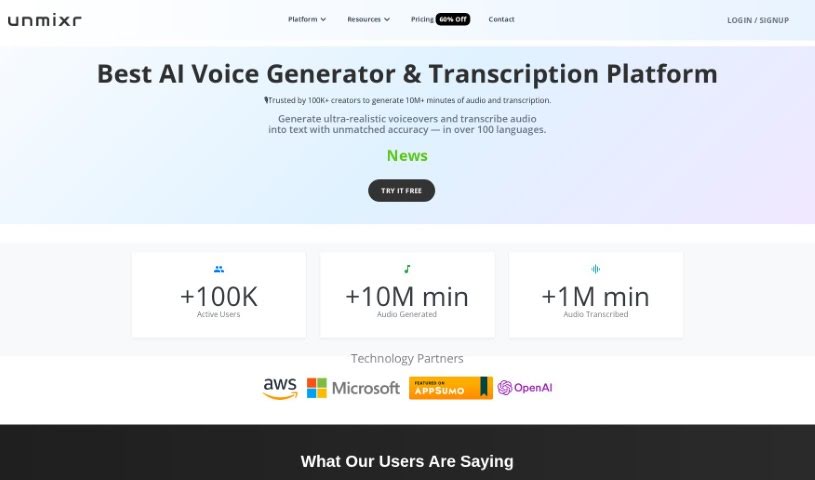
Screenshot of Unmixr

Unmixr

Freemium

UnmixrAI is a really comprehensive suite of AI tools. It is a one-stop shop for creators, offering AI Voiceover, Audio/Video Dubbing, AI Chat, and Copywriting tools all in one place. What's cool is you can customize speaking styles, adjust pitch, and tweak the speaking rate to get just the right sound. It even offers emotion-based AI text-to-speech, giving you a massive selection of 1,000 unique AI voices across 104 languages and 155 accents. Plus, its transcription accuracy is super high, around 99%, which is pretty impressive.

Screenshot of Unreal Speech

Unreal Speech

Freemium

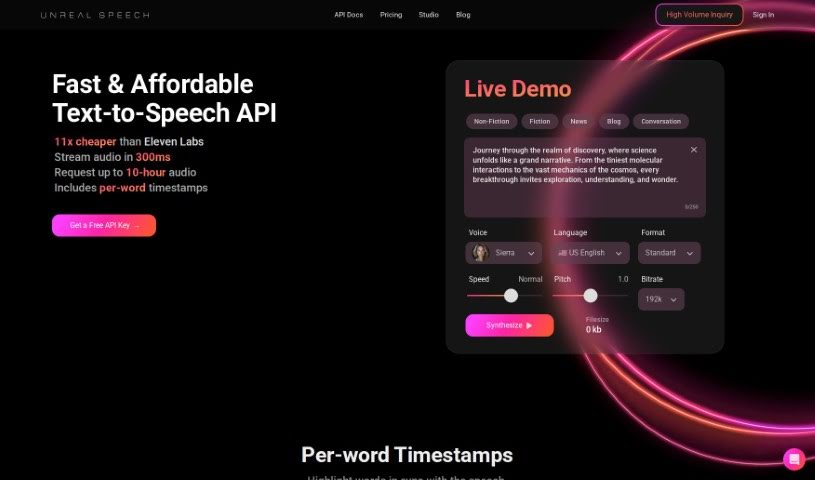
Unreal Speech is a text-to-speech API solution that really stands out for being affordable. Compared to big names like Eleven Labs, Play.ht, Amazon, Microsoft, and Google, it offers a much better price point. You can convert up to 500,000 characters – that’s about 10 hours of audio – in just 15 minutes. Plus, they make it easy to manage your subscription, join their affiliate program, and use the audio you create for commercial purposes. They have different plans that adjust based on how many characters you need and how much audio you want to generate. Basically, Unreal Speech is known for delivering quality and being a budget-friendly way to get text-to-speech.

Screenshot of Verbatik

Verbatik

Freemium

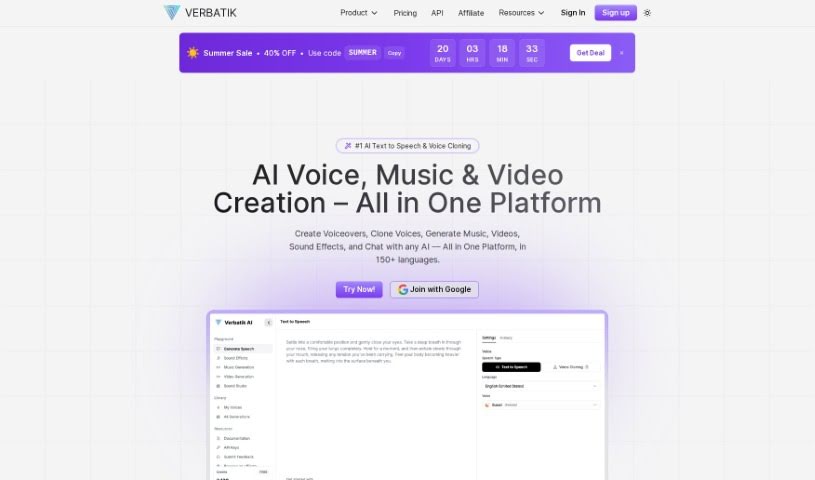
Verbatik is a sophisticated AI platform that specializes in text-to-speech and voice cloning. It's pretty impressive, offering voice generation in 142 different languages. You get access to over 300 incredibly realistic text-to-speech voices, which means you can create top-notch AI voiceovers for all sorts of projects. The platform is designed to be super user-friendly, making text-to-voice conversion a breeze. You can easily customize voices by picking characteristics like gender and age, and you have fine-grained control over pacing, tone, and even emphasis. Want to add a bit more flair? Verbatik lets you layer in background music and ambient sound effects to really make your audio pop. This makes it a fantastic choice for a wide range of applications across many different industries. Plus, they're always adding new voices to their library, so you're sure to find options that are accurate, sound natural, and flow smoothly – the result? Voiceovers that sound remarkably human.

Screenshot of Veritone Voice

Veritone Voice

Freemium

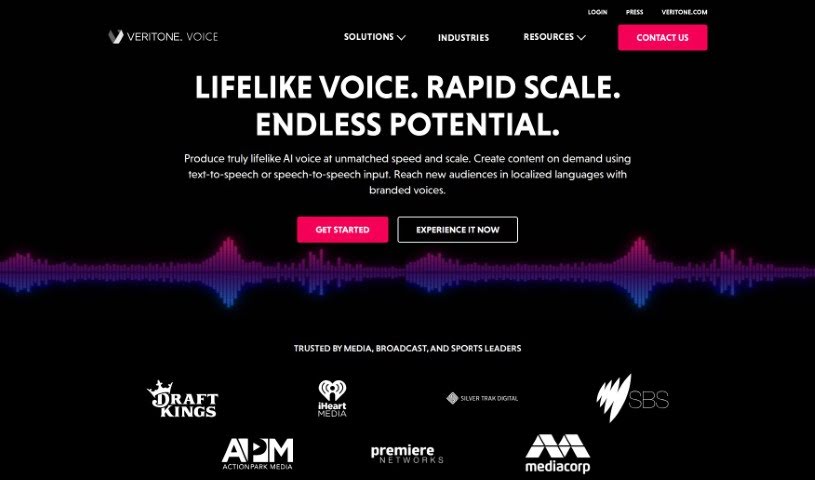
Veritone Voice is a sophisticated AI solution designed to create and manage incredibly realistic synthetic voices. It is a powerful tool for generating voice content, whether you're turning text into speech or even transforming one voice into another. It does this by building custom voice models, essentially teaching the AI to mimic specific vocal characteristics. This means you can clone voices – even those of well-known figures like celebrities, provided you have their consent, of course – and then use them to create content whenever you need it, in all sorts of languages.

Screenshot of Voicemailcraft

Voicemailcraft

Freemium

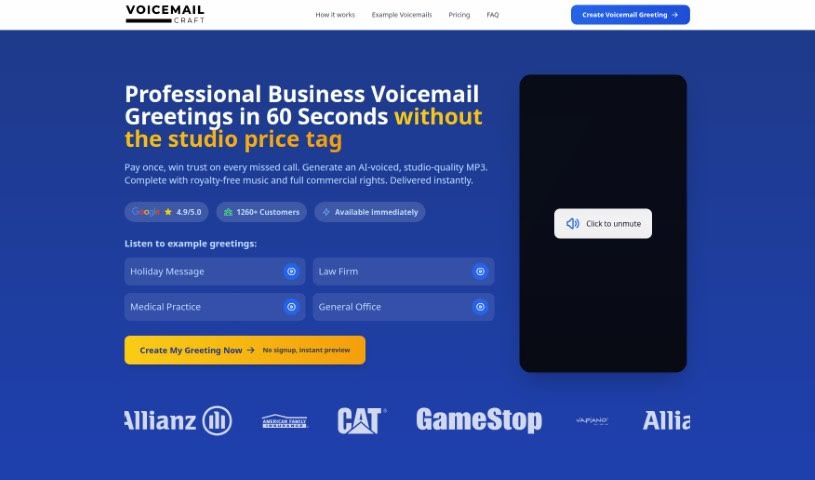
VoiceMailCraft is a platform that lets you create custom voicemail greetings with a personal touch, perfect for both individuals and businesses. You'll find handy features like an easy-to-use voicemail maker, text-to-speech conversion, male voice options, and AI-generated greetings. Basically, it's all about giving you professional, tailored voicemail messages.

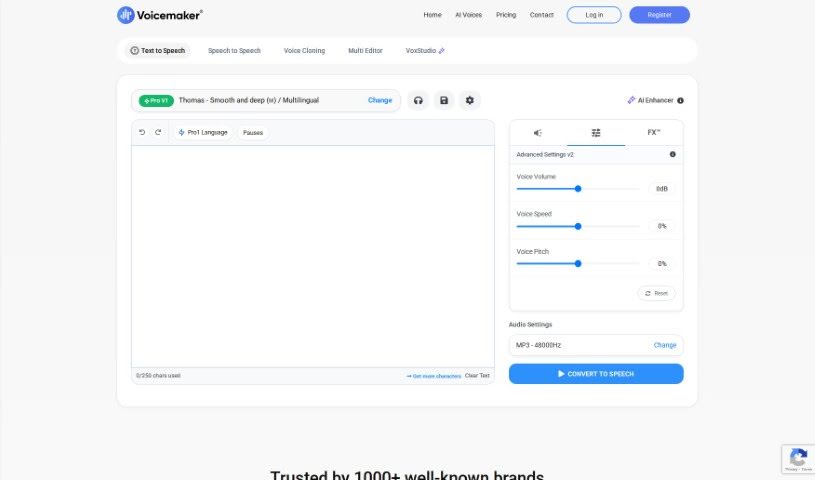
Screenshot of Voicemaker

Voicemaker

Freemium

Voicemaker is an online tool that turns text into speech. It uses really advanced AI to create voices that sound incredibly human and natural. You've got a huge selection here – over 1000 AI voices across 130 languages! This makes it super handy for all sorts of audio projects, whether you're making voiceovers for videos, narrating audiobooks, or something else entirely. You can pick voices from different languages and styles, and then download your audio as MP3 or WAV files. This makes it easy to pop them right into your multimedia projects. Voicemaker is designed for everyone, from individuals to businesses, offering high-quality AI voices that are crafted to sound like real people, complete with natural speech patterns and emotions. It really aims to give you an authentic listening experience.

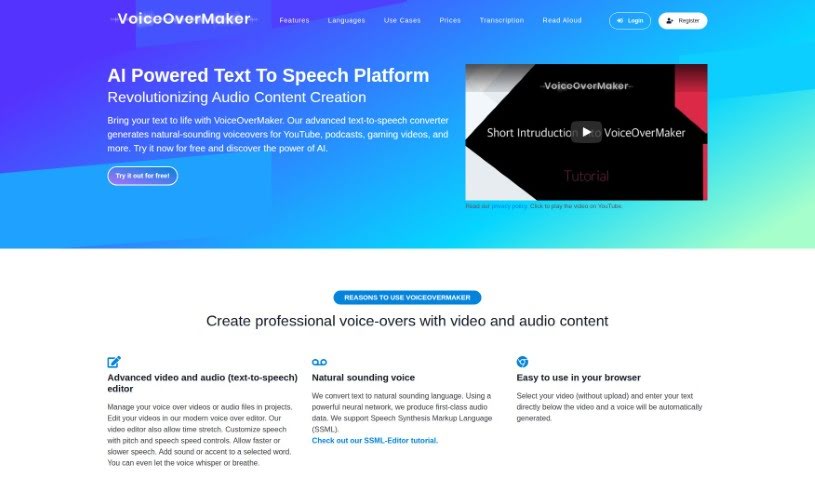
Screenshot of VoiceOverMaker

VoiceOverMaker

Freemium

VoiceOverMaker is a really handy tool for making great voiceovers for all sorts of projects. It's super easy to use, letting you generate natural-sounding speech with its advanced text-to-speech technology. You can tweak things like voice tone, how words are pronounced, and the speaking speed to get exactly what you need. This is a lifesaver for anyone creating content, running marketing campaigns, or just needing professional narration for their business, without the hassle or cost of hiring voice actors or buying fancy recording gear. VoiceOverMaker makes creating engaging audio content simple and efficient.

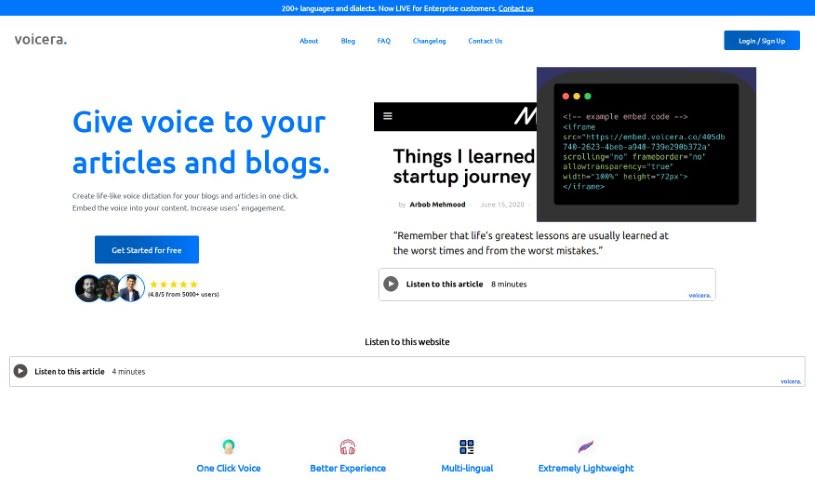
Screenshot of Voicera

Voicera

Freemium

Voicera is a really neat tool that turns your written content into audio that sounds natural and engaging. It's perfect for bloggers, content creators, and anyone who owns a website. It makes it super easy to convert articles and blog posts into voiceovers that people will actually want to listen to. This is fantastic because it opens up your content to a much wider audience – think visually impaired individuals or people who just prefer listening while they're on the go. Plus, it's a great way to keep people on your site longer and improve your overall engagement. Voicera uses some pretty advanced text-to-speech tech to give you high-quality audio, so you can enjoy your content anywhere. It also helps break down language and literacy barriers by offering lifelike AI voices that can even translate text in real-time.

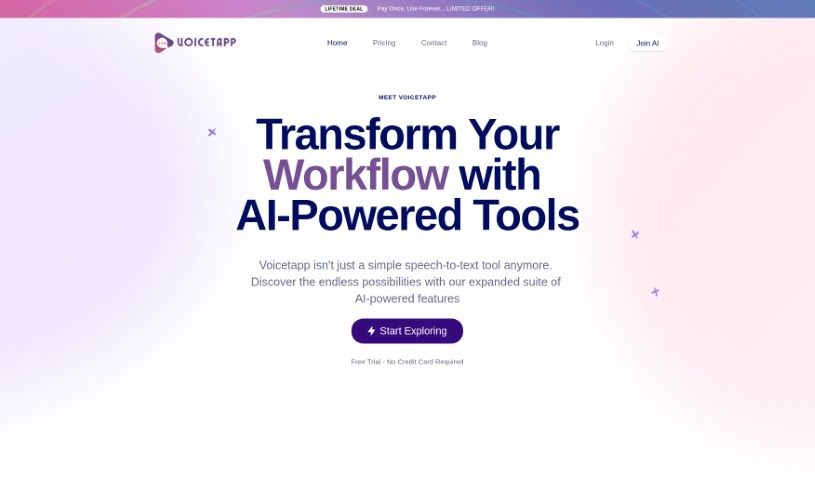
Screenshot of Voicetapp

Voicetapp

Freemium

Voicetapp is a sophisticated cloud-based AI software that's really good at speech-to-text transcription. It converts voice, audio, and video into text using top-notch speech recognition technology, giving you high-quality transcriptions. What's great is that it supports over 170 languages and dialects, so it's ready for pretty much anyone, anywhere. A standout feature is its speaker identification, which can tell apart up to 5 different speakers in an audio file. Plus, it offers live transcription services for real-time text in 12 languages. You can easily upload audio files in formats like MP3, OGG, WAV, WEBM, MP4, and FLAC. You can jump right in and start using Voicetapp, or give it a free spin to see just how accurate its transcriptions are.

Stay Updated with AI Tools

Get weekly updates on the latest AI tools, trends, and insights delivered to your inbox

Join 25,000+ AI enthusiasts. No spam, unsubscribe anytime.