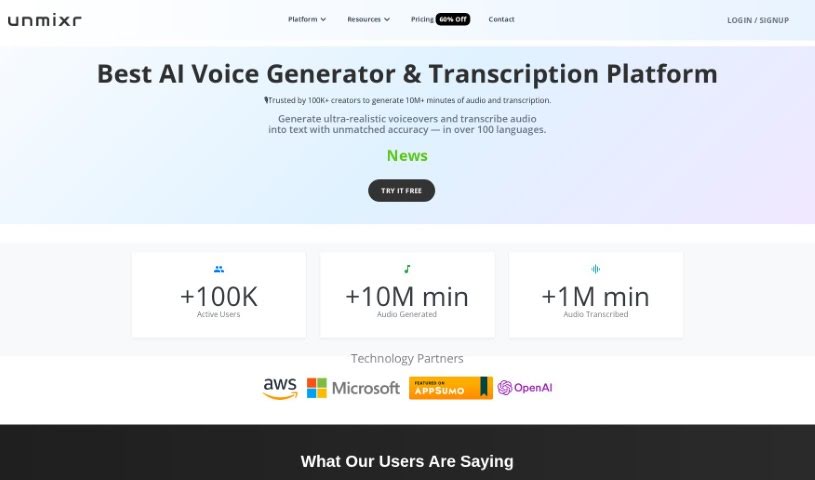
Screenshot of Unmixr

Unmixr

Discover what Unmixr is and how to use it effectively in 2025. We'll explore its features and see how it stacks up against other Text-to-Speech tools.

Screenshot

What is Unmixr?

UnmixrAI is a really comprehensive suite of AI tools. It is a one-stop shop for creators, offering AI Voiceover, Audio/Video Dubbing, AI Chat, and Copywriting tools all in one place. What’s cool is you can customize speaking styles, adjust pitch, and tweak the speaking rate to get just the right sound. It even offers emotion-based AI text-to-speech, giving you a massive selection of 1,000 unique AI voices across 104 languages and 155 accents. Plus, its transcription accuracy is super high, around 99%, which is pretty impressive.

Basically, Unmixr is designed to make creative workflows smoother for anyone making content – whether you’re a creator, influencer, digital marketer, educator, or entrepreneur. It lets you enhance your content effortlessly and customize it endlessly.

People who’ve used Unmixr really seem to love its features. They often mention the huge variety of realistic voices, how easy it is to blend different voices into their projects, and the control they have over voice intensity for a truly personalized experience. It’s been a game-changer for educational projects, documentary filmmaking, and all sorts of creative ventures, really transforming how people approach voice work and content creation.

Beyond voice, Unmixr packs in a lot more. You can generate content, create voiceovers, dub videos, have chatbot conversations, transcribe audio, generate images from text, and use a chat editor. It truly acts as an all-in-one platform for content creators, offering reliable and valuable services to boost creativity and productivity. They pride themselves on high-quality content, customizable voiceovers, personalized chat interactions, and making content drafting a breeze.

So, to sum it up, UnmixrAI is a super versatile and innovative tool. It really empowers users to create engaging, customized content efficiently, making it a genuinely valuable asset for all sorts of projects and creative ideas.

Who created Unmixr?

Unmixr was developed by a company that specializes in AI Chat & Copywriting tools. They offer a wide range of features, including dubbing in many languages, access to AI chat and copywriting tools, and transcription services, among others. The company provides different subscription plans to suit various user needs, with options for standard, premium, and pro levels, each having different pricing and feature sets. This platform first launched on July 22, 2023.

What is Unmixr used for?

Unmixr is incredibly versatile and can be used for a lot of different things:

  • Generating subtitles for videos.
  • Creating content automatically.
  • Producing voiceovers for audio and video projects.
  • Converting text to speech with styles you can customize.
  • Generating and rewriting content.
  • Improving content effortlessly.
  • Having AI chatbot interactions.
  • Using an AI writing editor.
  • Generating images from text prompts.
  • Transcribing content efficiently.
  • Using AI Templates to help draft content.
  • Creating AI voices for educational projects.
  • Generating text-to-voice for documentary film projects.
  • Enhancing creative projects using AI technology.
  • Making content creation and customization feel effortless.
  • Streamlining your creative workflow.
  • Quickly drafting content with AI’s help.
  • Turning text into images.
  • Generating high-quality visuals.
  • Transcribing and summarizing content.

Who is Unmixr for?

Unmixr is a great tool for a variety of professionals and creatives:

  • Writers
  • Content creators
  • Influencers
  • Digital marketers
  • Educators
  • Entrepreneurs
  • Voiceover Artists

How to use Unmixr?

Using Unmixr is pretty straightforward. Here’s a general idea of how to get started, especially for dubbing:

  1. First, you’ll want to upload your audio or video file that needs dubbing.
  2. Next, transcribe the file. You can then edit this transcription to make sure it’s perfectly accurate.
  3. After that, translate the transcription into whichever language you need.
  4. Then, pick the right voice for the speakers in your content.
  5. Finally, generate the dubbed version of your content.

If you’re using Unmixr’s AI voiceover tool specifically, here’s what you can expect:

  • You get access to a huge library of 1,000 unique AI voices.
  • You can customize the speaking style, pitch, and rate to create really personalized voiceovers.
  • You’ll benefit from almost 99% transcription accuracy, and the transcription process itself is fast.
  • Plus, there are features like automatic text summaries, automated content generation, and tools for drafting long-form content, among others.

Unmixr also offers different pricing plans. They often have discounts if you sign up for longer subscriptions, and they provide a 7-day free trial. Plus, there’s a 30-day money-back guarantee, so you can try it out with confidence. You can easily change or cancel your plan whenever your needs change.

Related AI Tools

Discover more tools in similar categories that might interest you

Stay Updated with AI Tools

Get weekly updates on the latest AI tools, trends, and insights delivered to your inbox

Join 25,000+ AI enthusiasts. No spam, unsubscribe anytime.