AI Tools for Short Video Makers

Discover the best Short Video Makers AI tools to enhance your productivity and creativity.

Page 1 of 3 • 36 total tools

Creating short videos has never been easier. With platforms like TikTok and Instagram Reels becoming so popular, there’s a huge demand for snappy, engaging video content. But while many of us have footage and ideas, turning them into polished videos can take a lot of time. That’s where AI short video makers really shine.

These smart tools use artificial intelligence to simplify the video creation process. They can help with everything from editing clips to suggesting music, letting you craft eye-catching videos much faster than before.

As more and more options pop up, the market’s getting really competitive. The best AI short video makers offer easy-to-use interfaces, smart editing features, and lots of assets to make your content stand out.

I spent weeks exploring and testing a bunch of these tools to find the most impressive ones. Whether you’re a creator looking to boost your social media or just want to relive some memories, this guide will help you find the right AI short video maker for you. Let’s get started!

The Best AI Short Video Makers

  1. Vizard AI: Great for crafting eye-catching clips for social media.
  2. Submagic: Effortlessly create engaging short videos.
  3. Ssemble: Turn long videos into engaging shorts.
  4. 2Short AI: Maximize impact with quick edits.
  5. Send Short: Edit and share short videos with ease.
  6. Vidyo AI: Simplify sharing videos across multiple platforms.
  7. Klap: Quickly turn YouTube content into viral shorts.
  8. Crayo AI: Effortlessly craft eye-catching TikTok clips.
  9. Syllaby: Create captivating shorts easily.
  10. Woxo Short: Make quick edits for catchy social clips.
  11. Wisecut: Streamline edits for quick content sharing.
  12. Powder: Simplify creating catchy social clips.
  13. AI Video Cut: Streamline edits for engaging clips.
  14. Get Munch: Turn videos into captivating shorts.
  15. Flowjin: Transform long videos into catchy shorts.

How Do AI Short Video Makers Work?

AI short video makers use advanced algorithms and machine learning to make video creation simpler. They look at what you input—like text prompts, images, and existing video clips—to create coherent and visually appealing content. At their core, these tools rely on huge datasets of multimedia elements. This helps them understand how stories are told and how visuals work together.

When you give the AI a prompt, it processes it to figure out the main themes and styles. Using deep learning, it predicts how to edit, sequence, and improve the footage to tell a specific story effectively. This means it not only recognizes what’s already there but can also generate new visuals that fit what you need.

Many of these platforms include pre-made templates and assets to make editing easier. You can pick from a library of clips, music, and effects, which lets you customize things quickly. This means you don’t need a lot of editing experience, making video creation accessible to everyone, from marketers to hobbyists.

Collaboration is also a key feature in AI short video makers. They often let multiple people work together in real-time, offering comments and edits to improve the final product. This teamwork boosts creativity and helps make sure the output meets everyone’s goals.

As AI technology keeps advancing, these tools get better at understanding what users want and improving video quality. By learning from how people use them and what they prefer, they consistently offer more helpful suggestions and features, making the video-making experience faster and more intuitive.

Ultimately, AI short video makers are changing how content is made. They blend automation with your creativity, letting you easily produce engaging videos perfect for different platforms and audiences.

Our Best AI Short Video Makers at a Glance

RankNameBest ForPlans and PricingRating
1Vizard AICrafting eye-catching clips for social mediaN/A4.75 (20 reviews)
2SubmagicEffortlessly craft engaging short videos.Paid plans start at $50/month.4.82 (11 reviews)
3SsembleTransform long videos into engaging shorts.Paid plans start at $30/month.4.98 (40 reviews)
42Short AIMaximize impact with quick editsN/A4.25 (12 reviews)
5SendShortEffortless short video editing and sharingN/A5.00 (30 reviews)
6Vidyo AIStreamline multi-platform video sharing.Paid plans start at $29.99/month.4.80 (25 reviews)
7KlapTransform YouTube into viral shorts quickly.Paid plans start at $29/month.4.82 (11 reviews)
8Crayo AIEffortlessly craft eye-catching TikTok clips.N/A4.70 (10 reviews)
9SyllabyCreate captivating shorts easily.N/A4.82 (11 reviews)
10Woxo ShortQuick edits for catchy social clips.N/A4.73 (70 reviews)
11WisecutStreamlining edits for quick content sharing.N/A4.69 (13 reviews)
12PowderStreamline creating catchy social clips.N/A4.73 (11 reviews)
13AI Video CutStreamline edits for engaging clips.N/A4.69 (13 reviews)
14Get MunchTransform videos into captivating shorts.N/A4.76 (34 reviews)
15FlowjinTransforming long videos into catchy shortsN/A4.81 (32 reviews)
Screenshot of 2Short AI

2Short AI

Freemium

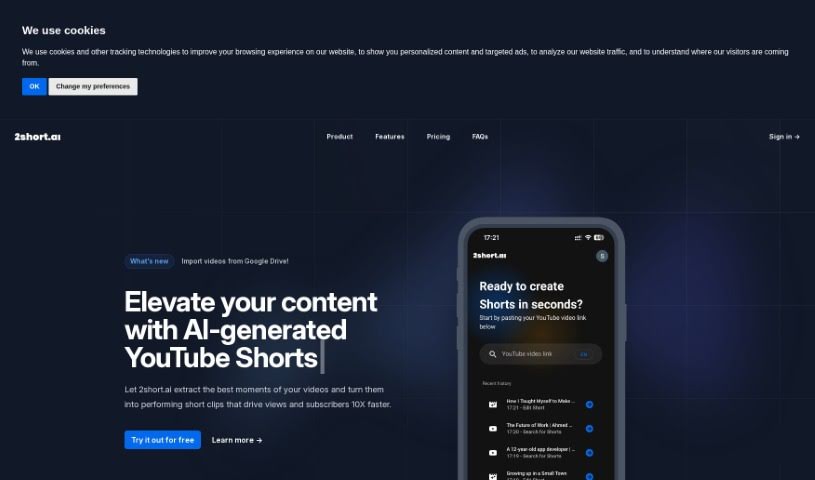
2short.ai is your go-to AI assistant for creating those super engaging short videos you see everywhere – you know, the ones for YouTube Shorts, TikTok, and Reels. This tool is really good at pulling out the most interesting bits from your longer videos, turning them into clips that grab attention and help you get more views and subscribers, fast. It makes it so much simpler to reuse your existing content by smartly finding the most captivating parts. Some of the standout features include its center stage facial tracking, which keeps the speaker in focus, one-click animated subtitles that look great, unlimited exports in high quality, and a variety of aspect ratios to fit any platform. Plus, it offers advanced editing tools and brand presets to keep your look consistent. It’s designed to be really easy to use and comes with affordable pricing, making it a fantastic tool for anyone looking to boost their channel and cut down on editing time.

Video Generation View Tool →
Screenshot of AI Video Cut

AI Video Cut

Freemium

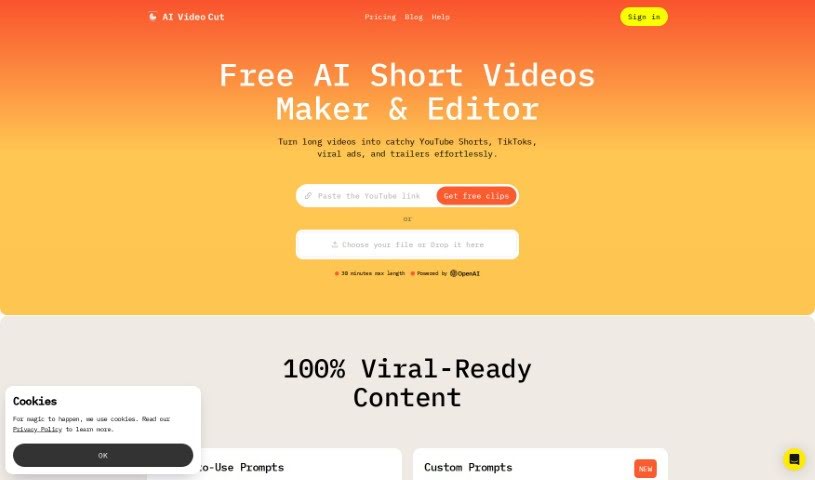
AI Video Cut is your go-to tool for transforming lengthy videos into bite-sized content. Whether you need a catchy trailer, a quick short, or an engaging video ad, this tool can do it. It's designed with today's audiences in mind, who often consume content quickly on platforms like YouTube, TikTok, and various ad channels. What's neat is that it handles conversational English really well. You can also tell it how long you want your clips to be, choosing from options like 5, 10, or 20 phrases. Plus, it boasts impressive transcription accuracy, thanks to some smart AI prompting. Looking ahead, AI Video Cut is planning to add even more useful features, like letting you export your clips in different aspect ratios and a handy Telegram bot so you can clip videos easily right from your phone.

Video Generation View Tool →
Screenshot of Aico

Aico

Freemium

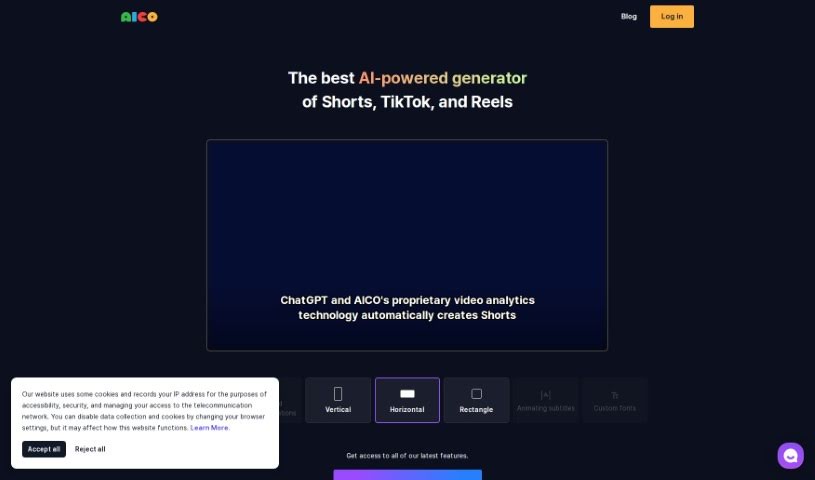
AICO is an AI tool designed to make creating shorts from YouTube videos much simpler. With AICO, you can easily generate AI-edited shorts and AI subtitles in just three clicks. This tool comes with a bunch of features to help you create better videos. For instance, it can detect foreign languages, translate them automatically, suggest the best areas to crop for face positions, and even let you include YouTube comments right in your shorts. Plus, AICO can tell different speakers apart and offers AI title suggestions, which could help you come up with engaging titles that draw more viewers to your channel. There's also a mobile app available, so you can easily create vertical videos on your phone that work seamlessly with the AICO platform on your PC.

Video Generation View Tool →
Screenshot of Choppity

Choppity

Freemium

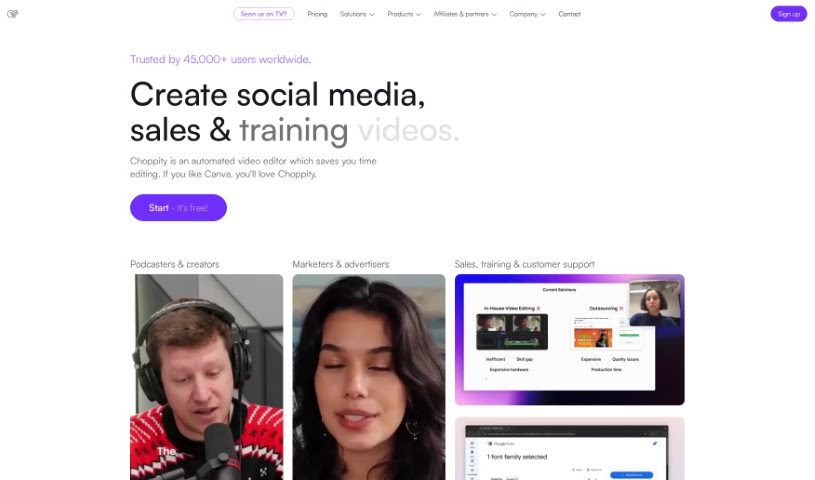
Choppity is a video editing tool that uses AI to quickly turn your longer videos into engaging clips perfect for social media. It's packed with features designed to make your life easier. Think 'magic clips™' that automatically find the most interesting parts of your video, background effects (VFX) to make your text, images, or b-roll look professional, and even profanity censoring to keep your content social media-friendly. You can also add custom captions with your own fonts and styles, plus music and sound effects. If you like having more control, there's a timeline editor too. People who've used it really like how much time it saves and how easy it is to use. Plus, they emphasize that while the AI does a lot, they also offer great human customer support.

Video Generation View Tool →
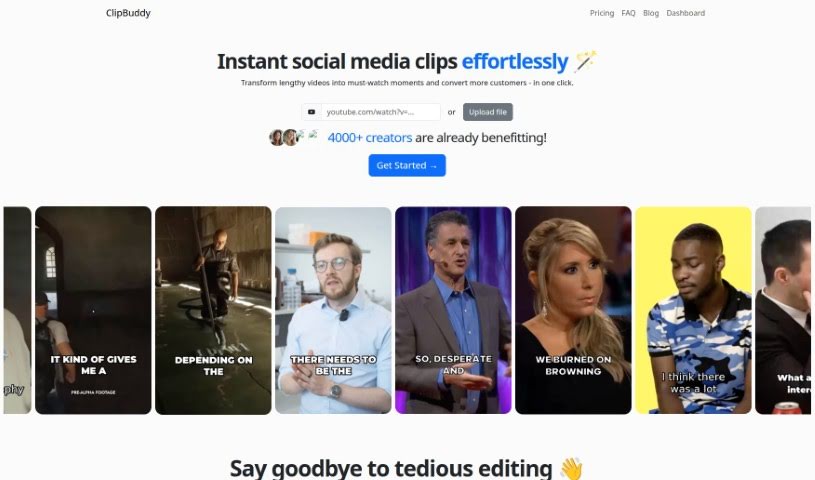
Screenshot of ClipBuddy

ClipBuddy

Freemium

ClipBuddy is a handy tool designed to help you turn those long videos into short, snappy clips that are perfect for social media. Think TikTok, Instagram Reels, YouTube Shorts, Facebook, LinkedIn, and Snapchat – ClipBuddy makes your content shine on all of them. It uses AI to find the most interesting moments in your videos, adds dynamic captions to grab attention, makes sure the transitions between visuals and audio are super smooth, and automatically resizes your videos to the ideal 9:16 format.

Video Generation View Tool →
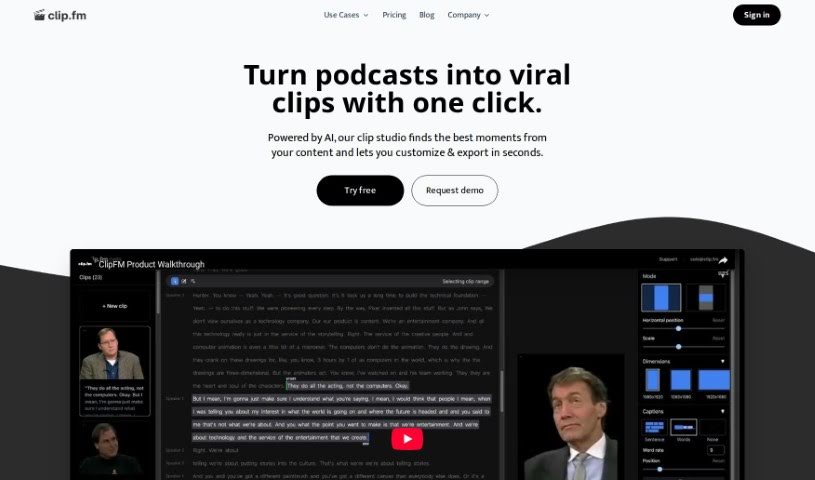
Screenshot of ClipFM

ClipFM

Freemium

ClipFM is a really smart AI tool built to help creators and podcasters easily turn long videos into catchy short clips, perfect for social media. It uses AI to find the most interesting parts of your videos, so you can tweak them and share them in just minutes. This platform is great for podcasters, editors, marketers, agencies, and studios – it's a much more affordable way to get clips than hiring traditional editing services. Plus, its easy-to-use interface lets you fine-tune the AI's clip selections to make sure they're exactly how you want them.

Video Generation View Tool →
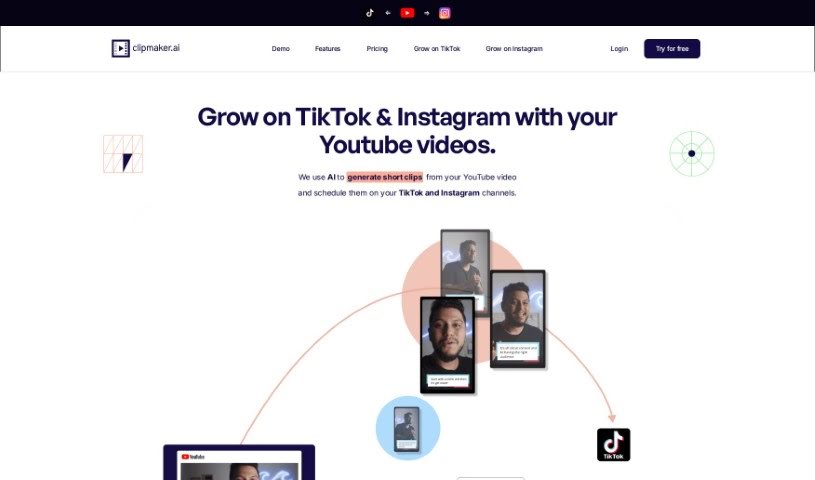
Screenshot of Clipmaker

Clipmaker

Freemium

Clipmaker is an AI-powered tool designed to help you turn your YouTube videos into engaging short clips. It is your go-to for creating content perfect for platforms like TikTok and Instagram. It's packed with features to make this process super smooth. You get instant AI-generated clips, customizable templates so your brand always looks consistent, subtitles that are automatically added to boost engagement, and a handy auto-schedule feature for posting directly to TikTok and Instagram. Basically, Clipmaker uses AI to simplify how you share your content across different social media channels, aiming to help your social media presence grow faster.

Video Generation View Tool →
Screenshot of ContentFries

ContentFries

Freemium

ContentFries is a really handy software tool designed to help you repurpose your content. Basically, it lets you take those longer videos you've already made and quickly turn them into shorter, bite-sized pieces. It is a way to get more mileage out of your existing work, making it super easy to share across different platforms. It comes with neat features like a drag-and-drop tool for multiplying your content, smart subtitles that are easy to read, and some really nice templates to make your videos look great. Podcasters, people who do live streams, webinar hosts, interviewers, and honestly, anyone who creates video content can benefit from this. It's built to help you get the most out of your videos by making it simple to repurpose them. Plus, it's got tools to cut out those awkward silent bits and even fix typos automatically, so you can create engaging content for social media without a lot of hassle.

Video Generation View Tool →
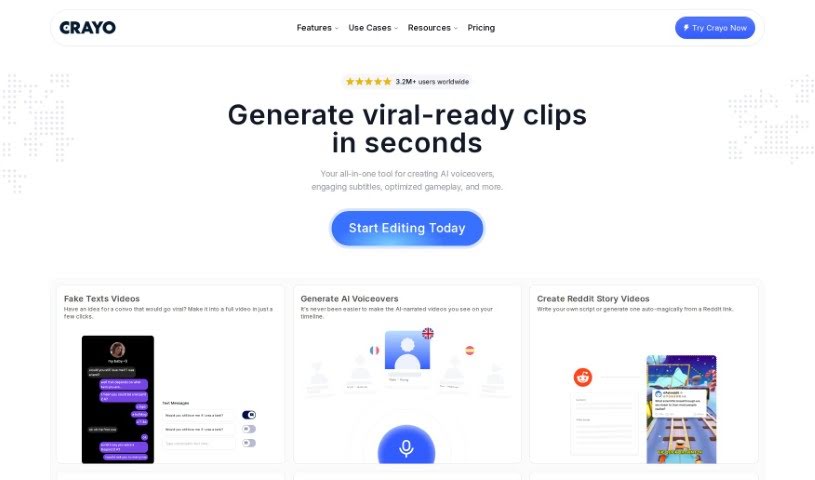
Screenshot of Crayo AI

Crayo AI

Freemium

Crayo AI is a really neat platform that uses artificial intelligence to help you create engaging short videos, perfect for social media platforms like TikTok, Instagram Reels, and YouTube Shorts. It makes putting videos together much simpler by automatically handling things like captions, effects, backgrounds, and even picking out music. This tool is both easy to use and super efficient, meaning influencers, content creators, and anyone into social media can whip up high-quality videos quickly and without a fuss. You can get started by writing your video scripts using prompts or templates, then you can personalize it with background videos, voice narrators, and music from a bunch of free templates. Crayo AI's quick processes automatically generate captions, visual effects, and background music, offering a complete way to create viral content for platforms like Instagram Reels, TikTok, and YouTube Shorts.

Video Generation View Tool →
Screenshot of Dumme

Dumme

Freemium

Dumme is a smart tool powered by AI, built to help content creators turn their longer videos and podcasts into engaging short-form content. It is your personal clip-finding assistant! It's designed to scan your existing material, pinpoint those really interesting moments, and then automatically create short clips. What's great is that it keeps the original context and structure intact, so the clips make sense. Plus, it generates captions, titles, and descriptions for you, so they're all set to go for platforms like TikTok, Instagram Reels, or YouTube Shorts. Dumme can handle videos and podcasts of any length, and you don't even need your own YouTube account to use it. It also works with content in many different languages, making it super versatile for creators everywhere.

Video Generation View Tool →
Screenshot of Edit-Videos-Online

Edit-Videos-Online

Freemium

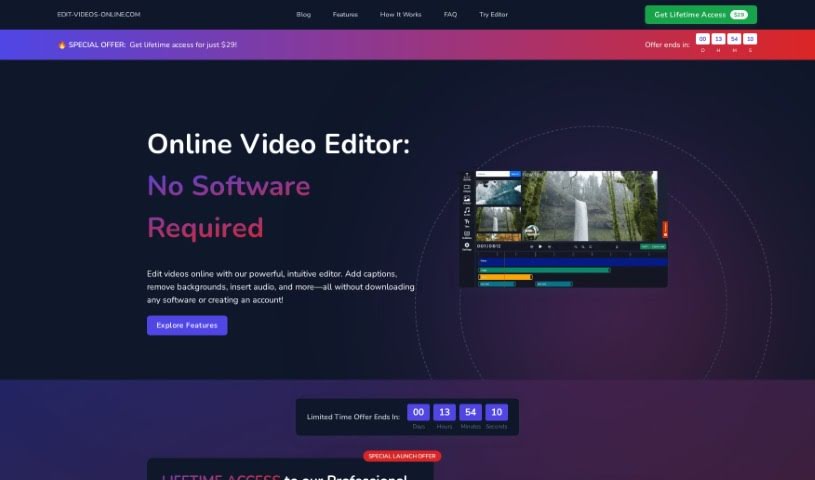
Edit-Videos-Online is a handy online tool that lets you edit and create videos right in your browser. The best part? You don't need to sign up or install any software. It's super easy to add text, captions, subtitles, music, voiceovers, and other audio tracks using the built-in tools. Plus, it works with all the popular video formats you're likely using, like MP4, AVI, MOV, WMV, and FLV. When you're done editing, you can export your video in whatever format and resolution you need. It even has features to automatically generate captions, add images, and watermarks, giving you lots of control over font, color, size, where it appears, and how long it lasts. Want to create TikToks, Instagram Reels, or YouTube Shorts automatically? This tool can do that too! You just give it a topic, and it'll generate a video based on that, letting you review and edit the script and even pick a voice actor.

Video Generation View Tool →
Screenshot of Editair

Editair

Freemium

EditAir is a web platform powered by AI, designed to make video editing much simpler and more efficient for anyone creating content. It is your smart assistant for video. It comes with handy features like automatically cropping videos to fit different platforms, adding subtitles, and transcribing audio. Plus, they're planning to add translation and tools that let you edit videos specifically for certain industries or topics. This means you can easily create short, shareable clips for social media, reach more people, and market your content effectively across different sites. EditAir offers a few different membership options: a Free plan, a Premium plan, and an Unlimited plan. Each one has its own limits on uploads and the features you can access. For instance, the Premium plan costs $24.99 a month and gives you 90 minutes of uploads each week, along with that smart cropping feature. They're also working on a really neat feature that will let you tailor your edits for specific industries or niches, focusing on storytelling elements to meet unique market needs and preferences. You can sign up on their website to start using EditAir. Features like smart cropping help make your videos look great visually, and the upcoming translated subtitles will be a game-changer for reaching a global audience by breaking down language barriers.

Video Generation View Tool →
Previous 1 of 3 Next

Stay Updated with AI Tools

Get weekly updates on the latest AI tools, trends, and insights delivered to your inbox

Join 25,000+ AI enthusiasts. No spam, unsubscribe anytime.