AI Tools for Email Writing

Discover the best Email Writing AI tools to enhance your productivity and creativity.

Page 1 of 6 • 66 total tools

Email can feel like a lot, right? When you’re juggling tons of messages, trying to draft the perfect one can be tough. It’s easy to get stuck trying to find the right tone or make sure everything’s clear. Wouldn’t it be nice to have a little help with all that digital communication?

That’s where AI tools designed for email writing come in. Forget just basic templates; today’s advanced apps can really improve your messages, save you time, and even boost your whole communication strategy.

This past year, these technologies have changed incredibly fast. From real-time suggestions to smart templates that match your personal style, these tools can now make your email tasks much simpler than ever before.

I’ve spent time checking out and testing the best AI tools out there for writing emails. Below, I’ve put together a list of great options that don’t just help you draft emails but also make your workflow smoother. Let’s find the perfect tool to help you write better emails!

The best AI Email Writing Tools

  1. Superhuman to simplify your email writing.
  2. Lead IQ to easily write personalized outreach emails.
  3. Toolsaday for crafting professional emails.
  4. Spark Mail for AI-assisted email writing to draft quickly.
  5. Voila for writing clear, concise emails.
  6. Trimbox for easy email drafting and editing.
  7. Mail Maestro for quick, personalized email replies.
  8. Compose AI for efficient email autocompletion.
  9. Writemail for writing persuasive sales outreach emails.
  10. Friday Email for an effective email writing tool.
  11. Reimagine AI for engaging your audience well.
  12. Scribo Writer for creating business emails more smoothly.
  13. Mailbutler to improve email content with smart suggestions.
  14. AIm Reply for writing professional email responses.
  15. Politepost.net to make casual emails sound more professional.

How do AI email writing tools work?

AI email writing tools work much like other AI writing software, using advanced language models. Most of these tools tap into large language models (LLMs), such as OpenAI’s GPT or similar systems, to generate text. While they might seem unique, many simply package these core technologies with extra features made for email.

When you give them a prompt or some context, these AI models analyze your input. Then, based on patterns learned from huge amounts of data – billions of emails, articles, and other writings – they predict the next words. This helps them get really good at copying different tones and styles for various email situations.

These tools can help draft everything from formal business letters to casual notes, making them handy for both work and personal messages. They make writing easier by suggesting full sentences or even complete replies, which saves you time and helps beat writer’s block.

Plus, many AI email writing solutions let you customize. You can adjust suggestions based on your preferred tone, how formal you want to be, and what you want to say. By changing these settings, the AI can create replies that feel genuine and match your own voice.

Finally, the technology behind these tools is always learning and getting better. Through how people use them and the feedback they get, the models improve over time. This makes them better at understanding context and improving your writing quality. So, AI email writing tools don’t just help; they also aim to make your email crafting process better.

Our best AI email writing tools at a glance

RankNameBest forPlans and PricingRating
1SuperhumanSimplifying your email writing process.N/A4.33 (6 reviews)
2LeadIQWriting personalized outreach emails easily.Paid plans start at $36/month.4.70 (10 reviews)
3ToolsadayCrafting professional emails.N/A4.33 (12 reviews)
4Spark MailAI-assisted email writing for quick drafts.N/A4.60 (5 reviews)
5VoilaWriting clear, concise emails.N/A4.83 (12 reviews)
6TrimboxEffortless email drafting and editing.N/A4.80 (20 reviews)
7Mail MaestroQuick, personalized email replies.N/A4.64 (22 reviews)
8Compose AIEfficient email autocompletion.N/A4.18 (11 reviews)
9WritemailWriting persuasive sales outreach emails.N/A4.09 (11 reviews)
10Friday EmailAn effective email writing tool.N/A4.79 (52 reviews)
11Reimagine AIEngaging your audience effectively.N/A4.25 (12 reviews)
12ScriboWriterCreating business emails more smoothly.N/A3.40 (10 reviews)
13MailbutlerImproving email content with smart suggestions.Paid plans start at $14.95/month.5.00 (11 reviews)
14AImReplyWriting professional email responses.N/A3.86 (14 reviews)
15Politepost.netMaking casual emails sound more professional.Paid plans start at $18.89/month.4.17 (6 reviews)
Screenshot of AI Email Writer

AI Email Writer

Freemium

AI Email Writer is a smart tool that uses GPT-3 technology to help you write emails. It's designed to make your email writing process smoother, ensuring every message you send is both effective and makes a real impact. It is a super-efficient, professional, and easy-to-use assistant that boosts your productivity. It's really versatile, too, so professionals in all sorts of industries can use it to improve their email communication. It saves you time by suggesting content that matches what you want to say and the tone you want to convey, making it an incredibly valuable digital asset for anything email-related.

Text Generation View Tool →
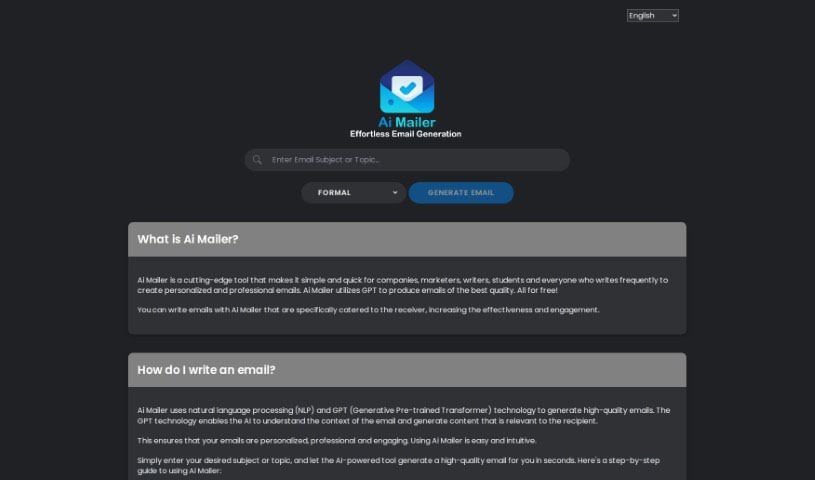
Screenshot of AI Mailer

AI Mailer

Freemium

AI Mailer is a smart platform that helps people, businesses, marketers, and writers create great emails – the kind that feel personal and engaging – really fast. It uses advanced AI, specifically GPT (Generative Pre-trained Transformer) and NLP (Natural Language Processing) technologies. It reads your email's context and then crafts content that really connects with the person receiving it, making sure everything makes sense and fits the situation. Plus, they're serious about your privacy; they don't collect your personal info and use top-notch encryption to keep your data safe. The best part? AI Mailer is free to use and supports many languages, which is a huge help for communicating better and improving customer service.

Text Generation View Tool →
Screenshot of AI Pal

AI Pal

Freemium

AI Pal is your super-smart helper, right inside WhatsApp. It's built to give you quick, spot-on answers for all sorts of things. Need to draft a professional email? Want to whip up an engaging social media post? Planning a getaway? Or maybe you're in the middle of a lively WhatsApp debate and need some help? AI Pal can even spark your creativity with inspiration images. The best part? You can start using it with a free account – no credit card needed. Plus, it's smart enough to adjust its tone, whether you're chatting professionally, keeping it casual with friends, or managing a group conversation.

Text Generation View Tool →
Screenshot of AI Toolbar

AI Toolbar

Freemium

The AI Toolbar acts like a virtual assistant right in your web browser. Its main goal is to help you get more done and make tasks simpler by offering a bunch of AI-powered features. Think of things like drafting emails, translating text, or just chatting with an AI. The Copilot feature, for instance, is a real time-saver for emails; it uses AI to figure out what you need and helps you write messages with just a little input. You can even talk to your personal assistant using your voice on your PC. Just tell the toolbar what you need, whether it's summarizing a long article, pulling out specific data, translating something into another language, or having a conversation with a chatbot. If you opt for the premium version, you get extra perks like custom prompts, unlimited use, and integration with ChatGPT. The free version, however, still gives you access to all the basic features everyone can use.

Text Generation View Tool →
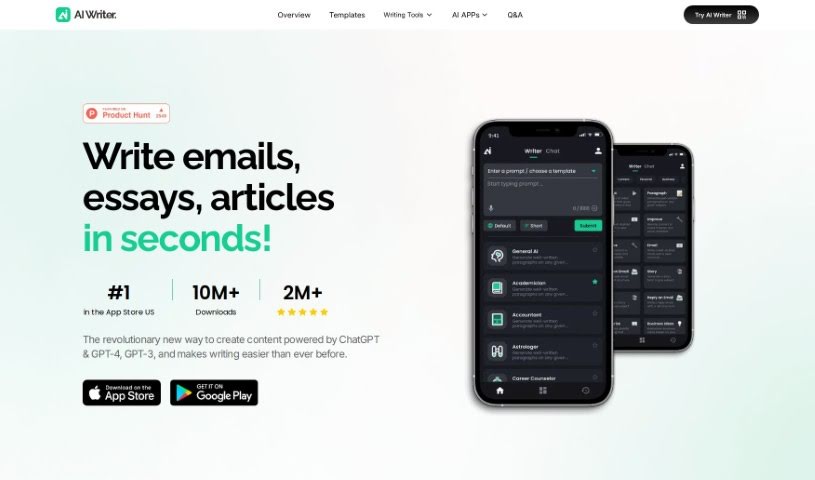
Screenshot of AI Writer: Essay Email Writing(App)

AI Writer: Essay Email Writing(App)

Freemium

AI Writer: Essay Email Writing is a handy mobile app that can whip up high-quality content just for you, in mere seconds. Need to write a persuasive essay or a polished email? AI Writer is here to help you create exactly what you need, efficiently. The app's designed to tackle all sorts of writing tasks, aiming to help you really tap into your full writing potential. Thanks to AI technology, you get quick, effective writing help for pretty much anything, making the whole writing process feel much smoother and faster. Basically, AI Writer: Essay Email Writing is a great tool for anyone wanting to boost their writing skills and get more done, even when they're on the move.

Text Generation View Tool →
Screenshot of Aichatpilot

Aichatpilot

Freemium

AiChatPilot is a handy Google Chrome extension developed by ChatlystAi, a company based in Canada. It is your direct line to ChatGPT-3, right on any website you visit. It's designed to help you whip up high-quality content – whether that's emails, ads, blog posts, or social media updates – super fast. The main idea is to make writing tasks smoother, save you precious time, and generally boost how efficiently you create content, whether you're a business or just working on personal projects. For bloggers, it can help generate interesting articles. Social media managers can use it to create posts. Businesses can streamline their entire content creation process. And for individuals, it's great for everyday writing tasks like composing emails or drafting documents right there on the webpage. Plus, they've got specific pricing plans, an enterprise option, and clear privacy policies and terms of use that everyone needs to follow.

Text Generation View Tool →
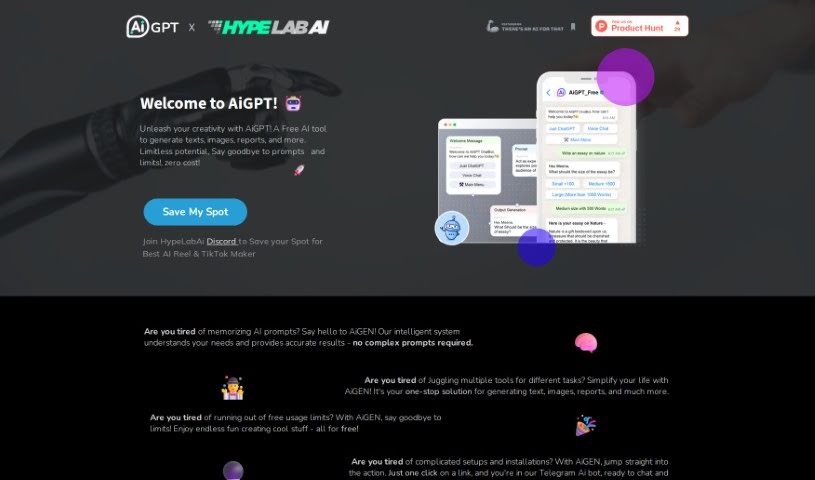
Screenshot of Aigpt Free

Aigpt Free

Freemium

AiGPT Free is a really handy AI tool that offers a bunch of features, all for free! You can use it for quick grammar checks, to help write emails or messages, chat with an AI friend, generate reports, create images, and so much more. The whole idea is to make your tasks simpler by being a one-stop shop for whatever you need. Plus, there are no usage limits, and it's super easy to get started – no complicated setups or installations required. They describe it as a way to change how we interact with AI, making it accessible to everyone and a natural part of our daily lives. It’s built for all users, no matter their tech expertise, and it’s all about boosting creativity and providing a variety of AI tools for different jobs.

Text Generation View Tool →
Screenshot of AImReply

AImReply

Freemium

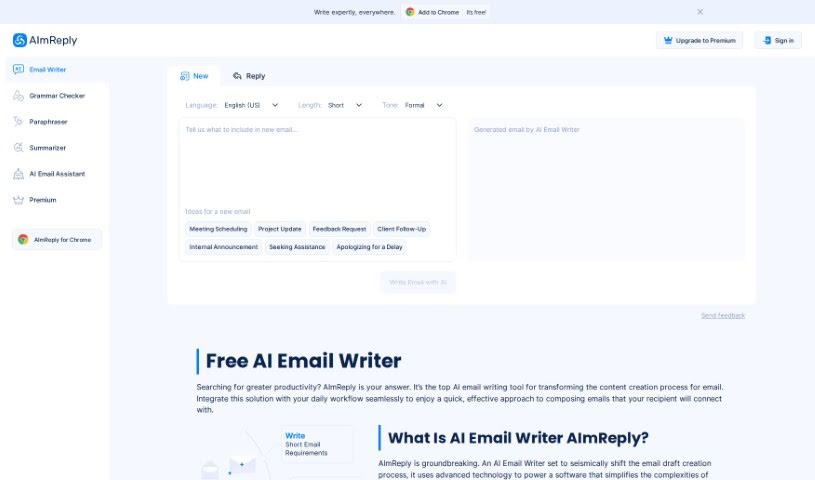
AImReply is an AI-powered tool designed to make writing emails much easier and faster. It uses artificial intelligence to help you draft messages, aiming to simplify your communication tasks. You'll find it offers support for many languages, different tones to match your mood, flexible email lengths, and a really easy-to-use interface. Plus, it gives you AI suggestions to make your content better and lets you edit in real-time. The goal is to boost how efficient and effective your emails are, whether you're in school, running a business, or working in a corporate setting.

Text Generation View Tool →
Screenshot of Angry Email Translator

Angry Email Translator

Freemium

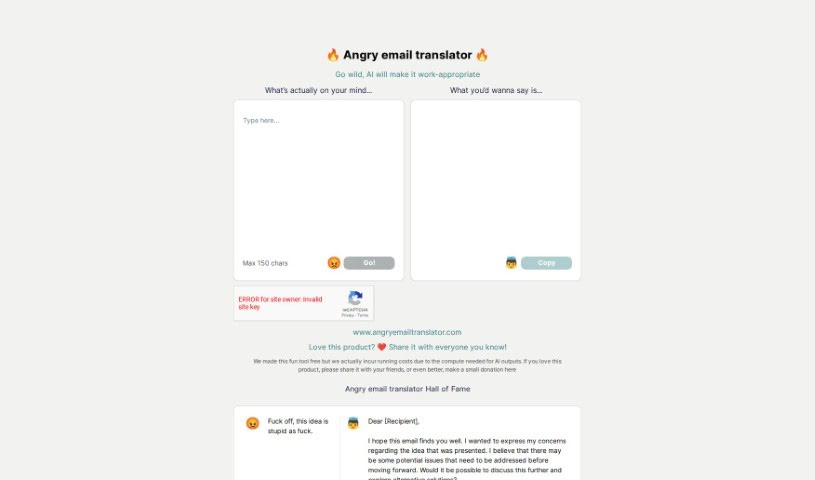
Angry Email Translator is a smart email assistant built to help you get a better handle on your inbox. It uses some really clever technology to make managing your emails smoother, offering a personalized experience that really cuts down on the hassle. The main idea is to take the sting out of dealing with those tough, angry email exchanges and help you communicate more effectively. It comes with some neat features like automation, giving you control, and tools designed to make your communication more professional and efficient.

Text Generation View Tool →
Screenshot of Arch Ai

Arch Ai

Freemium

Arch.ai is a smart AI assistant built to help you write really personalized emails. Whether you're sending a formal business letter or just a friendly check-in, Arch.ai has you covered. It even offers a free version so you can try crafting different kinds of emails, with more advanced features available if you need them. The AI looks at your instructions to make sure each email is just right for you and the situation, paying close attention to those subtle personal touches that make an email feel like it was written by hand. Arch.ai really helps you get more done with your emails by offering things like quick AI summaries, AI-powered replies, and smart prompts to help you draft your messages. It also connects with your calendar to check your availability and priorities, and it even has a special algorithm to flag messages that need your attention right away. Plus, Arch takes data security seriously, using strong encryption and being upfront about its pricing with no surprises. It's designed for everyone – freelancers, professionals, small businesses, and even larger companies. You can even request early access to Arch.ai, which is basically your own personal AI email assistant, making email tasks much simpler and boosting your productivity.

Text Generation View Tool →
Screenshot of Autopitch

Autopitch

Freemium

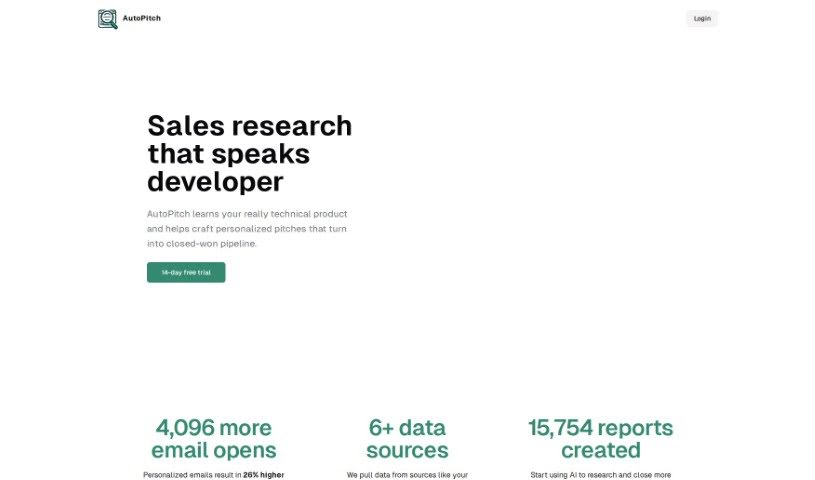
AutoPitch is your AI assistant for crafting technical outbound messages. It's built to help you create these messages efficiently. Basically, it uses smart AI to take the technical details you provide and turn them into well-organized messages. This really cuts down on the time and effort you'd normally spend writing them. AutoPitch's main goal is to make communication smoother in technical fields, helping folks in IT, engineering, and data science write clear, to-the-point messages. By automating this part of the process, AutoPitch not only boosts your productivity but also aims to make your technical communications better over time. It does this by continuously learning and improving its AI capabilities.

Text Generation View Tool →
Screenshot of BestRegards

BestRegards

Freemium

BestRegards is a handy Chrome extension that uses AI to help you write personalized, professional email and message replies quickly. It is your AI assistant for email! It figures out what an incoming message is about and then helps you draft a fitting response. It's really easy to use – you don't need any tech skills at all. Plus, it works with pretty much any email service you use. It's especially good with Gmail, though, because it can automatically understand the context of your conversations there. It also supports lots of different languages, has a "magic composing" feature, can be accessed from any website, and, as I mentioned, requires zero programming knowledge.

Text Generation View Tool →
Previous 1 of 6 Next

Stay Updated with AI Tools

Get weekly updates on the latest AI tools, trends, and insights delivered to your inbox

Join 25,000+ AI enthusiasts. No spam, unsubscribe anytime.