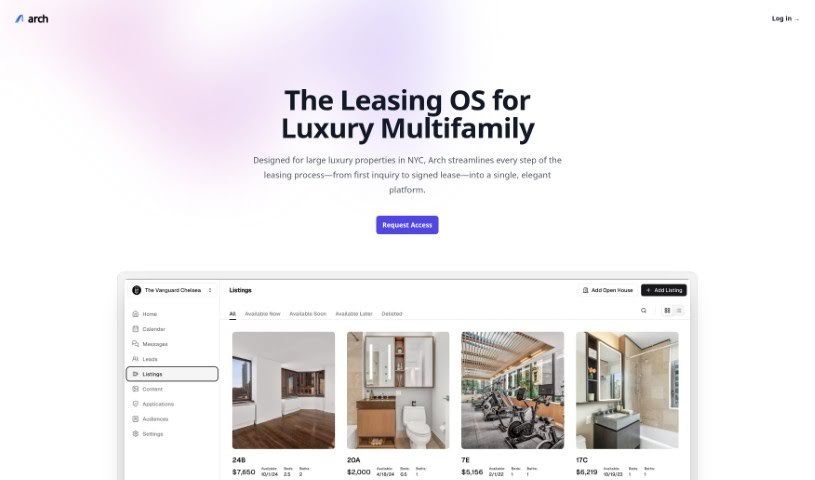
Screenshot of Arch Ai

Arch Ai

Discover what Arch AI is and how to use it in 2025. We'll explore its features, compare it to other Email Writing Tools, and guide you through its capabilities.

Screenshot

What is Arch Ai?

Arch.ai is a smart AI assistant built to help you write really personalized emails. Whether you’re sending a formal business letter or just a friendly check-in, Arch.ai has you covered. It even offers a free version so you can try crafting different kinds of emails, with more advanced features available if you need them. The AI looks at your instructions to make sure each email is just right for you and the situation, paying close attention to those subtle personal touches that make an email feel like it was written by hand. Arch.ai really helps you get more done with your emails by offering things like quick AI summaries, AI-powered replies, and smart prompts to help you draft your messages. It also connects with your calendar to check your availability and priorities, and it even has a special algorithm to flag messages that need your attention right away. Plus, Arch takes data security seriously, using strong encryption and being upfront about its pricing with no surprises. It’s designed for everyone – freelancers, professionals, small businesses, and even larger companies. You can even request early access to Arch.ai, which is basically your own personal AI email assistant, making email tasks much simpler and boosting your productivity.

Who created Arch Ai?

Arch Ai was developed with the goal of making email tasks much more efficient. It provides AI-powered features like email summaries, responses written by AI, and adaptive prompts to help you draft emails. It also integrates with your calendar to help cross-reference your availability and priorities, uses algorithms to detect urgency in messages, and includes strong data security measures. The tool is designed to simplify your email work and increase your productivity, whether you’re a freelancer, a professional, a small business owner, or part of a larger enterprise. They offer clear pricing plans, and you can request early access to Arch Ai, which acts as your personal AI email copilot. It was launched on June 5, 2023.

What is Arch Ai used for?

  • It helps you write personalized emails, from formal business messages to casual chats.
  • It analyzes your instructions to make sure each email fits your specific needs and situation.
  • It focuses on the little personal details that make communication feel unique.
  • It helps you manage your emails more smoothly.
  • You get instant AI summaries to keep your email content organized.
  • It offers AI-driven responses that match your own writing style.
  • It uses adaptive prompting to help you draft emails more easily.
  • It connects with your calendar to check your availability and priorities.
  • It has a special algorithm that flags messages needing your attention quickly.
  • It keeps your data safe with strong encryption protocols.

Who is Arch Ai for?

  • Freelancers
  • Professionals
  • Small businesses
  • Enterprises

How to use Arch Ai?

A Guide to Using Arch Ai Effectively:

Arch Ai is a sophisticated AI assistant that helps you create personalized emails for all sorts of reasons. Here’s a simple, step-by-step guide to getting the most out of this tool:

  1. Understanding Arch Ai: Think of Arch Ai as your personal assistant for writing emails. It’s made to help you craft messages that feel personal, whether they’re for work or just catching up with someone.

  2. Getting Started:

    • Head over to the Arch Ai website and click the “Try for free” button to sign up.
    • You can start with the free tier to try writing different kinds of emails. If you need more, there are premium features available for advanced use.
  3. Personalizing Your Emails:

    • Arch Ai uses AI to carefully read your instructions. This way, it makes sure every email is perfectly suited to your individual needs and the specific situation you’re in. This personal touch really makes your communication more effective.
  4. Making Email Management Easier:

    • You can really boost your email productivity by using Arch Ai’s features.
    • Get instant AI summaries to help you organize your emails, making it much easier to sort through your inbox.
  5. Drafting Emails:

    • When you’re drafting emails, use Arch Ai’s adaptive prompting. It can give you quick suggestions or even detailed drafts based on exactly what you need.
    • Connect it to your calendar so it can check your availability and priorities when you’re writing.
  6. Staying Efficient:

    • Arch Ai has a smart algorithm that detects urgency. Use it to quickly spot messages that need your immediate attention, so you don’t miss anything important.
  7. Data Security and Pricing:

    • Arch Ai takes your data security very seriously. They use top-notch encryption protocols to keep your information private and safe.
    • You can choose from different pricing plans that fit how many emails you send. The pricing is clear, with no hidden costs.
  8. Getting Help:

    • If you have specific questions, check out the FAQ section on the Arch Ai website.
    • You can also reach out to their support team if you need any assistance or guidance.
  9. Early Access and What You Gain:

    • If you request early access, you can get a smoother email experience that really helps boost your productivity and efficiency.

Arch Ai is a dependable AI email copilot that simplifies your email tasks. It offers personalized help to craft emails that are both effective and tailored to different situations. By following these steps, you can really make the most of Arch Ai for better email communication and management.

Related AI Tools

Discover more tools in similar categories that might interest you

Stay Updated with AI Tools

Get weekly updates on the latest AI tools, trends, and insights delivered to your inbox

Join 25,000+ AI enthusiasts. No spam, unsubscribe anytime.